This software has been discontinued. If you are looking for a way to manage email signatures and disclaimers in your Exchange Server organization and are using Exchange SE or Exchange 2019/2016 (until they’re supported by Microsoft), try out CodeTwo Email Signatures On-prem.
If you need to manage email signatures, disclaimers and marketing campaigns centrally in Microsoft 365 (Office 365), see our world-leading cloud solution: CodeTwo Email Signatures 365.
Remove themes and stationery
This action is used to remove all themes and stationery from email messages. Such features may be added when composing a message in particular email clients, such as Microsoft Outlook (Fig. 1.).
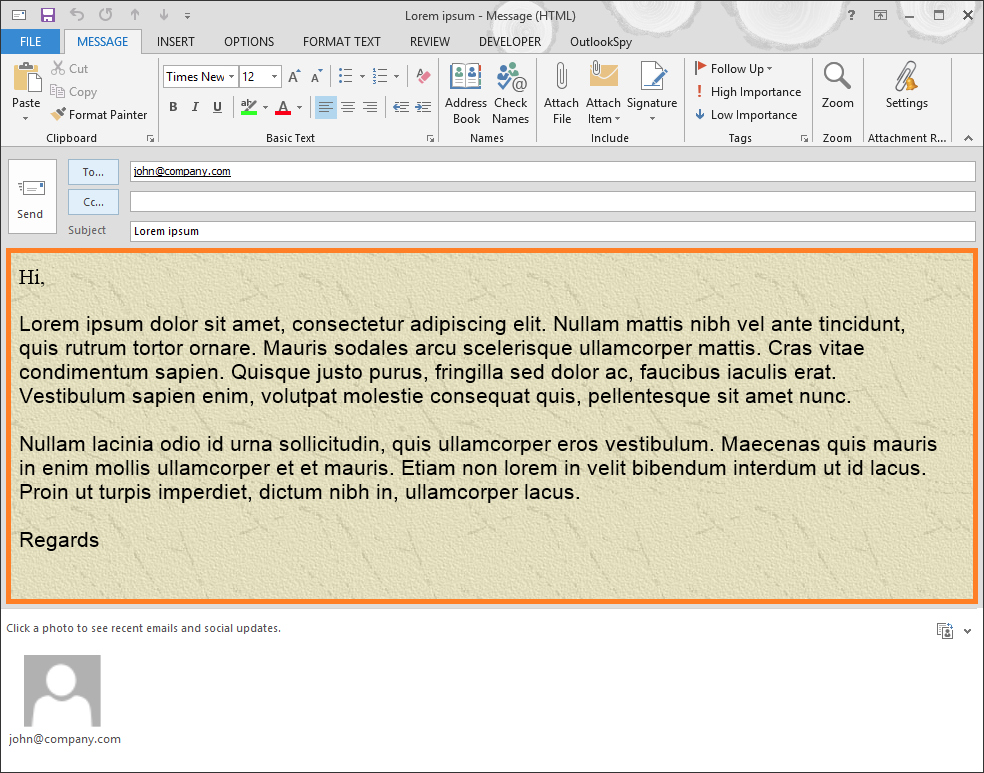
Fig. 1. A theme applied to a message in MS Outlook.
This feature helps to maintain a uniform look of the company's correspondence regardless of how the end users' mail clients are configured.
How to configure this action
To activate the action click Add on the Actions tab and select Remove themes and stationery (Fig. 2.).
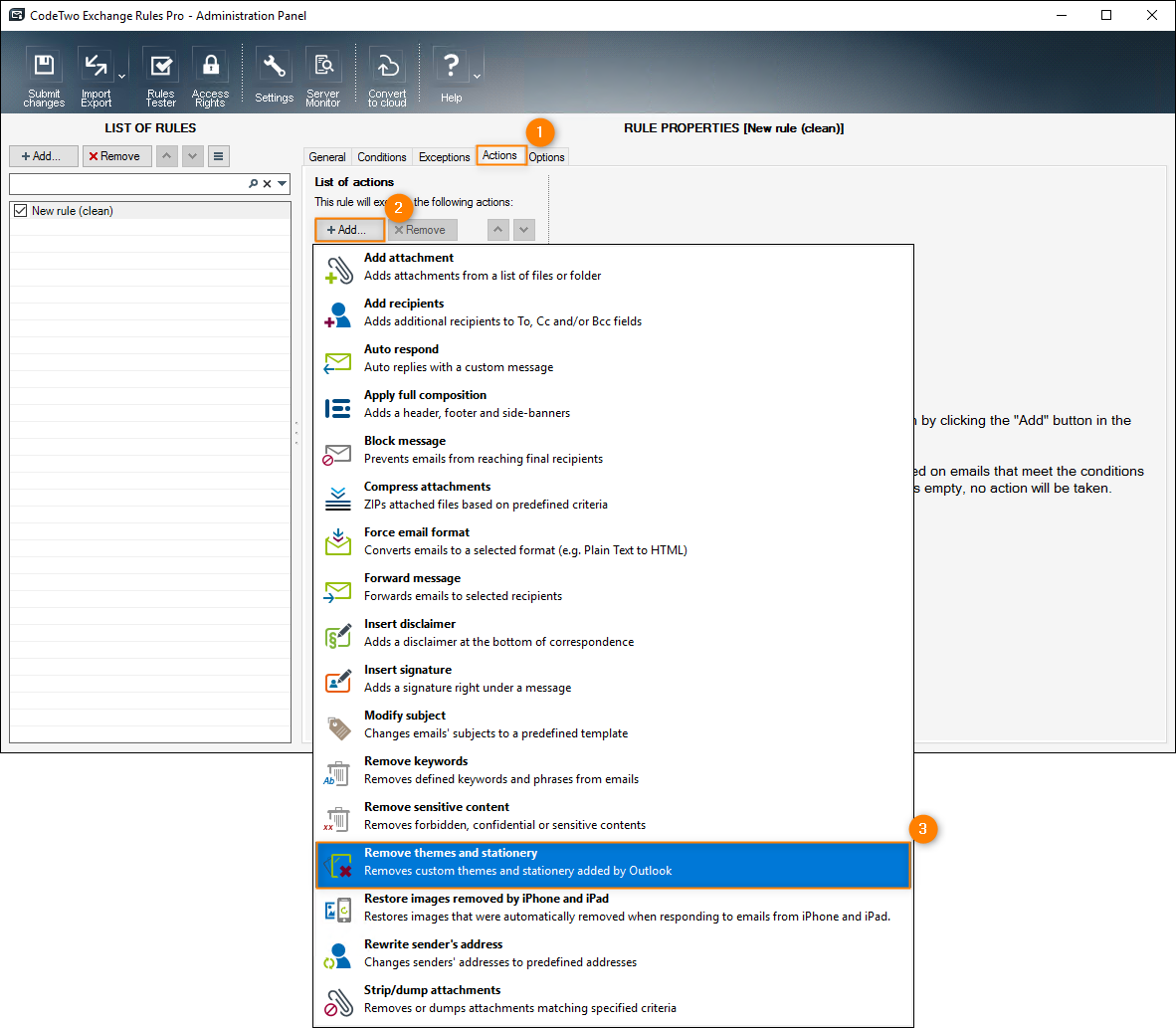
Fig. 2. Choosing the Remove themes and stationery action on the Actions tab.
The new action Remove themes and stationery will appear on the List of actions while the right pane will show the action's description (Fig. 3.).
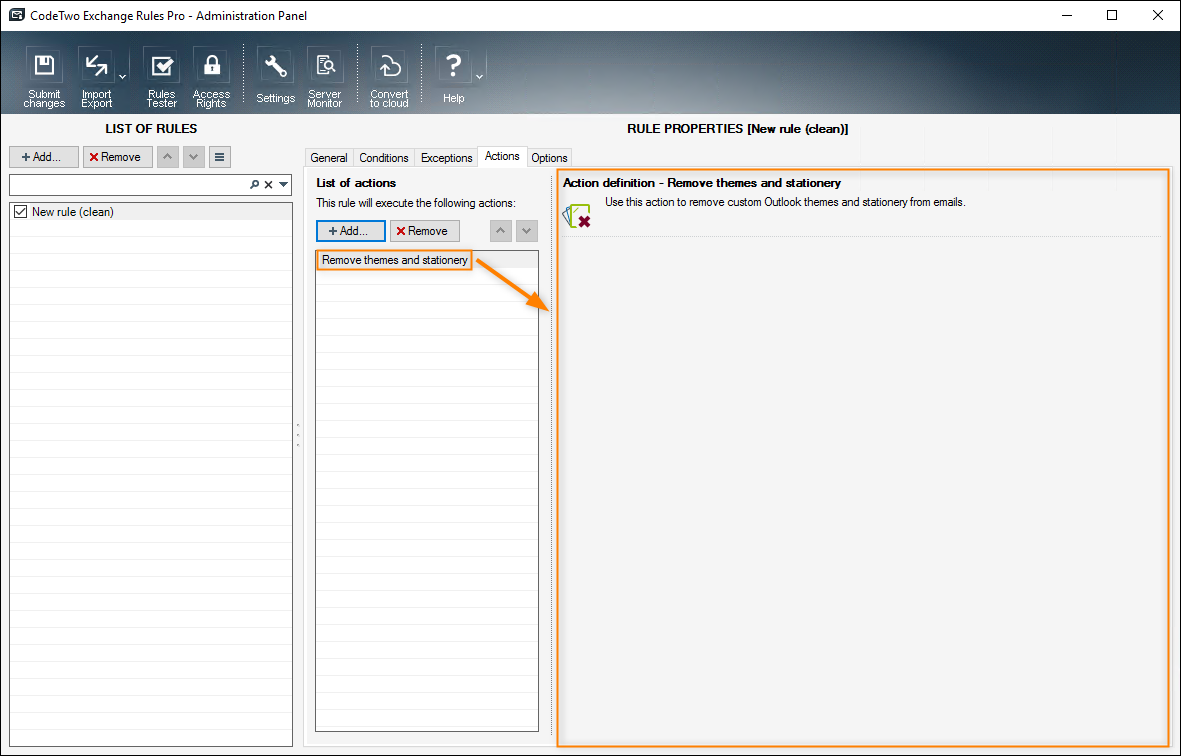
Fig. 3. Description of the Remove themes and stationery action in the right pane.
In this article