This software has been discontinued. If you are looking for a way to manage email signatures and disclaimers in your Exchange Server organization and are using Exchange SE or Exchange 2019/2016 (until they’re supported by Microsoft), try out CodeTwo Email Signatures On-prem.
If you need to manage email signatures, disclaimers and marketing campaigns centrally in Microsoft 365 (Office 365), see our world-leading cloud solution: CodeTwo Email Signatures 365.
The dropdown Help menu
In the dropdown Help menu one can find such usefull information like direct links to the User's manual, the Program's website and the general info on the CodeTwo Exchange Rules Pro in the About... tab. Furthermore, you can also contact the Technical Support and make use of the diagnostic data in Log files (Fig. 1.).
 |
| Fig. 1. The dropdown Help menu expanded. |
Additionaly, in the Critical notifications... tab you may define users who will receive important notifications such as: demo expiry info, information on used licenses once they reach 95% of the whole pool and if the licenses limit has been reached (Fig. 2.).
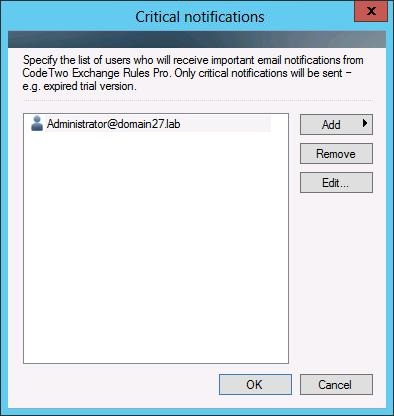 |
| Fig. 2. The Critical notifications window. |
 The Critical notifications... window will automatically pop out after the program's installation is completed.
In this article