FAQ
The most trusted email signature software for Exchange Server
CodeTwo
Email Signatures On-prem
- Centrally managed email signatures, disclaimers, marketing banners and email flow control
- Support for all email clients, including Outlook and mobiles
- 100% on-prem solution (installed locally; no cloud agents)
- The only on-prem signature & mail flow manager for Exchange SE
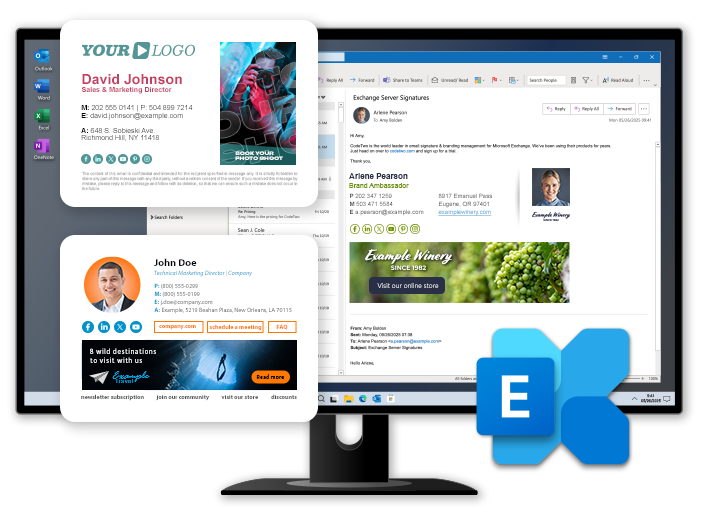
Frequently Asked Questions - CodeTwo Email Signatures On-prem
Take a look at the list of Frequently Asked Questions for CodeTwo Email Signatures On-prem:
Sales
Select and click on a sales-related question:
- Why do I need this product?
If you are an Exchange administrator, you know well that Microsoft Exchange Server’s built-in mail flow rules offer limited email flow and content control capabilities. With Microsoft increasingly focusing on cloud solutions like Microsoft 365, it’s unlikely these native limitations will change.
CodeTwo Email Signatures On-prem helps you overcome these constraints and serves as the go-to solution for centralized, automated email signatures on Exchange. The program is the successor to CodeTwo Exchange Rules Pro – widely considered the best email signature manager for on-premises Exchange.
Key features for Exchange administrators:
- Add signatures directly under the latest reply in email conversations.
- Show signatures added on the server side (after an email is sent) in the senders’ Sent Items folder.
- Use custom Active Directory attributes in signatures.
- Give non-IT staff restricted remote access to rules and signatures.
- Schedule automatic replies.
- Manage attachments in all emails traveling through your mail server.
- Use a variety of tools (including an API) for multi-tenant environments.
You’ll find a detailed comparison between CodeTwo Email Signatures On-prem and native Exchange mail flow rules here.
- How much does it cost?
CodeTwo Email Signatures On-prem is offered in a yearly subscription model. The price of the subscription is based on the number of mailboxes the program is used with. More details can be found on this page.
- Can I test the product before buying it?
Yes. You can download a fully functional 14-day trial of CodeTwo Email Signatures On-prem via this page.
Unless you activate the program, after 14 days it will stop applying rules to messages. All your settings will nevertheless be kept, so you will not have to recreate them when you activate the program. Your mail flow will not be blocked after the trial expires.
If the standard 14 days are not enough for you, contact us, and we will extend your trial period.
- How many licenses do I need to buy?
You only need to purchase licenses for the exact number of mailboxes that will benefit from the program. CodeTwo Email Signatures On-prem offers several condition and exception options, which let you easily limit the scope of mailboxes (or email addresses) processed by the program.
To find out more about licensing details, go to this page.
- Do you offer discounts?
Yes, we offer discounts to:
- Non-profit organizations.
- Partners who are active in our Partner program.
- Customers who migrate from CodeTwo Exchange Rules 2016/2019/Pro to CodeTwo Email Signatures On-prem (they may also qualify for a free one-year subscription). Learn more
Additionally, all our products come with volume discounts – the more licenses you order, the less you pay per license!
- I’m using CodeTwo Exchange Rules (Pro). Can I migrate to CodeTwo Email Signatures On-prem?
Yes. The migration is as simple as an in-place upgrade – just download CodeTwo Email Signatures On-prem and install it on top of your existing CodeTwo Exchange Rules (Pro) installation. All rules and settings will be automatically migrated, so you can start using the new program right away. Learn more about the migration process
If you plan to install CodeTwo Email Signatures On-prem on a new server, you can manually import all rules and settings, as described in this article.
Once the migration is complete, CodeTwo Email Signatures On-prem, which is a different product with a different licensing model, will be installed as a fully functional 14-day trial. To continue using the software after the trial, you need to purchase a yearly subscription license and activate it before the trial expires. Otherwise, the program will stop working.
If you have a valid support contract for CodeTwo Exchange Rules 2016/2019/Pro, you are eligible for a free 1-year subscription to CodeTwo Email Signatures On-prem. If your support contract has expired, you can still migrate your license at a discounted rate (learn more on the pricing page). Note that your CodeTwo Exchange Rules (Pro) license key will stop working 90 days after you receive new license keys for CodeTwo Email Signatures On-prem.
Functionality
Select and click on a functionality-related question:
- Can it add signatures and disclaimers directly under the latest emails in conversations?
Yes, it can. This is possible thanks to a unique signature positioning algorithm. Learn more
- Can the program add different signatures for new messages and replies?
Yes, it can. The program allows you to set up different signatures for new emails and different ones for replies and forwards. Learn more
- Can I create different signatures for internal and external messages?
Yes, you can. CodeTwo Email Signatures On-prem allows you to create and insert different signatures to emails depending on the message direction. Learn more
- Can the program add different signatures to emails sent to different external domains?
Yes, it can. CodeTwo Email Signatures On-prem allows you to set up different rules that will insert different signatures to emails sent to specific external domains specified in the rule conditions.
- Can users choose which signatures will be added to their emails?
Yes, they can. This is possible if a rule’s conditions and/or exceptions are based on the content of the email body and/or email subject.
For example, if you configure the following rule where the condition is: Body > contains keyword > insert_sig, CodeTwo Email Signatures On-prem will look for the "insert_sig" phrase in the email body and, upon finding the phrase, add the signature you have set up. With these settings, the signature will only be applied if a user puts the "insert_sig" phrase in their email. Phrases can be used in a rule’s exceptions as well.
- Can a signature be visible while composing an email?
No, it can’t. It is not possible to see a signature while composing an email, as signatures are added directly on the server after the email is sent. However, you can view your signature in the Sent Items folder in your email app (including on mobile devices). This is possible thanks to the Sent Items Update feature. See this article to learn more about this feature and how to configure it.
- Does the program apply rules to emails sent from mobile devices and email apps other than Outlook? What about Mac?
Yes, it does. CodeTwo Email Signatures On-prem can apply signatures to any messages (internal, outgoing or incoming) traveling through your mail processing servers, regardless of the email app or mobile device used to send it. iPhone, iPad, Android, and other smartphones are all supported. The same goes for all versions of Outlook (desktop, mobile and OWA) and other standalone email apps, such as Apple Mail and Thunderbird.
- Can the program remove blank spaces from the signature if some users do not have, e.g., a mobile number in Active Directory field?
Yes, it can. Thanks to the Remove Text tags feature (RT tags), CodeTwo Email Signatures On-prem can remove entire lines from a signature if there is no data to pull from Active Directory for a selected attribute. Learn how to use RT tags...
Alternatively, you can use the conditional placeholders feature to define a generic phone number to be inserted into a signature if an email sender has no mobile phone number specified in your Active Directory. Learn more about conditional placeholders
- Can I use CodeTwo to create accessible email signatures compliant with WCAG and other accessibility standards?
Yes, you can. The signature template editor in CodeTwo Email Signatures On-prem allows you to design all your signatures in a way that complies with the Web Content Accessibility Guidelines (WCAG) 2.2 Level AA and similar frameworks, setting the benchmark for perceivable, operable, understandable, and robust digital content.
To ensure that your email signature templates are barrier-free, you can also design or edit the templates directly in the HTML source code or load a signature template from an HTML file. Learn more about editing the signature HTML code
- Can non-IT staff, e.g., the Marketing team, use the program without accessing any other server settings?
Yes, they can. The architecture of CodeTwo Email Signatures On-prem allows the server administrator to delegate selected rule configuration duties to other employees (e.g., email signature management to the Marketing or Sales team) without risking security or privacy breaches. Learn more
- Can the program save attachments sent from external email addresses to one location?
Yes, it can. This is possible thanks to the Strip/dump attachments feature. You can decide, e.g., whether to save or remove attachments, where to save them, or what structure the attachments folder should have. Learn more about this feature
- Does the program overwrite signatures created by end-users?
Currently, no. To achieve this, you can use Microsoft’s built-in tools (Intune or GPO):
- Can the program send auto replies to emails outside working hours?
Yes, it can. CodeTwo Email Signatures On-prem allows you to create rules that will automatically send replies to emails outside working hours.
- Will end users know what action the program will perform on their email as they are composing it?
No, they won’t. This is because CodeTwo Email Signatures On-prem processes messages (e.g., adds signatures, archives attachments, applies DLP policies) at the server-level, after the end user sends their email.
However, the effects of the program’s actions can be displayed in users’ Sent Items folders after a message has been processed. Learn more
- Can I create a professional server-level sales or marketing auto response?
Yes, you can. CodeTwo Email Signatures On-prem features the fully customizable server-level autoresponder action, which lets you automatically reply to selected incoming messages with a pre-designed email template.
- Does the program work with Microsoft 365 environments?
CodeTwo Email Signatures On-prem is compatible with hybrid environments (Exchange on-premises + Microsoft 365) that have centralized mail transport enabled. For more information on deployment and integration with hybrid Exchange, read this article.
However, if you have a cloud-only Microsoft 365 environment (with no on-premises Exchange server deployed) and you still need an email signature manager to create organization-wide email signatures, consider using CodeTwo Email Signatures 365.
If you have an active CodeTwo Email Signatures On-prem subscription and plan to migrate to Microsoft 365, we can offer you an attractive discount on CodeTwo Email Signatures 365. Contact us to learn more
- Can the program be used in Google Workspace organizations?
No, it cannot. CodeTwo Email Signatures On-prem is designed for environments based on Exchange Server Subscription Edition.
- Does the program support encrypted and digitally signed messages?
Yes, it does. See this article to learn which actions can be performed on such messages.
Technical
Select and click on a technical-related question:
- What are the system requirements?
CodeTwo Email Signatures On-prem consists of 2 components:
- Administration Panel – a client application with adjustable access rights, in which a user configures email rules and the program’s settings;
- Email Signatures On-prem Services – a host module responsible for distributing and enforcing rules in an organization.
Both components have slightly different system requirements (only 64-bit platforms are supported).
Administration Panel
- Windows Server 2025/2022/2019
- Windows 11/10
The Administration Panel can be installed on any machine (server and client) in your domain.
Email Signatures On-prem Services
Operating system:
- Windows Server 2025/2022/2019 (including the Server Core version)
Exchange Server:
- Exchange Server Subscription Edition (SE) with Mailbox role
- Exchange Server 2019/2016 with the Mailbox role (supported only while these versions are covered by Microsoft’s Exchange Server ESU program)
For more information see this user’s manual article.
- How do I install CodeTwo Email Signatures On-prem?
First, install the Email Signatures On-prem Services on each mail processing server (with the Mailbox role) in your organization. Then install at least one Administration Panel on any machine inside your domain that meets the system requirements listed in FAQ 1 above. The Administration Panel will connect to the Email Signatures On-prem Services, which, in turn, will take care of distributing settings between servers and enforcing rules.
Instances of the Administration Panel can also be used by non-admin staff, provided that the designated users are granted the necessary rule management permissions.
See also:
- Can I use the program on multiple servers?
Yes, you can. The number of servers in your organization does not impact the program’s licensing – you can use a single product license key to activate the program on multiple servers within the same Active Directory forest. Just purchase licenses for all mailboxes in your organization that will be processed by the program. Find out more about CodeTwo Email Signatures On-prem licensing details here.
If you want to use the program on multiple forests, contact us to receive a separate license key.
- Where can I find the software documentation?
The technical documentation for CodeTwo Email Signatures On-prem is available on the following pages online:





