



The best Microsoft 365 (Office 365) tools should make your job easier and faster: automate the mundane and patch the native systems’ limitations. But that’s not all – since additional tools are developed by third parties, you need to know you can trust the brand with handling your data and helping with your processes. At CodeTwo, that’s what we’re all about – making your job easier since 2007 with a customer-centric approach, adherence to the highest security standards, and award-winning customer support.
It may not be possible to automate all admin tasks, but there are solutions that can definitely help streamline at least some aspects of the everyday Microsoft 365 routine, such as email signature management, data migrations and backups. Keep reading to get more details on how you can benefit from the best tools for Microsoft 365 from CodeTwo.
Best Microsoft 365 email signature management tool
Native options for adding organization-wide email signatures in Exchange Online are insufficient for most companies. The lack of features like signatures added under the latest response or central control over signature design and deployment makes companies look further for other solutions. And this is where CodeTwo software comes in.
CodeTwo Email Signatures 365 is a cloud-based application that allows you to centrally manage email signatures and legal disclaimers for all employees in your Microsoft 365 tenant.
The software can add signatures:
- in the cloud, after emails are sent, which works with all devices and email applications, or
- directly in Outlook and Outlook on the web (OWA) as users type an email, through the use of a state-of-the-art Signature Add-in for Outlook (co-engineered with Microsoft).
Watch the video below to see the bigger picture of how the CodeTwo service harmonizes with Microsoft technologies.
When it comes to service configuration, the application can be up-and-running in just a few moments. Most of the setup, including the connection to your Microsoft 365 tenant, is wizard-driven. This saves you both time and effort. Once CodeTwo Email Signatures 365 is configured and ready to work, simply launch the intuitive, web-based signature management app (see the screenshot below) to create and manage email signatures and signature-adding rules on any device (including Windows, Mac, and mobiles).
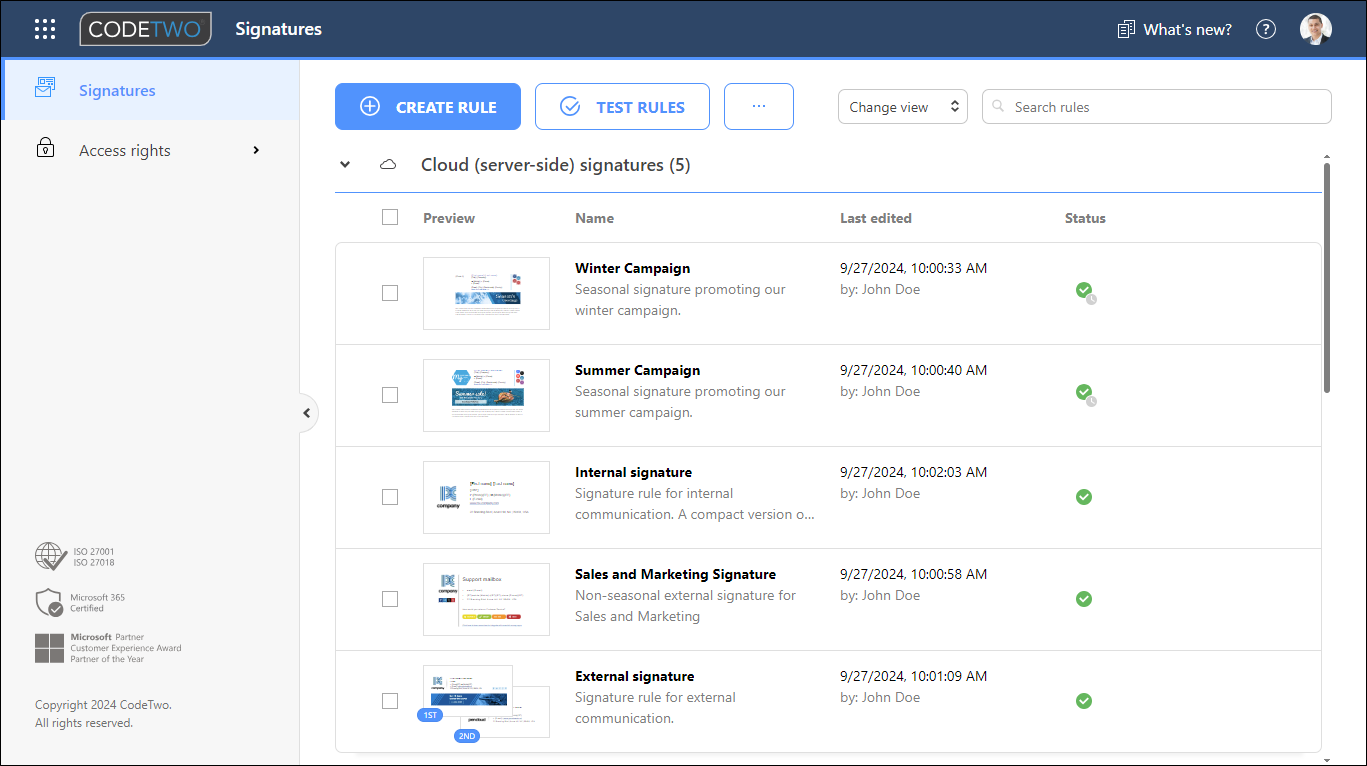
You don’t have to create email signatures all by yourself. You can either load one of the predefined signature templates, use a built-in HTML editor to create a new template, or even assign the task to someone else, for example a colleague from the Marketing department. And don’t worry about security. CodeTwo Email Signatures 365 allows you to safely delegate email signature management tasks to selected users or groups of users. This way, a non-IT person can use the application to manage email signatures for your organization with no administrative access to other functionalities or to your Microsoft 365 tenant.
Who is this solution for?
CodeTwo Email Signatures 365 is an ideal solution for those who need:
- a central tool to manage users’ email signatures in Microsoft 365 tenants,
- professional, fully-branded HTML signatures no matter what email apps and devices they use,
- images, logos, and banners embedded in signatures, rather than added as attachments,
- signatures in replies added under the latest response, not at the bottom of an email conversation,
- a preview of client-side signatures while composing an email in all Outlook versions: Outlook for Windows, Mac, OWA, iOS, and Android,
- different signatures based on the sender, recipient, language, keywords, & more.
These are only examples of how you can benefit from this email signature software for Microsoft 365. To find out more, see other features of CodeTwo Email Signatures 365.
Smart tool for automatic reply management and more
CodeTwo Autoresponder for Microsoft 365 is a cloud service integrated into CodeTwo Email Signatures 365, available to licensed users at no extra cost. The feature allows organizations to create fully-branded automatic replies and out-of-office messages that are managed centrally and work across all email apps and devices. With smart scheduling, customizable templates, and seamless integration with Microsoft 365 and Azure, it provides a reliable and professional automated communication solution.
CodeTwo Autoresponder allows you to precisely define when auto replies are sent by setting trigger rules based on the sender, recipient, keywords, or specific dates and times. You can centrally manage out-of-office and other automated replies for any employee or department, including the Customer Support team, and customize the content with branded elements like links, images, and personalized signatures.
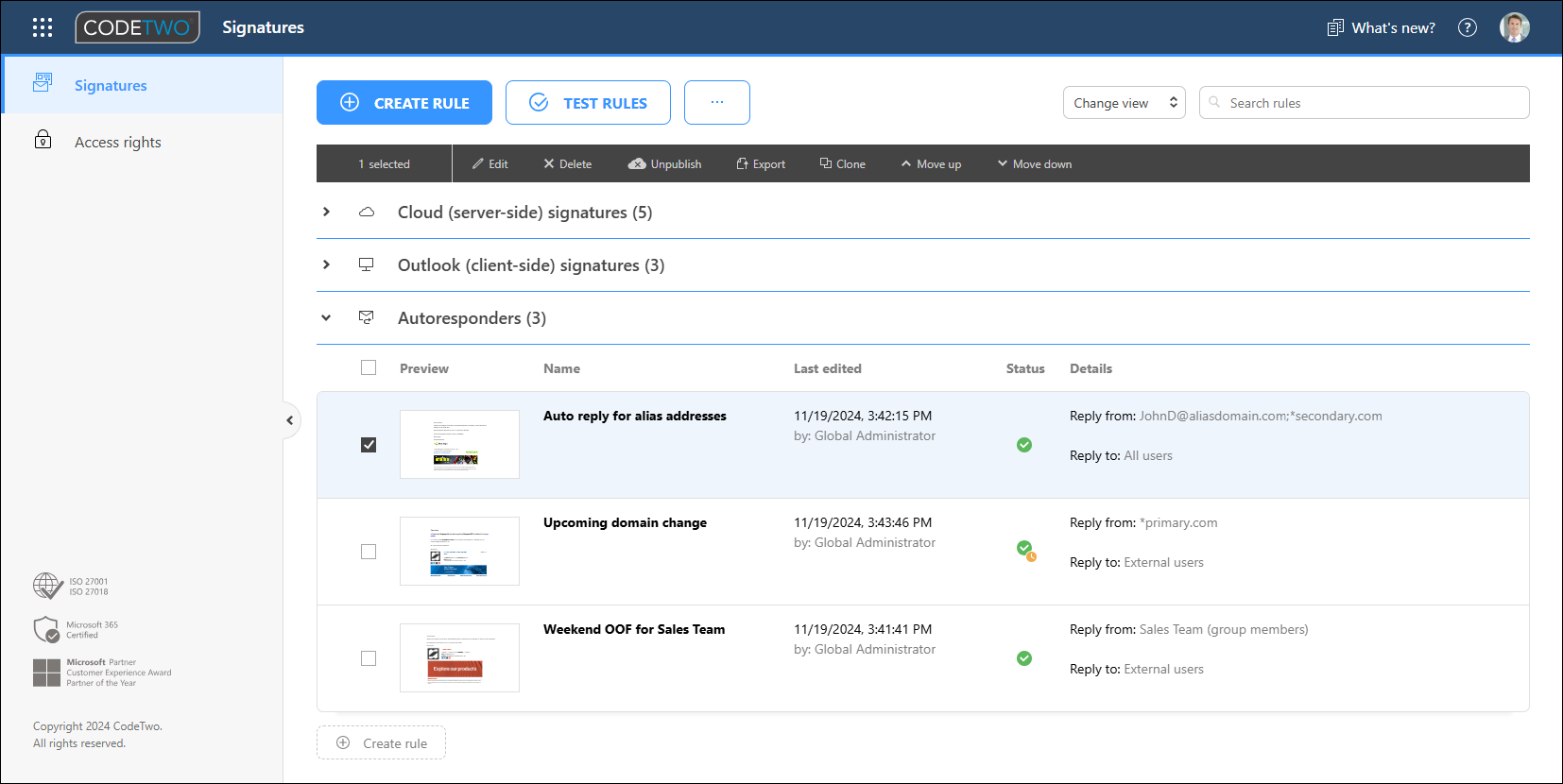
The tool lets you create unique templates tailored to different teams, control email headers such as the sender name and subject, and send auto replies from inactive or deleted mailboxes to maintain consistent communication. Additionally, it allows you to forward or redirect incoming emails to another email address.
Who is this solution for?
CodeTwo Autoresponder for Microsoft 365 is the perfect choice for those who’d like to:
- centrally manage automatic replies and out-of-office messages,
- control how many autoreplies are to be sent for a specific sender in a chosen period of time,
- schedule auto replies based on senders, recipients, keywords, or specific dates and times,
- personalize auto replies with branded content like links, images, and signatures,
- send auto replies from inactive or shared mailboxes,
- forward or redirect incoming emails while sending automatic replies.
Sounds like something you’ve always needed? Learn more about CodeTwo Autoresponder for Microsoft 365 and see how it works in connection with CodeTwo Email Signatures 365.
Super-effective customer feedback collection tool
Did you know that you can turn corporate email signatures into an insightful tool for measuring customer satisfaction? All you need to do is integrate customer satisfaction (CSAT) surveys into the signatures and find a way to gather and analyze feedback from them. And this is when CodeTwo One-click surveys for Microsoft 365 enters the stage.
Just like the Autoresponder tool, CodeTwo One-click surveys for Microsoft 365 is a complementary feature of CodeTwo Email Signatures 365, available at no additional cost. It lets you add customizable one-click surveys to email signatures used across your organization. This way, you can let email recipients rate your employees and the service they provide by simply clicking an emoji, like, or star icon embedded in the signature area, regardless of the email app.
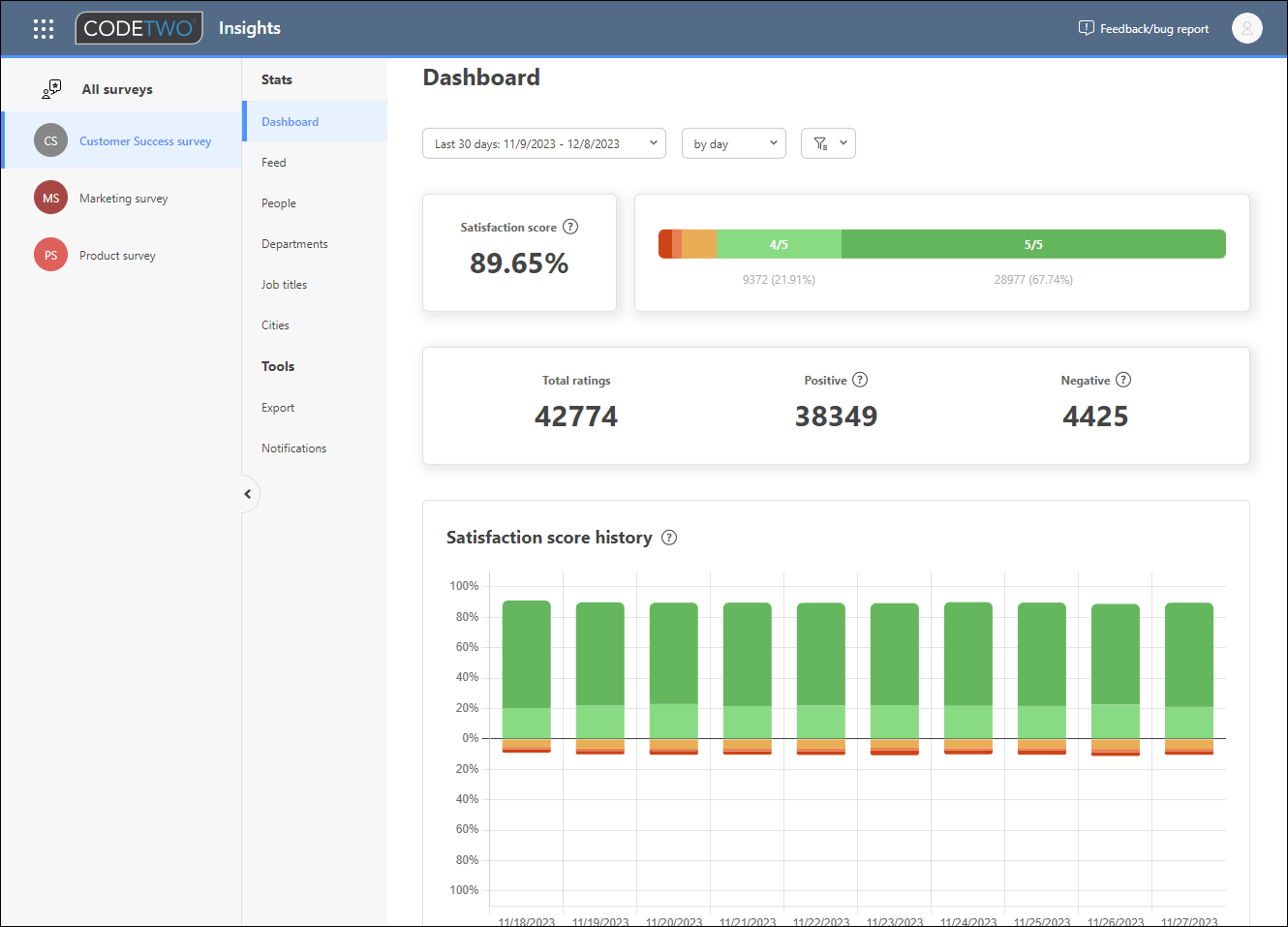
CodeTwo One-click surveys for Microsoft 365 comes with a built-in analytics tool – CodeTwo Insights. You can use it to analyze customer satisfaction levels and employee performance in real time. With ratings and statistics broken down into different categories, it offers a great springboard for identifying and eliminating all the pain points that your customers may experience.
While primarily used for measuring employee performance, you can just as well use CodeTwo’s one-click surveys to collect feedback about your company, products or services, encourage customers to share feature requests and more.
Who is this solution for?
CodeTwo One-click surveys for Microsoft 365 is the go-to solution for organizations that want to:
- boost up their email signatures with intuitive, one-click CSAT surveys based on customizable ready-to-use templates or designed from scratch,
- increase your survey response rate by making it as simple as possible for your customers,
- collect customer feedback from emails and respond to it in real time,
- evaluate employee performance, for example, in Customer Service/Success teams,
- send out employee surveys to plan HR initiatives and corporate events,
- highlight the company’s customer-centric approach.
Head over to the product page to learn more.
Most reliable migration tool for Microsoft 365
CodeTwo Office 365 Migration is a standalone tool that can help you migrate emails, calendars, contacts, and public folders from different source environments to Microsoft 365. You can also use it to migrate data between Microsoft 365 tenants (tenant-to-tenant migration). The migration process is easier and faster when using the tool’s wizard-based Administration Panel with a graphical user interface rather than playing with PowerShell scripts. And for migration scenarios like transferring data from one Microsoft 365 tenant to another, this may be your only option to actually complete the migration seamlessly.The CodeTwo tool allows you to perform various migrations to Microsoft 365 from an on-premises Exchange Server, Small Business Server, hosted Exchange (e.g. Intermedia or Rackspace), IMAP server, or another Microsoft 365 tenant. The program’s lightweight Administration Panel lets you easily navigate through all the features, create multiple migration jobs or view migration reports. Within just a few clicks, you can set up connections to source and target organizations, automatically match source and target mailboxes, or even create target Microsoft 365 users.
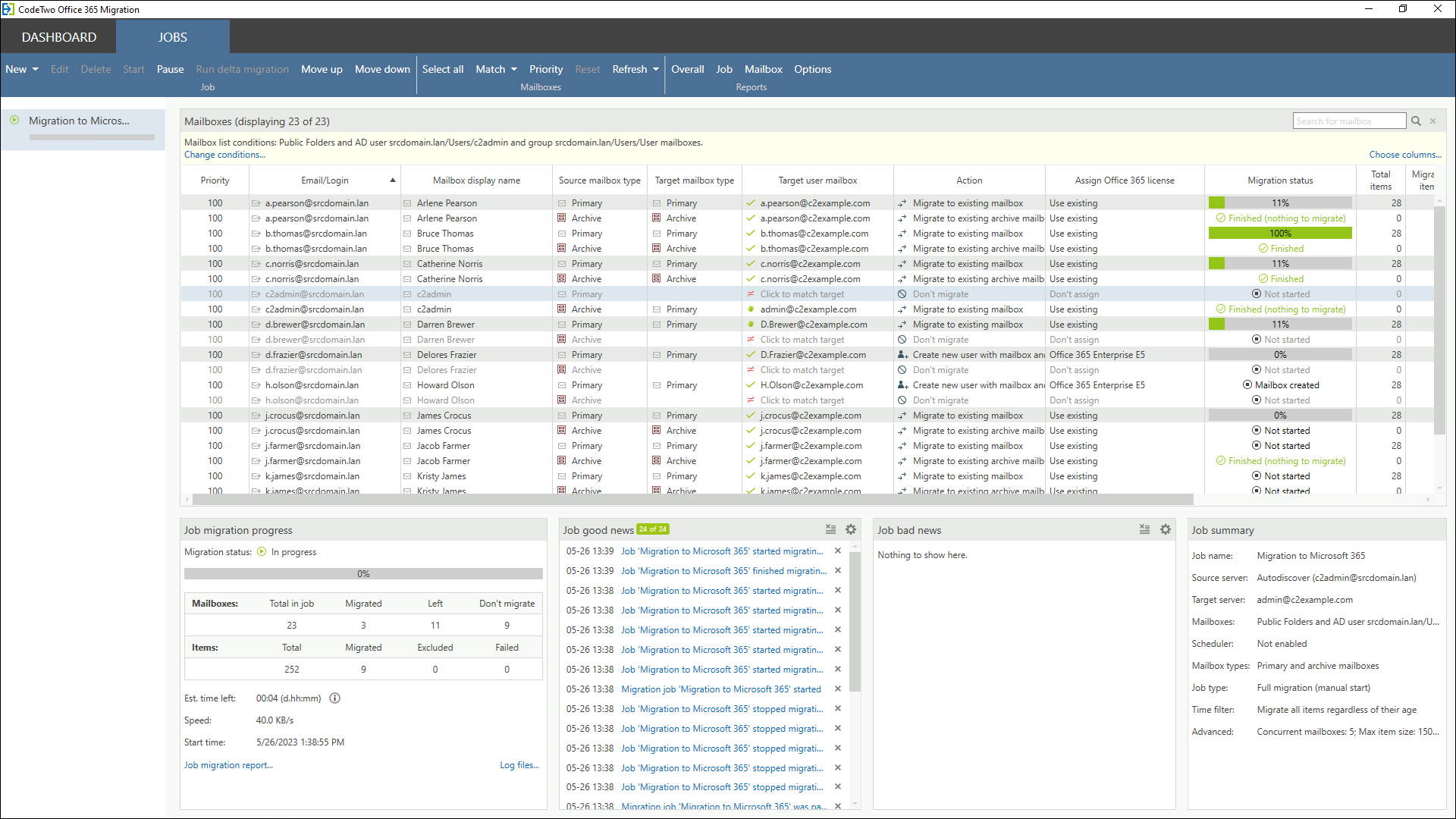
The migration jobs that you create with the program can be scheduled according to your preferences. Still, you don’t need to treat this feature as a de facto downtime scheduler. Using CodeTwo’s software to migrate your data allows you to avoid any interruptions in your business workflow and lets your employees access their data as usual.
Who is this solution for?
The program is the best option for those who need to:
- migrate from a Microsoft 365 tenant, on-premises Exchange or IMAP servers, or other environments directly to Microsoft 365 (one-hop migration),
- move mailbox and public folder data efficiently without unnecessary delays or downtime,
- reduce stress by managing migration via an intuitive and GUI-based dashboard instead of using PowerShell,
- be sure that corporate data is migrated via a secure and rock-solid migration tool.
For a bigger picture, feel free to see other plus points that come with the CodeTwo tool for Microsoft 365 migration.
- Learn more about CodeTwo Office 365 Migration
- Download and run a free trial of CodeTwo Office 365 Migration
Top Backup & Archiving tool for Microsoft 365
If you take the safety and availability of your Microsoft 365 data seriously, you need to back the data up. Especially when you realize that it is your company that is responsible for ensuring Microsoft 365 business data backups. Against a common misconception, Microsoft is not to blame if you lose data and they refuse to restore it. Of course, they do backups of your tenant data, but only to deliver services you pay for. And backing up business data is not one of them.
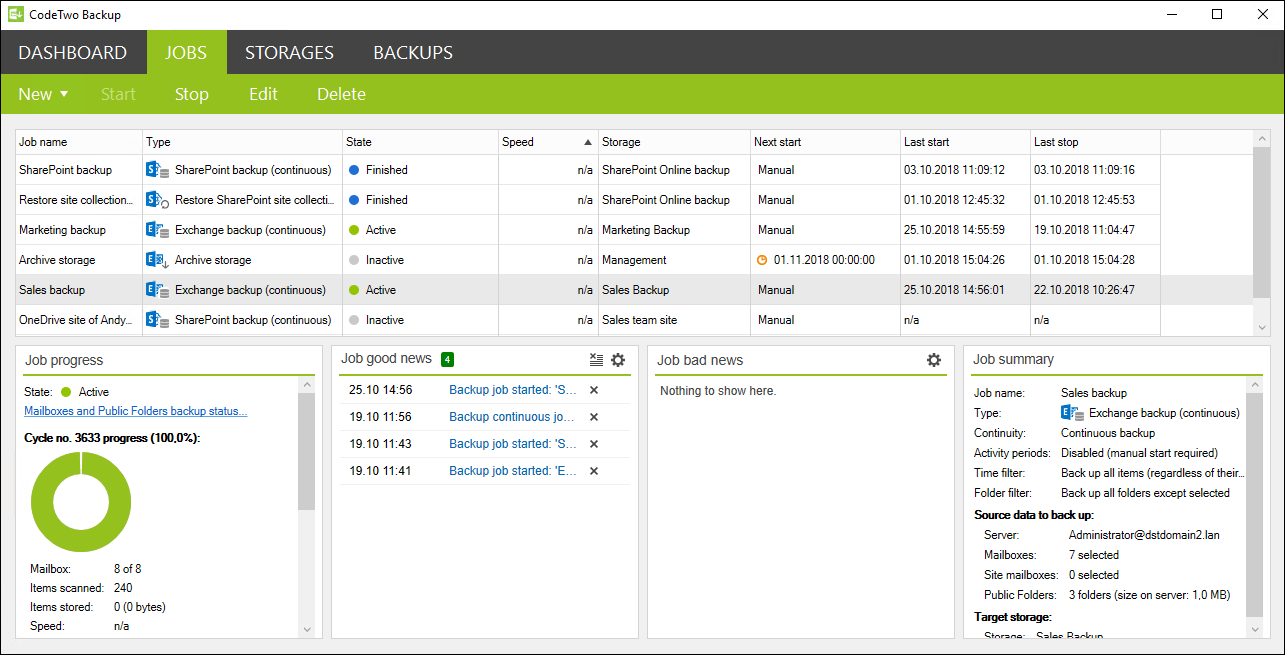
CodeTwo Backup for Office 365 allows you to back up Microsoft 365 mailboxes and public folders, SharePoint Online sites, as well as OneDrive for Business and Teams data, and keep them in your local storage. Having local backup copies of Microsoft 365 data protects your company in case of accidental data loss or intended data deletion. If that happens, you can easily restore user mailboxes or individual items, such as emails, contacts, or tasks, from reliable backups.
Having a solid backup can save you a lot of stress when you find yourself in a situation of business data loss. CodeTwo Backup for Office 365 lets you create multiple jobs to back up entire Microsoft 365 mailboxes, browse through backups searching for specific items, and easily restore data to your Microsoft 365 tenant whenever you need. You can create separate backup and restore jobs to manage different groups of users, data types, etc. The tool also lets you automatically archive your backup storage and gives you full control over the storage space.
Who is this solution for?
CodeTwo Backup for Office 365 is for you if you think of:
- deploying a reliable and secure backup and restore solution to protect your Microsoft 365 data,
- providing an option to search for and recover entire mailboxes or just individual emails or folders,
- avoiding downtime when backing up data,
- keeping your company compliant with legal requirements which obligate your business to store electronic data for future investigation.
See a full list of features as well as examples of use to get a bigger picture of how you can benefit from the program.
- More information about CodeTwo Backup for Office 365
- Download a free trial of the CodeTwo backup tool
BONUS: CodeTwo User Photos for Office 365
Hold on, we’re not done yet! Just let us add a final cherry on top (or at the bottom?) of this list. The cherry is the free CodeTwo User Photos for Office 365 solution.
CodeTwo User Photos for Office 365 is your rescue if you need to manage tons of user photos in Microsoft 365. This free application allows you to efficiently upload multiple user photos directly to Exchange Online mailboxes and then propagate them across other services in Microsoft 365.
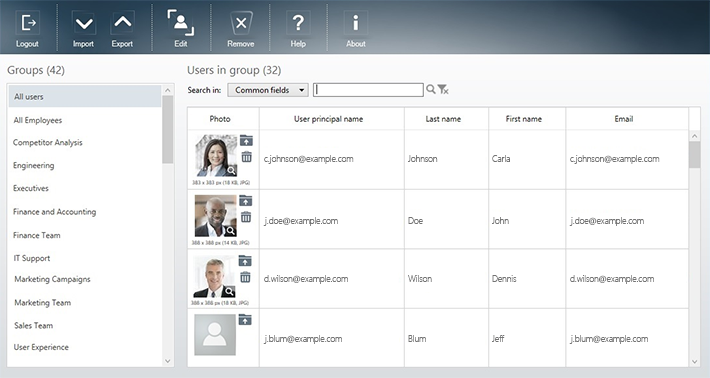
CodeTwo User Photos for Office 365 comes with a lightweight and intuitive graphical user interface. You don’t need to use PowerShell scripting or spend time on photo editing when you have this application on board. In the tool, you can resize photographs, automatically match them with user accounts, or remove user photos and replace them with a default avatar.
Who is this solution for?
CodeTwo User Photos for Office 365 is for you if you:
- want to upload tons of user photographs to Microsoft 365 so that they are automatically propagated to Outlook, OWA, SharePoint, Skype for Business, OneDrive, Microsoft 365 Groups, etc.,
- prefer to work via an intuitive GUI rather than PowerShell,
- want to automatically match user photos with Microsoft 365 user accounts,
- have CodeTwo Email Signatures 365 and want to add user photos to Microsoft 365 email signatures,
- need a decent tool that won’t cost you a penny.
Find out more about CodeTwo User Photos for Office 365 free tool
See also:
CodeTwo Email Signatures 365 is the only fully Microsoft 365 Certified email signature solution (the entire infrastructure reviewed & pen-tested by Microsoft). It's an Azure-based cloud service that supports all devices and email apps. Co-engineered and awarded by Microsoft, it also holds the highest user satisfaction ratings. With ISO 27001 & 27018 certification and a proprietary 4-layer security system, it's the most secure signature manager on the market. Watch a short product video
CodeTwo offers solutions for organization-wide email signature management, data backup and migration for Microsoft 365 & Exchange Server, developed since 2007 and used by over 140k organizations worldwide, including Facebook, Samsung and UNICEF.
Recommended articles

CodeTwo sp. z o.o. sp. k. is a controller of your personal data.
See our Privacy Policy to learn more.