This software has been discontinued. If you are looking for a way to manage email signatures and disclaimers in your Exchange Server organization and are using Exchange SE or Exchange 2019/2016 (until they’re supported by Microsoft), try out CodeTwo Email Signatures On-prem.
If you need to manage email signatures, disclaimers and marketing campaigns centrally in Microsoft 365 (Office 365), see our world-leading cloud solution: CodeTwo Email Signatures 365.
Template editor
One of the major features of CodeTwo Exchange Rules is that it comes with built-in template editor (Fig. 1.) that can help you compose signatures, disclaimers and other personalized email sections.
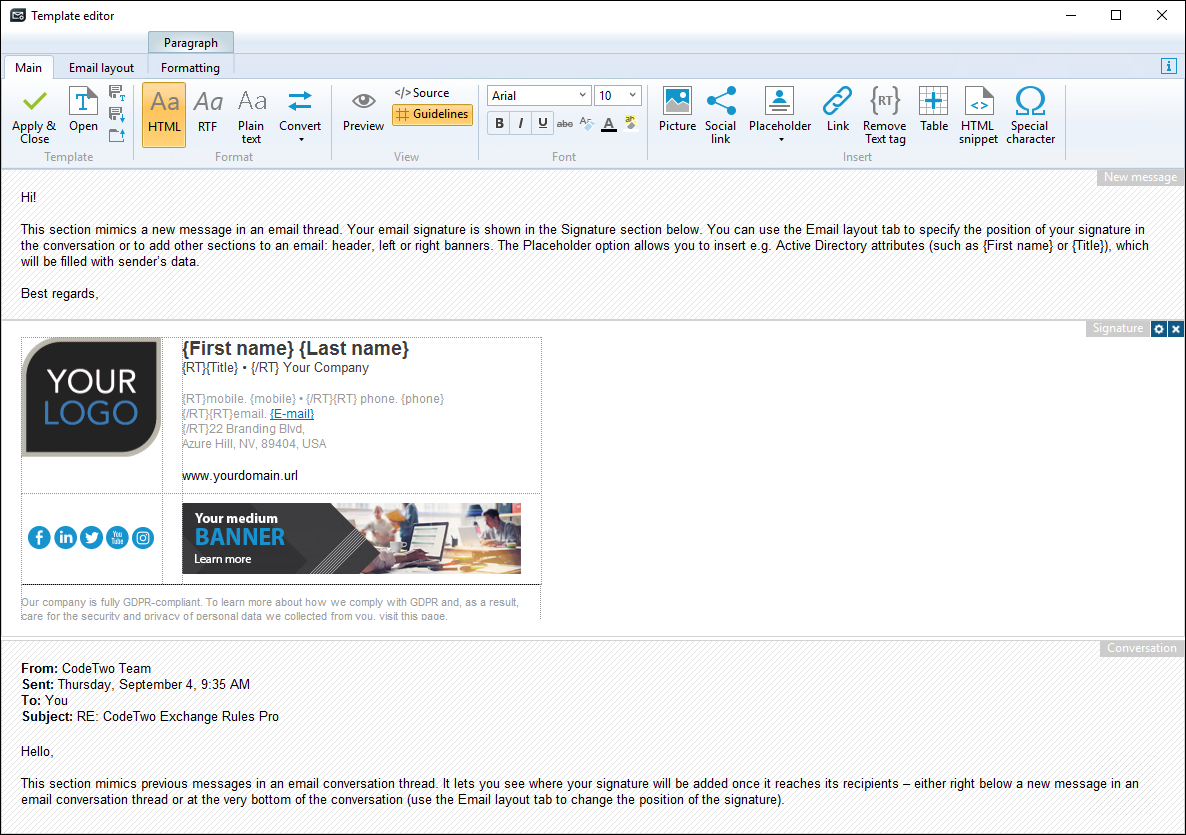
Fig. 1. The template editor.
The template editor is a standalone application with a user-friendly interface. The editor's window contains an editable field used to compose a signature and built-in (non-editable) sample message components (original message, conversation thread). The alignment of these sections may vary depending on the action. For example, when composing a signature, the editable field is in the center (Fig. 1.) of the editor's window.
To open the template editor, add one of the following actions:
to your rules in the Administration Panel and click Edit.
To learn about all the features available in the template editor, see CodeTwo Template editor - User's manual.
See next
Template library - this article describes a library of predefined signature/disclaimer templates that may be used instead of creating new templates from scratch.
In this article