


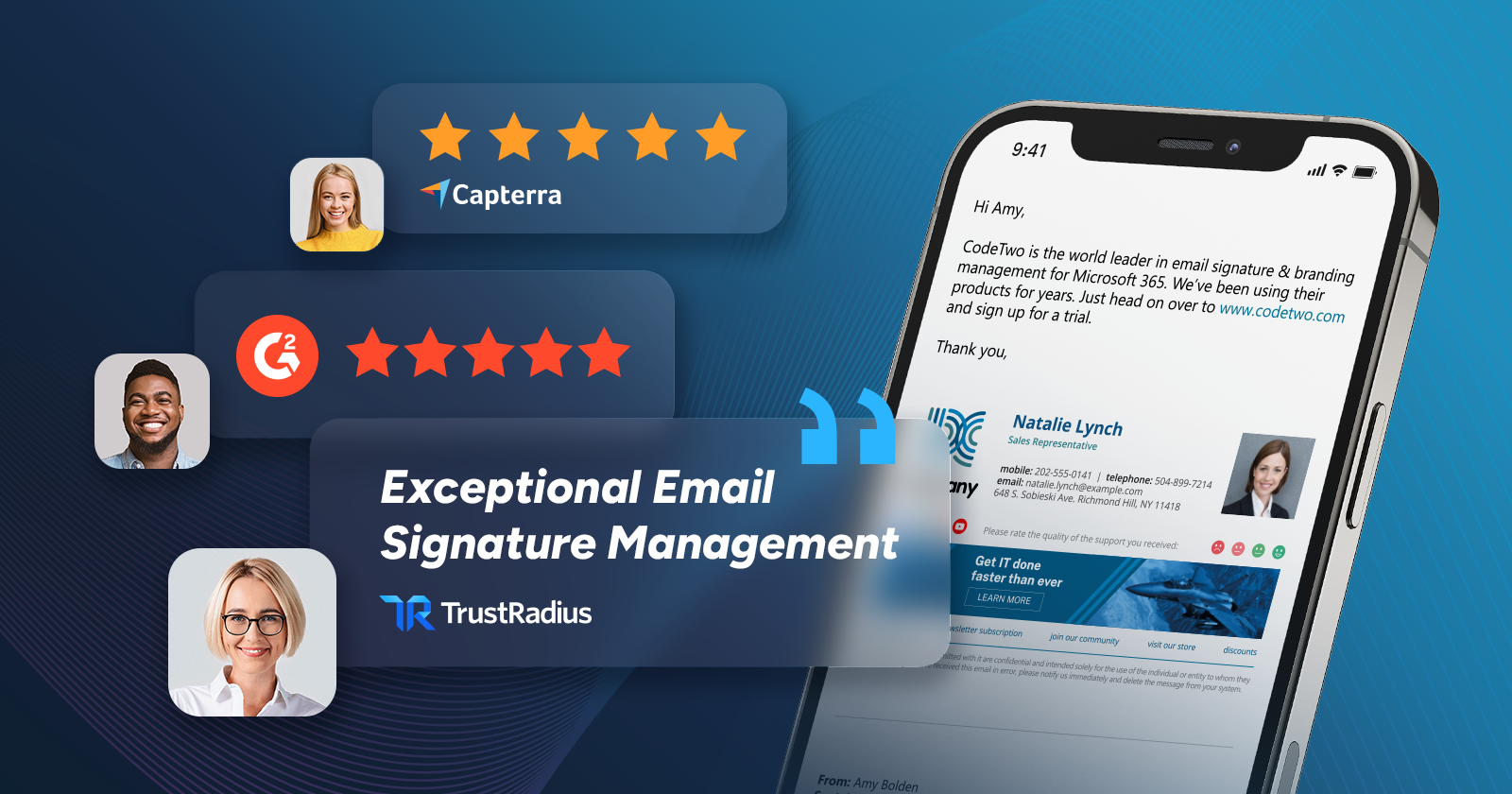
CodeTwo Email Signatures 365 is our flagship product that allows you to centrally manage email signatures and branding in your Microsoft 365 organization. Over the years, it has received thousands of user reviews on leading software review platforms like G2.com, Capterra, or TrustRadius. Let’s look into some of them to see what system admins, IT managers, executives, and other users appreciate about our solution.
Best email signatures for business
Let’s be honest: business email signatures are all about branding. But, for some reason, they are hardly ever the first thing marketing experts think about when figuring out how to cement the awareness and professional image of their brand. That’s why we highly appreciate reviews promoting the range of offbeat branding features that make our cloud service more than just a signature manager – like this review:
Streamlined branding with CodeTwo
As a marketing tool, CodeTwo has been a game-changer for our business. The most helpful feature is the ability to centrally manage and standardise our email signatures across the entire company. This ensures our brand is always presented consistently, no matter who the email comes from.
From a marketing perspective, CodeTwo allows us to easily update signatures with new campaigns, promotions or events, which means every outgoing email becomes an opportunity for brand exposure. The ability to add banners and clickable links has turned email into a valuable marketing channel without any extra effort from staff.
Katherine W., Group Marketing Manager
Or this one:
Email communications are professional
Ensuring brand consistency and professionalism in our email interactions is one of the major business issues that CodeTwo Email Signatures 365 tackles for us and does it in a really creative way. We are able to add pertinent contact details, logos, and promotional banners to our email signatures thanks to the tool’s dynamic placeholders and customisable layouts. […] This guarantees that each email sent by our company represents our brand identity and presents a professional image to its recipients.
Zain A., IT Infrastructure Lead
You won’t build your brand without at least a pinch of creativity. That’s why we think it’s amazing that CodeTwo helps users switch to creative mode. Just check out this review:
Within hours I had signatures set up for all the teams within my company, and was frequently using the portal to test various features. Since then, I’ve been hopping into the software pretty much every day, sometimes multiple times a day, to tweak signatures, check analytics, or just mess around with new ideas.
Dylan L., User Solutions Engineer
What’s more, you can set up our tool to let your users decide which details should be included in their signatures without spoiling the unified look of your company’s email signature template. This is a feature praised by this reviewer:
We are able to centrally manage and enforce a layout and styling that fits the professional image we want to convey and still respect peoples desires to express themselves with pronouns, qualifications etc. but in a consistent and approved format that demonstrates a unified approach to branding. […] All in all, a happy life ensues!
TrustRadius user, C-Level Executive in Information Technology
Watch this short video to see how CodeTwo can help automate email branding in your organization:
Smart features & automation options
Brand building aside, CodeTwo’s email signature manager offers a lot of features that you won’t find natively in Microsoft 365 solutions for mail flow management. For instance, our HTML template editor allows you to create clean and reliable signature templates that look great across all email apps and devices. As this reviewer noticed, the editor provides you with some powerful customization options:
Email signature solution that simply works
Signatures themselves can be easily created using the integrated WYSIWYG editor. The ability to integrate entire HTML snippets also allows for plenty of room for very professional designs.
G2 user
The template editor allows you to insert all types of data that your users might need in their signatures – and you’ll do it with just a few clicks:
We have been using CodeTwo Email Signatures 365 in our company for some time now – and we are absolutely thrilled. […] Thanks to the integrated editor, even more elaborate signature designs with banners, social media icons, or legal notices can be implemented effortlessly.
G2 user
Another extra feature appreciated by our customers is the Autoresponder service that you can use to centrally manage automatic replies and out-of-office messages in your Microsoft 365 organization. This is an option that Kyle found to be especially useful:
Powerful Centralised Email Signature management
The Out of Office utility included is also something we make extensive use of and have found both the Email Signatures and Out of Office utility together as being a simple to use means of locking down our branding and messaging.
Kyle H., IT Specialist
On top of that, CodeTwo Email Signatures 365 is a low-lift solution for ensuring legal compliance of email correspondence in your organization. You can easily use it to automatically append all the necessary disclaimers and legal notes to every outgoing email. Check out this review by Allen and see how our solution helped in this area:
In our highly regulated industry, compliance with regulations is required to keep operating. CodeTwo Email Signatures helps us keep our email signatures compliant with current regulations. Whenever an email goes out we know that a fully compliant signature, with proper disclosures, is on that email. We have tried other email signature products in the past with limited success. Some were very difficult to implement and others had poor support. With CodeTwo we have an easy-to-implement program that works consistently every time and provides outstanding support.
Allen B., Managing Member
Fast & easy deployment
Time and again, our users say that managing signatures with CodeTwo is like a walk in the park. For instance, take a look at this review:
Absolute recommendation: CodeTwo email signature solution
The solution is not only technically sophisticated but also extremely user-friendly and reliable. […] The initial setup was surprisingly uncomplicated. With just a few clicks, we were able to centrally define our signature policies and roll them out based on roles. Whether it’s Outlook, webmail, or mobile – the signatures are consistent and correct everywhere.
David P., IT Team Leader
Some of our users are really enthusiastic about the solution, its fast deployment, and easy onboarding within their organization:
CodeTwo is a beast at managing signatures!!
CodeTwo Signatures has been the only tool that has managed to cover all the company’s needs, making the governance and management of our email signatures a breeze. The whole process from implementation to production went smoothly, without any problems whatsoever.
TrustRadius user, Administrator in Information Technology
“OK, but what if I need to roll out the tool across many operating systems, like Windows and Mac?” – you might ask. No worries – CodeTwo Email Signatures 365 works seamlessly on multiple platforms. Just check out this review by Florian, who uses the tool across different operating systems and devices:
Professional Email Signatures Made Easy – Powerful, Flexible, and Backed by Real Support
The software has been widely adopted by our users, fully replacing the previously inconsistent, self-created signatures and bringing a new level of professionalism and consistency to our company-wide email communication. Especially with different Mail client platforms (Outlook for Mac, Outlook for Windows, Outlook for iOS, etc.) there is just one single point of contact and no need for end users to change anything at the signature.
Florian Z., Senior IT Manager
Ultimately, a good tool is one you can use on your own, without asking anyone for help. This is what Marek appreciates about CodeTwo:
End problems with footers in mail…
I have implemented Email Signatures 365 for many of our clients and never, ever have there been any problems. If all software solutions in the world worked like this, technical support departments wouldn’t be necessary.
Marek G., System Administrator
It only takes a few minutes to deploy our tool across the entire organization and start setting up user signatures. Watch this video and see it for yourself!
Exceptional human support
CodeTwo Email Signatures 365 offers countless options for managing email signatures in all sorts of environments and setups. If you ever find yourself a bit at a loss when using it, our award-winning Customer Success team is here to help. Rest assured, you’re in good hands – see for yourself:
The main issue most of our customers have is not having time for a signature to design. In this case, we have an extraordinary program which kills this problem almost immediately. Sure, there are more opportunities out there, but that’s when the terrific CodeTwo Customer Support is right at your side and shines. Short communication; very clear, patient and competent people helping out whenever they need to.
Peter M.
Some users even say that our Customer Success team is the best part of the CodeTwo experience – check Shay’s review, for instance:
Highly knowledgeable and supportive Customer Success Representative
What I like best about CodeTwo Email Signatures 365 is the exceptional support team—they are among the best I’ve ever worked with. Additionally, the documentation and knowledge base are comprehensive, reliable, and incredibly user-friendly, making implementation and troubleshooting a seamless experience.
Shay S., IT manager
With AI chatbots being the latest thing now, many users still appreciate the good old human support provided by some companies. We’re one of them. That’s why we’re extra proud when we see reviews like the one by Richard, who even gave a shout-out to one of our experts:
Top-tier product, exceptional support
I can’t overstate the importance of the human element in shaping the overall experience, and it would be remiss of me not to give a special shout-out to Michał Wróbel for his active support throughout the process. I have grown increasingly frustrated with chatbots which time after time fail to comprehend the question, or a ‘read the manual’ approach to sometimes overwhelming documentation.
Richard B., Head of IT
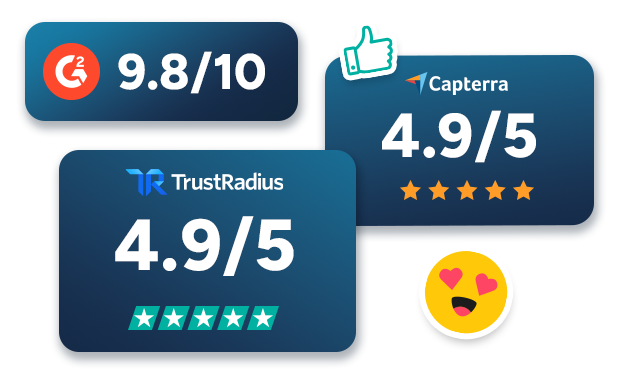
And if numbers speak to you louder than words, take a look at the average rating scores that our Customer Success team has garnered on popular software review platforms:
Learn more about our Customer Success team and what makes it so exceptional
Right fit for any business
Organizations using CodeTwo include small, medium, and large enterprises spanning countless industries and verticals. For instance, this TrustRadius reviewer deployed the tool in their small/medium-sized business:
CodeTwo Email Signatures 365 is a must-have to maintain consistent corporate branding
For a small/mid-sized manufacturer with limited IT staff, this was a godsend. It’s always been affordable, and by having a very immediate, customer-facing impact, it was a no-brainer purchase.
TrustRadius user, Director in Information Technology
In turn, Mandi praises the tool for its easy onboarding in her mid-market company:
Great help for managing our staff signatures
We are a recruiting company and have around 80-100 persons in house. So, we needed a solution that allows us to manage users and their signatures, and changing these in a heartbeat – be it for special campaigns, or just for the general implementation of our standards. No more hassle with single users and their signatures, just a good product!
Mandi R., IT Support and Coach
And if you need to manage email signatures for thousands of employees in a large enterprise, CodeTwo’s solution will be the right choice as well. In fact, size doesn’t matter for us – just look at this review by Misha:
A Seamless Integration Experience with Office 365 & Proofpoint Across Two Companies
I have been using CodeTwo Email Signatures across two distinct companies – one with over 2,000 employees and another with 65. In both cases, the integration with Office 365, Proofpoint Enterprise, and Proofpoint Essentials has been exceptionally smooth. […] Additionally, the solution’s scalability and reliability mean that it adapts perfectly to the needs of both large enterprises and smaller organizations, ensuring minimal downtime and a hassle-free experience.
Misha S., CISO
Key takeaways
That was just a fraction of all the user reviews of CodeTwo Email Signatures 365 that you can find online. Customer feedback has always driven us forward, so we analyze these reviews on a regular basis. And we’re very proud of the results:
- Over 2,350 testimonials have been submitted, and the number keeps growing.
- The average rating of CodeTwo Email Signatures 365 is 4.9/5.
- Our tool is best rated among email signature software solutions.
- Ease of use, responsive support, and intuitive setup are the top advantages praised by our customers.
Want to learn more? Go to our Ratings & reviews page to check out even more user reviews, see our key recognitions, or read customer stories, and find out how CodeTwo helps various companies manage their email signatures and boost their branding.
CodeTwo Email Signatures 365 is the only fully Microsoft 365 Certified email signature solution (the entire infrastructure reviewed & pen-tested by Microsoft). It's an Azure-based cloud service that supports all devices and email apps. Co-engineered and awarded by Microsoft, it also holds the highest user satisfaction ratings. With ISO 27001 & 27018 certification and a proprietary 4-layer security system, it's the most secure signature manager on the market. Watch a short product video
CodeTwo offers solutions for organization-wide email signature management, data backup and migration for Microsoft 365 & Exchange Server, developed since 2007 and used by over 140k organizations worldwide, including Facebook, Samsung and UNICEF.
Recommended articles


CodeTwo sp. z o.o. sp. k. is a controller of your personal data.
See our Privacy Policy to learn more.