


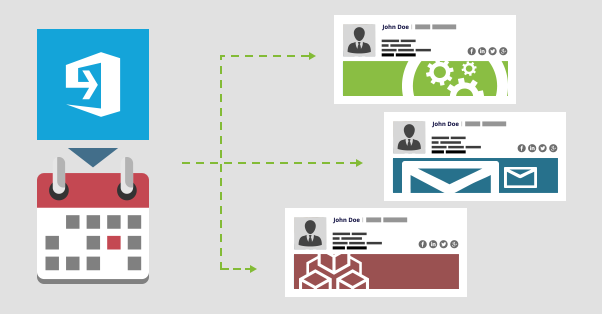
You will especially appreciate the Scheduler option if your company runs email marketing campaigns planned ahead. With its flexible time range settings, you can easily organize your campaigns to start and end automatically when the right time comes. What’s more, you can set up different activity periods for different email signature rules, which is especially useful when planning multiple email marketing campaigns in advance.
Easily schedule email marketing campaigns
With just a few clicks, you can set up activity time ranges for your email marketing campaigns created in CodeTwo Email Signatures for Office 365. For this purpose, sign in to the signature management app, select a rule that you want to activate at the scheduled time and then go to the Options tab. In the Options tab, turn the Scheduler on and then click the Schedule… button:

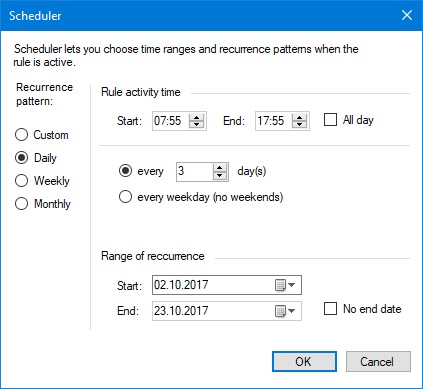
Now you can define the exact dates when the rule should start and stop inserting email signatures. You can even set up specific hours and minutes of rule activity periods, decide whether the rule should run repeatedly every day, week or month, or if it should run continuously between specific dates. By setting up a specific End date (campaign can be set with no end date as well), you can control how long your email marketing campaign should be active.
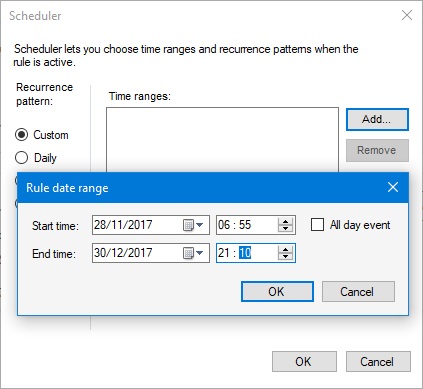
You can also define custom activity time ranges to better suit your email marketing campaign requirements:
That’s it. Now you can repeat these steps for every rule that adds your email signatures and be sure that they will run automatically at the scheduled time. The application will also show you which rules that have the scheduler option enabled are currently active or inactive.
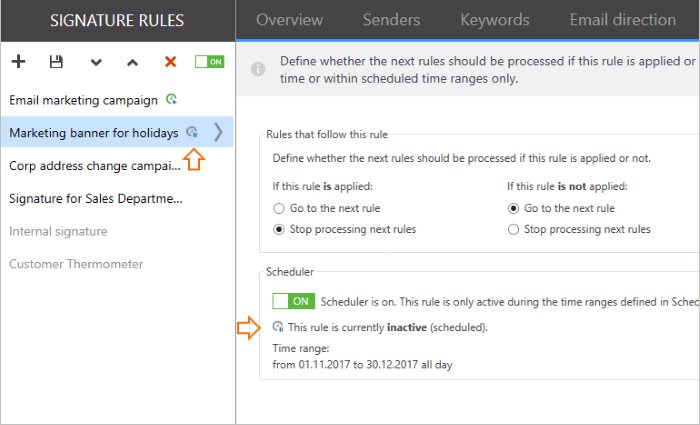
Note: If the scheduled rule is inactive, it means that its activity time has not come yet. Once the exact date comes, the rule will start automatically and will be active until the specified end date.
Use different marketing banners for different occasions
With the scheduler feature, you have a great chance to deliver perfectly tailored marketing banners in the perfect timing to a carefully selected group of users. Various email signature rules with different banners for different occasions where you inform about e.g. new product offerings, winter sale or company address change will help your company better communicate with the recipients.
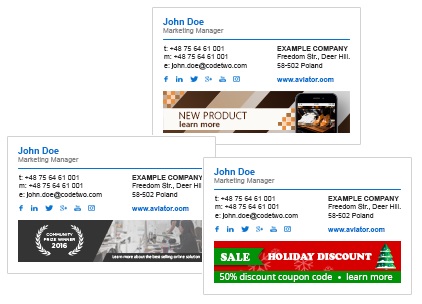
What’s more, you can even add special tags to links to track and measure your email marketing campaign results. The knowledge of how successful particular campaign is can be helpful when planning future marketing actions. For data analysis, you can use one of the popular web platforms – Google Analytics.
Test this functionality!
Users of CodeTwo Email Signatures for Office 365 can already benefit from this functionality, which is available in the signature management app in the Options tab. Anyone else who would like to give it a try, can sign up for a free 14-day trial here or visit this website. No credit card is required while you test.
As always, if you have any questions or would like to share your thoughts, do not hesitate to contact us! We work all around the clock, from Monday to Friday.
CodeTwo Email Signatures 365 is the only fully Microsoft 365 Certified email signature solution (the entire infrastructure reviewed & pen-tested by Microsoft). It's an Azure-based cloud service that supports all devices and email apps. Co-engineered and awarded by Microsoft, it also holds the highest user satisfaction ratings. With ISO 27001 & 27018 certification and a proprietary 4-layer security system, it's the most secure signature manager on the market. Watch a short product video
CodeTwo offers solutions for organization-wide email signature management, data backup and migration for Microsoft 365 & Exchange Server, developed since 2007 and used by over 140k organizations worldwide, including Facebook, Samsung and UNICEF.
Recommended articles

CodeTwo sp. z o.o. sp. k. is a controller of your personal data.
See our Privacy Policy to learn more.