


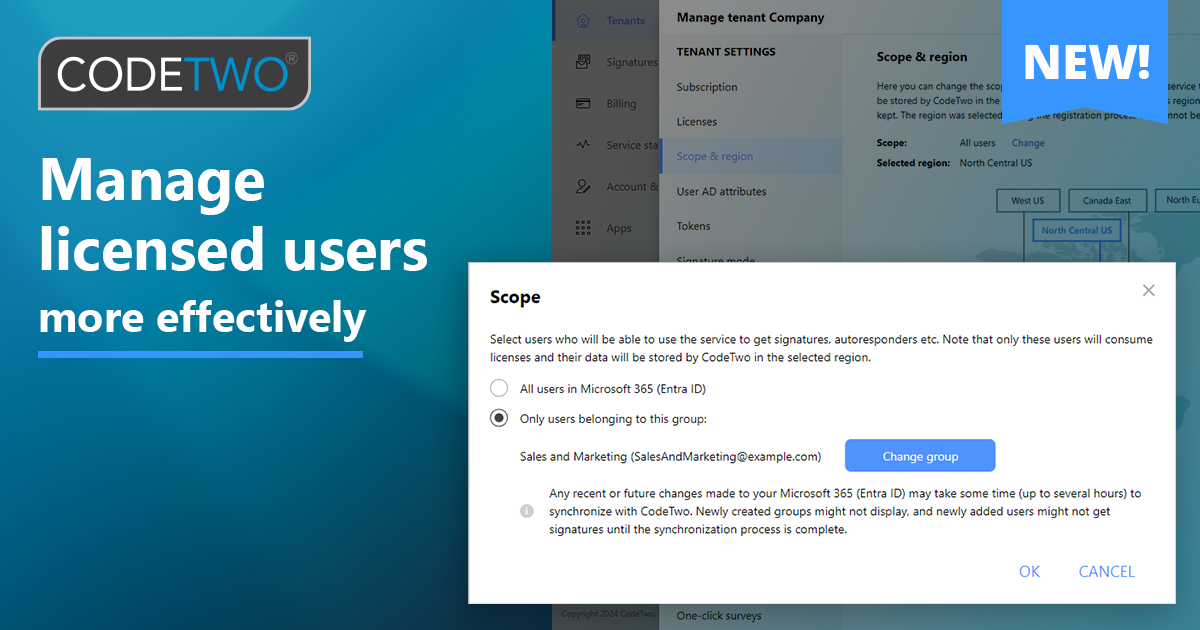
By default, all users from your Microsoft 365 tenant are included in the scope of licensed users in CodeTwo Email Signatures 365 (but the actual license consumption depends on your signature/autoresponder rule setup). You can limit that scope to a specific group of users:
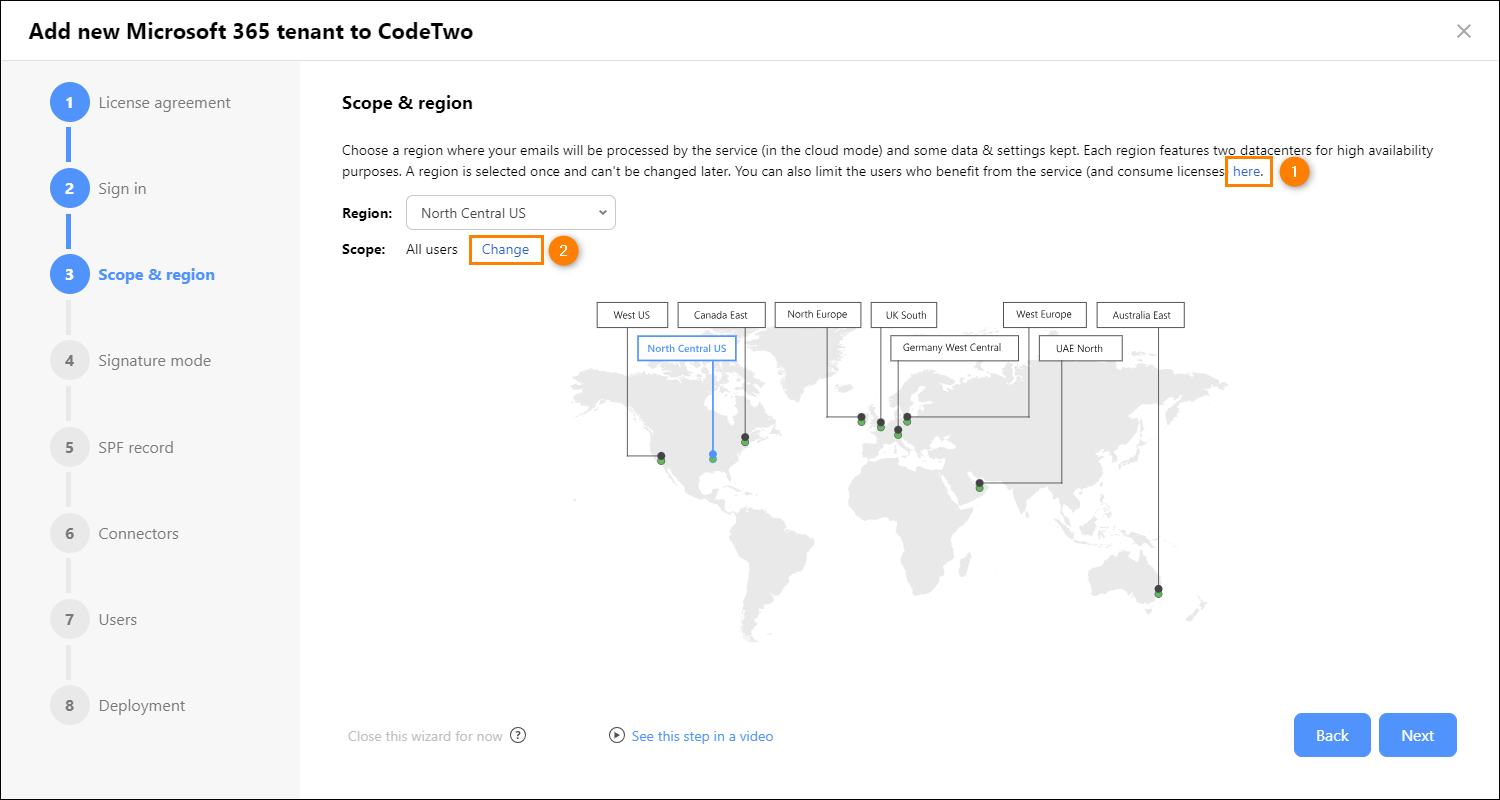
- New CodeTwo users: when registering your tenant with the CodeTwo service, go to the Scope & region, click the link shown in the figure below and click Change (learn more about the registration process).
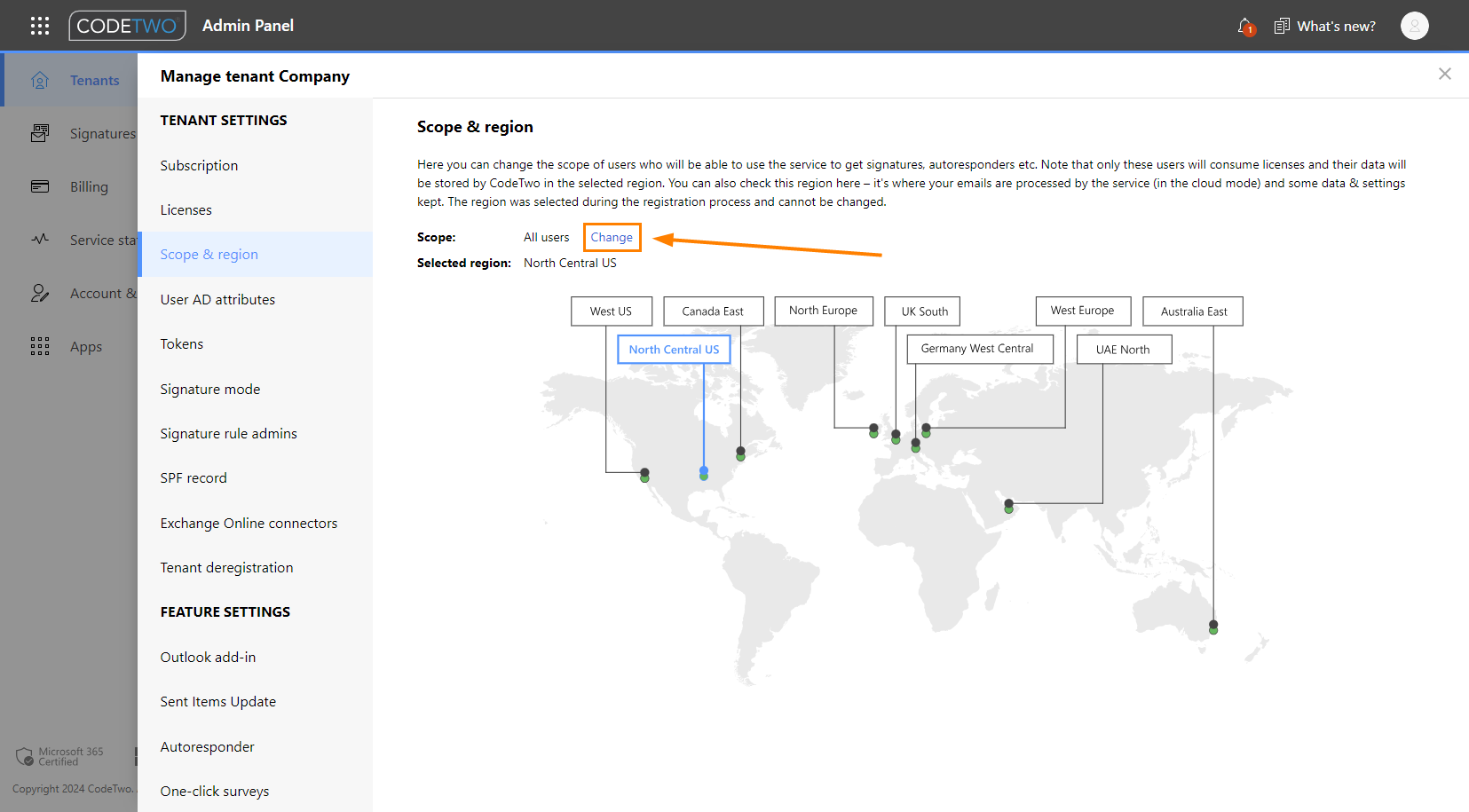
- Existing CodeTwo users: sign in to CodeTwo Admin Panel, click your tenant on the Tenants page to open tenant settings, and go to Scope & region. Next, click Change.
Either way, in the pane that opens, you can select if you want to include all users in your organization in the scope of licensed users or limit the scope to users belonging to a specific group only.
Important: Each time you change the scope, it may take some time to synchronize it with CodeTwo – up to several hours, depending on the size of your organization.
Depending on the new scope you selected and the signature mode you use, you might need to review other settings in CodeTwo Email Signatures 365 (e.g. rule settings, Exchange Online connectors, etc.) to make sure your signatures and automatic replies are not interrupted. To find out what your next steps are, see this article.
Who can benefit?
Limiting the scope of licensed users can be very useful if you’re testing CodeTwo in a large organization and want to start testing quickly with a smaller group of users. Less users means initial synchronization of user data (Entra ID attributes) is much quicker.
Managing the scope of licensed users can also help you in situations where CodeTwo licenses are assigned to wrong users (e.g. due to incorrect configuration of your rules) or if you don’t want to sync specific users with the CodeTwo service.
CodeTwo Email Signatures 365 is the only fully Microsoft 365 Certified email signature solution (the entire infrastructure reviewed & pen-tested by Microsoft). It's an Azure-based cloud service that supports all devices and email apps. Co-engineered and awarded by Microsoft, it also holds the highest user satisfaction ratings. With ISO 27001 & 27018 certification and a proprietary 4-layer security system, it's the most secure signature manager on the market. Watch a short product video
CodeTwo offers solutions for organization-wide email signature management, data backup and migration for Microsoft 365 & Exchange Server, developed since 2007 and used by over 140k organizations worldwide, including Facebook, Samsung and UNICEF.
Recommended articles

CodeTwo sp. z o.o. sp. k. is a controller of your personal data.
See our Privacy Policy to learn more.