


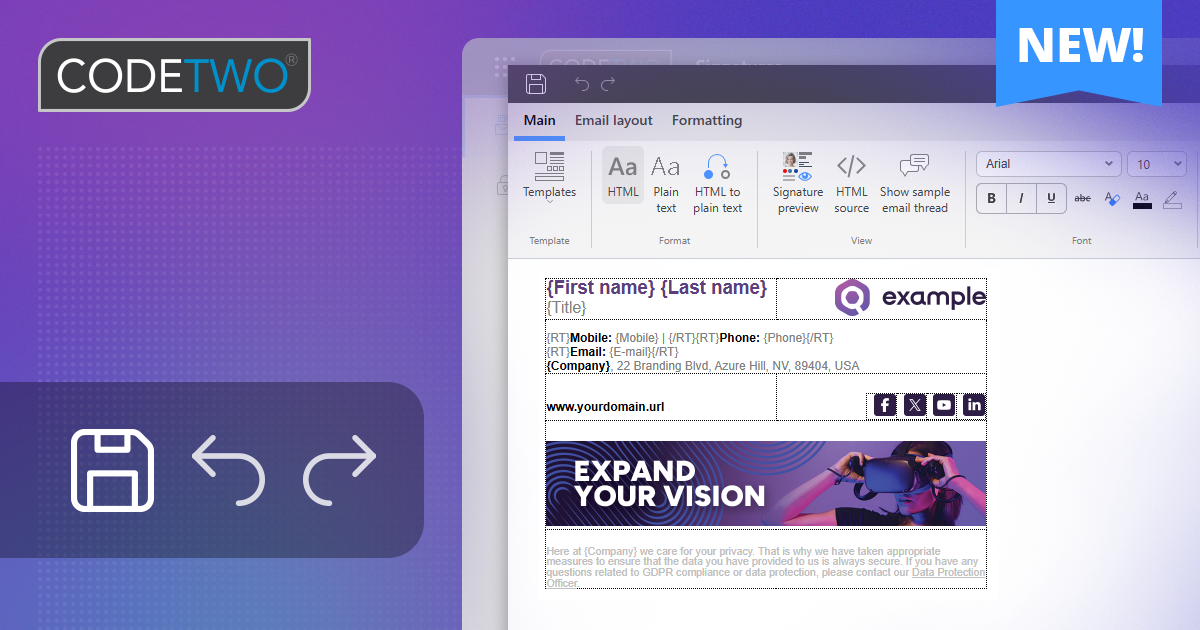
The signature template editor in CodeTwo Email Signatures 365 just got a range of usability enhancements. You’ll find enhanced Undo/Redo functionality across the editor, quicker access to CodeTwo custom attributes, and several other interface improvements – all designed to give you a smoother experience when designing email signatures and auto-reply templates. Let’s take a closer look at the biggest changes.
New toolbar with easier access to essential tools
The CodeTwo editor now features a new top toolbar that gives you quick access to the Save (Apply changes & close), Undo, and Redo buttons.
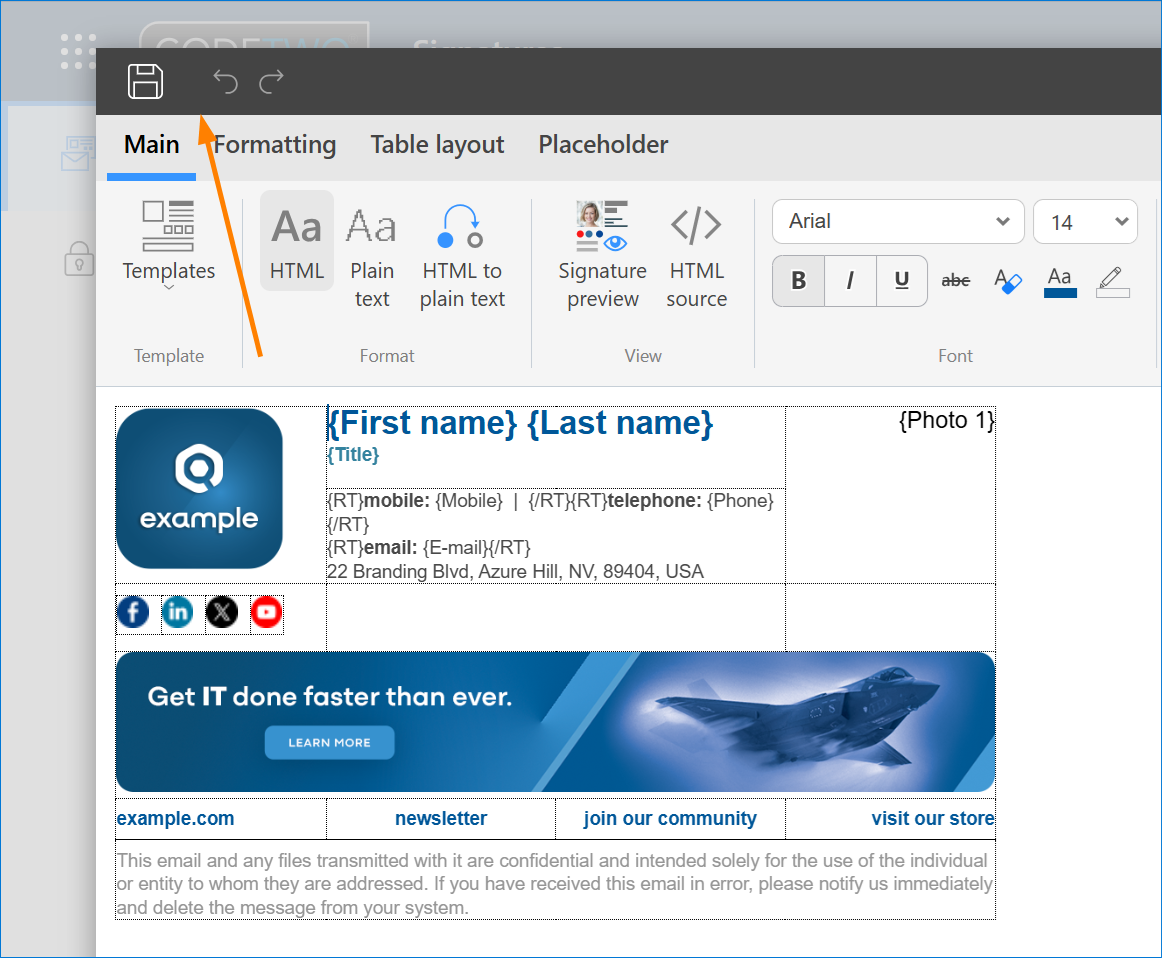
The Undo/Redo functionality has also been improved to respond independently to changes made throughout the editor, including edits to side banners, the HTML source code, and the plain text view. You can also use keyboard shortcuts (Ctrl+Z / Ctrl+Y on Windows; Cmd+Z / Cmd+Y on Mac) to undo or redo actions in the CodeTwo signature designer.
Refreshed ribbon and easier access to CodeTwo custom attributes
We’ve reorganized the ribbon to make frequently used features easier to find. One of the new additions is the CodeTwo attribs button, which provides direct access to CodeTwo custom attributes created in the Attributes manager (learn more about this free feature).
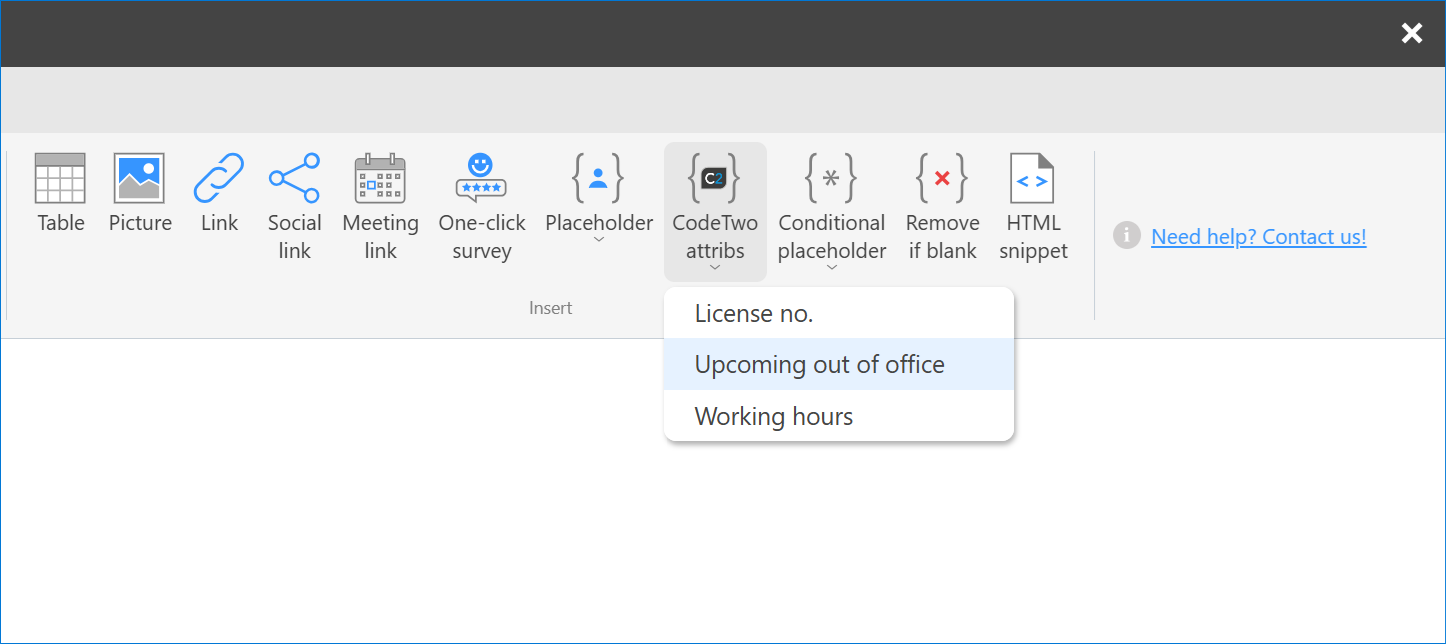
CodeTwo custom attributes let you personalize signatures far beyond the standard Microsoft 365 user attributes – for example, by adding extra information, out-of-office notes, bilingual content, and more. Browse our use cases to learn how
You’ll also find a new Need help? Contact us! link on the ribbon. Whether you have questions about designing signatures, need technical assistance, or simply want to share feedback on the editor, clicking this link in the signature editor lets you quickly reach CodeTwo Customer Success team.
These updates are now available to all CodeTwo customers.
CodeTwo Email Signatures 365 is the only fully Microsoft 365 Certified email signature solution (the entire infrastructure reviewed & pen-tested by Microsoft). It's an Azure-based cloud service that supports all devices and email apps. Co-engineered and awarded by Microsoft, it also holds the highest user satisfaction ratings. With ISO 27001 & 27018 certification and a proprietary 4-layer security system, it's the most secure signature manager on the market. Watch a short product video
CodeTwo offers solutions for organization-wide email signature management, data backup and migration for Microsoft 365 & Exchange Server, developed since 2007 and used by over 140k organizations worldwide, including Facebook, Samsung and UNICEF.
Recommended articles

CodeTwo sp. z o.o. sp. k. is a controller of your personal data.
See our Privacy Policy to learn more.