


CodeTwo Email Signatures 365 improves your business emails in a number of ways: from automated email signatures and targeted marketing campaigns to centralized management of automatic replies. Already more than 50,000 organizations use CodeTwo to boost email communication.
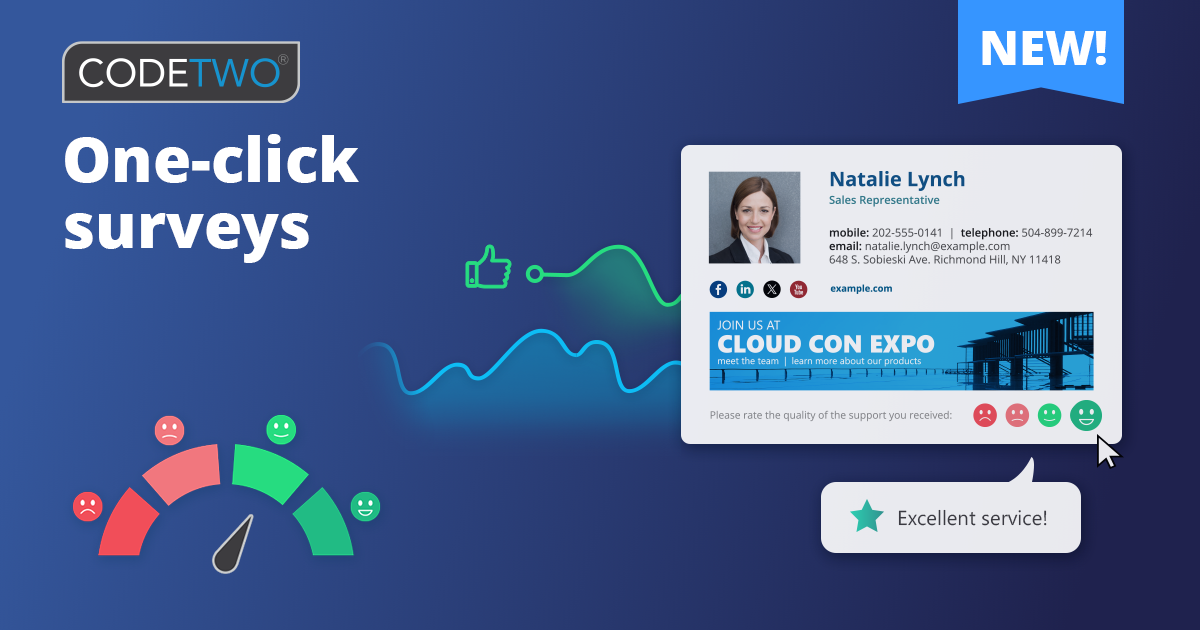
Today, we want to improve your customer interaction even more by bringing user-friendly customer satisfaction measurement. Meet CodeTwo One-click surveys!
No one has time for complicated text-based surveys anymore. Instead, use One-click surveys that can include emojis, thumbs up, likes or stars that people click instinctively. Our cloud service will add them to your email message or signature, which is the best place to gather feedback from. And we’ll help you automate everything: you’ll be able to insert different surveys for your Sales, Customer Success and Service Desk teams, change the survey language based on where you send your email, and more!
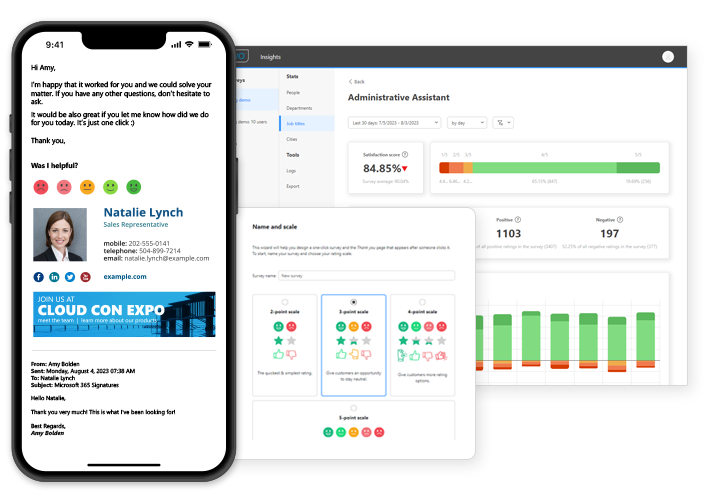
Email recipients can rate your teams, services or products by clicking a rating icon, and they can also provide comments. You can access and check these ratings using our new powerful analytics tool, CodeTwo Insights.
How to start
One-click surveys is a free feature for existing (licensed) CodeTwo Email Signatures 365 users – all you need to do is unlock it in CodeTwo Admin Panel and add surveys to your existing email signature templates (or create separate email rules for them). CodeTwo Insights starts working as soon as surveys are added to your emails. Watch the video below or see our user manual for step-by-step tutorials.
New to CodeTwo? Test now in 10 seconds
If you’re new to CodeTwo or want to check out how this works right away, check out our quick demo. In 10 seconds you’ll create a survey and send it to your boss or colleague to show them all the benefits.
CodeTwo Email Signatures 365 is the only fully Microsoft 365 Certified email signature solution (the entire infrastructure reviewed & pen-tested by Microsoft). It's an Azure-based cloud service that supports all devices and email apps. Co-engineered and awarded by Microsoft, it also holds the highest user satisfaction ratings. With ISO 27001 & 27018 certification and a proprietary 4-layer security system, it's the most secure signature manager on the market. Watch a short product video
CodeTwo offers solutions for organization-wide email signature management, data backup and migration for Microsoft 365 & Exchange Server, developed since 2007 and used by over 140k organizations worldwide, including Facebook, Samsung and UNICEF.
Recommended articles

Good day.
Please can you advise the ETA for functionality to establish who left the review? I recall seeing somewhere that this functionality is on the roadmap.
Hi Paul!
You can already find out who left the review in the Rated by column in the Insights app. Learn more…
If you’re missing any feature and would like us to work on it, contact us. Your feedback is important to us.