The most trusted email signature software for Exchange Server
CodeTwo
Email Signatures On-prem
- Centrally managed email signatures, disclaimers, marketing banners and email flow control
- Support for all email clients, including Outlook and mobiles
- 100% on-prem solution (installed locally; no cloud agents)
- The only on-prem signature & mail flow manager for Exchange SE

Date Published: 28 Sep 2026
Latest Version: 1.1.0.0
Size: 39.9 MB
Supported platforms
Administration Panel:
Windows Server 2025 / 2022 / 2019
Windows 11 / 10(1)
Support only for 64-bit versions.
The program can be installed on Windows Server with Desktop Experience as well as on the Server Core version.
Email Signatures On-prem Services:
Exchange Server Subscription Edition - with Mailbox role installed
(1) If the Administration Panel doesn't work after upgrading to Windows 10 from Windows 7 or 8.1, you need to reinstall the application.
- FAQ
- User's manual
- Installation walkthrough
- Ask a Question
- Technical Support
- How to uninstall
- End User License Agreement
Thank you for downloading CodeTwo Email Signatures On-prem
The product you are about to download (CodeTwo Email Signatures On-prem) is an email signature, content and flow manager for Microsoft Exchange Subscription Edition (SE).
Your download will begin in a moment. If it doesn't, click here to try again.
During the installation, the Microsoft Exchange Transport service is restarted!
The software needs to be installed on a computer with the Exchange Server Mailbox role installed, which is responsible for sending emails in your organization. Learn more
Installation guide
Follow these simple steps to install CodeTwo Email Signatures On-prem.
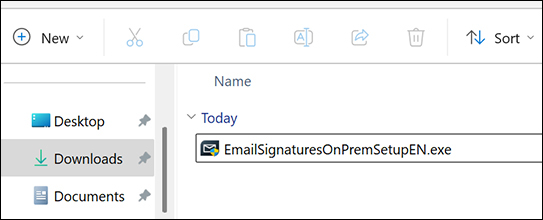
Download or copy the installer to each server with the Mailbox role.
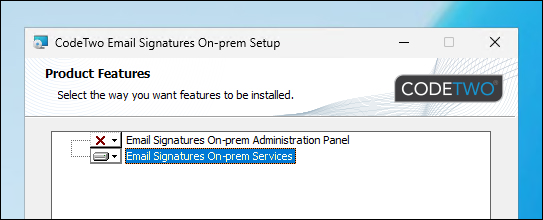
The installer contains two modules: Email Signatures On-prem Services and Email Signatures On-prem Administration Panel. Begin with installing the Email Signatures On-prem Services on each of the Mailbox servers.
Note: During the installation the Microsoft Exchange Transport service is restarted.
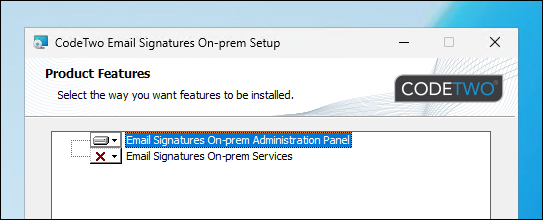
To be able to create and edit email rules (used to add email signatures and perform various actions on incoming and outgoing emails), you need to install the Administration Panel. We recommend that you install it on a workstation, located in the same domain as the Email Signatures On-prem Services. Download or copy the installer to the chosen PC and run the installation of Email Signatures On-prem Administration Panel.
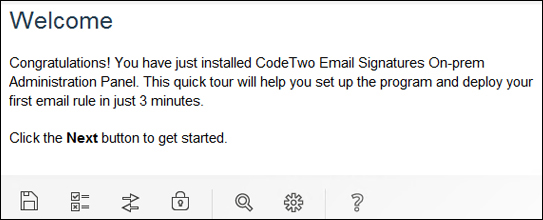
After the installation is complete, a short application tour will launch. Take a look at the hints we have prepared for you and proceed with creating your first email rules!
Trial version
The program can be used for free for 14 days. During this period the program works the same way as the full version. When the trial version expires, CodeTwo Email Signatures On-prem will not process messages anymore. Learn more
If your company needs additional time for testing CodeTwo Email Signatures On-prem after the trial has expired, please contact us.
Full version
In order to activate the trial to the full version, you need to purchase a yearly subscription to CodeTwo Email Signatures On-prem and use the received product license key to activate the software.
All settings from the trial version will be kept, there are no changes except for activating with the purchased license key. Learn more about the activation






