


A handy new option is now available in the CodeTwo add-in pane, allowing end users to set their preferred Outlook (client-side) signature in just a few clicks. Watch a quick walkthrough video above.
It’s as simple as it gets: you mark a signature as preferred in the add-in pane, and CodeTwo adds it automatically to all new emails, replies, and forwards across all Outlook versions. No more scrolling through signature templates to find the right design – just set it once and let CodeTwo do the rest.
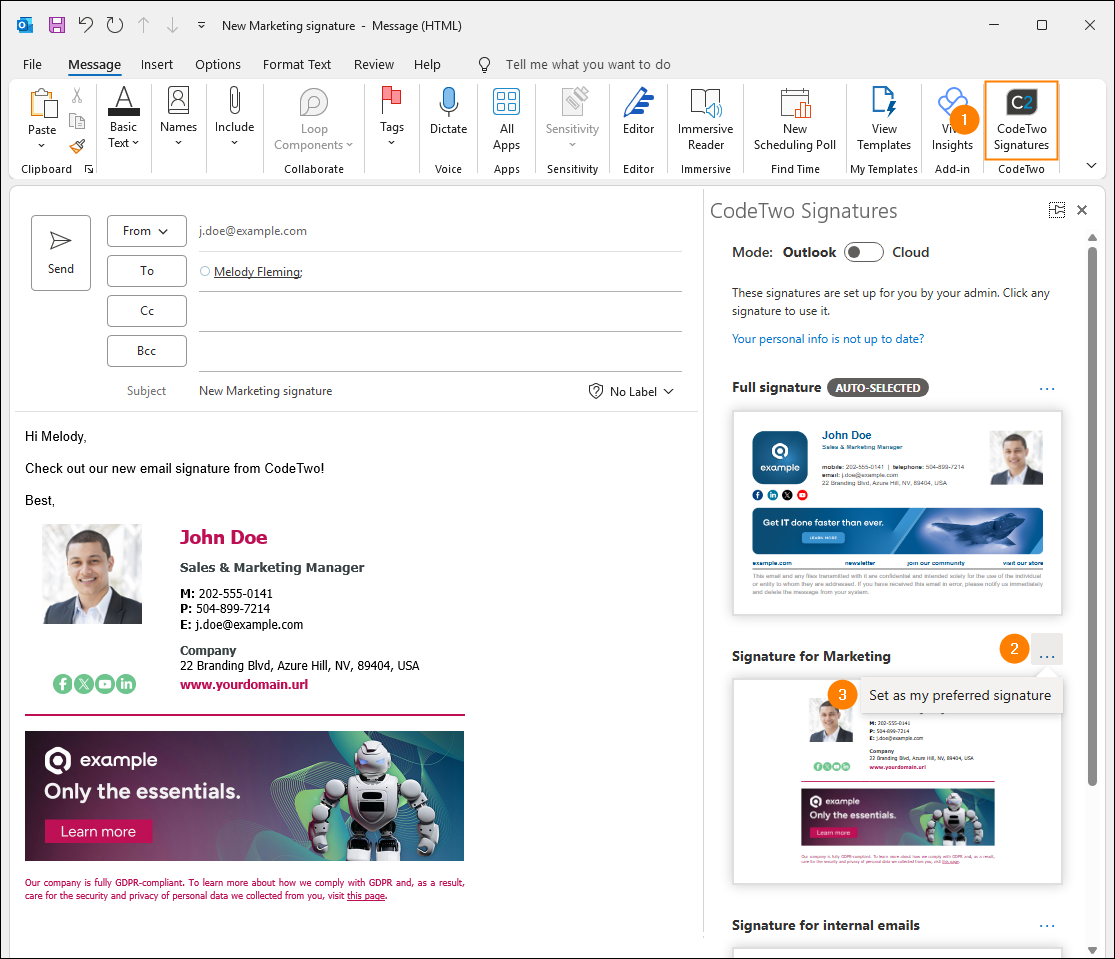
The new option is especially useful when:
- some users prefer a simplified signature instead of a full-size version (or vice versa),
- your organization uses multiple company-wide signatures (for example, for different brands), or
- specific teams, such as Sales & Marketing, use dedicated signatures to promote ongoing campaigns, events, and offers.
Important: your company’s signature rules still have the final say. If your preferred signature isn’t available for a particular email, CodeTwo will automatically apply the signature that matches the message and your organization’s policy.
So, end users get more freedom to choose the signatures they like, while admins stay in control of company-wide branding and compliance.
How to turn it on
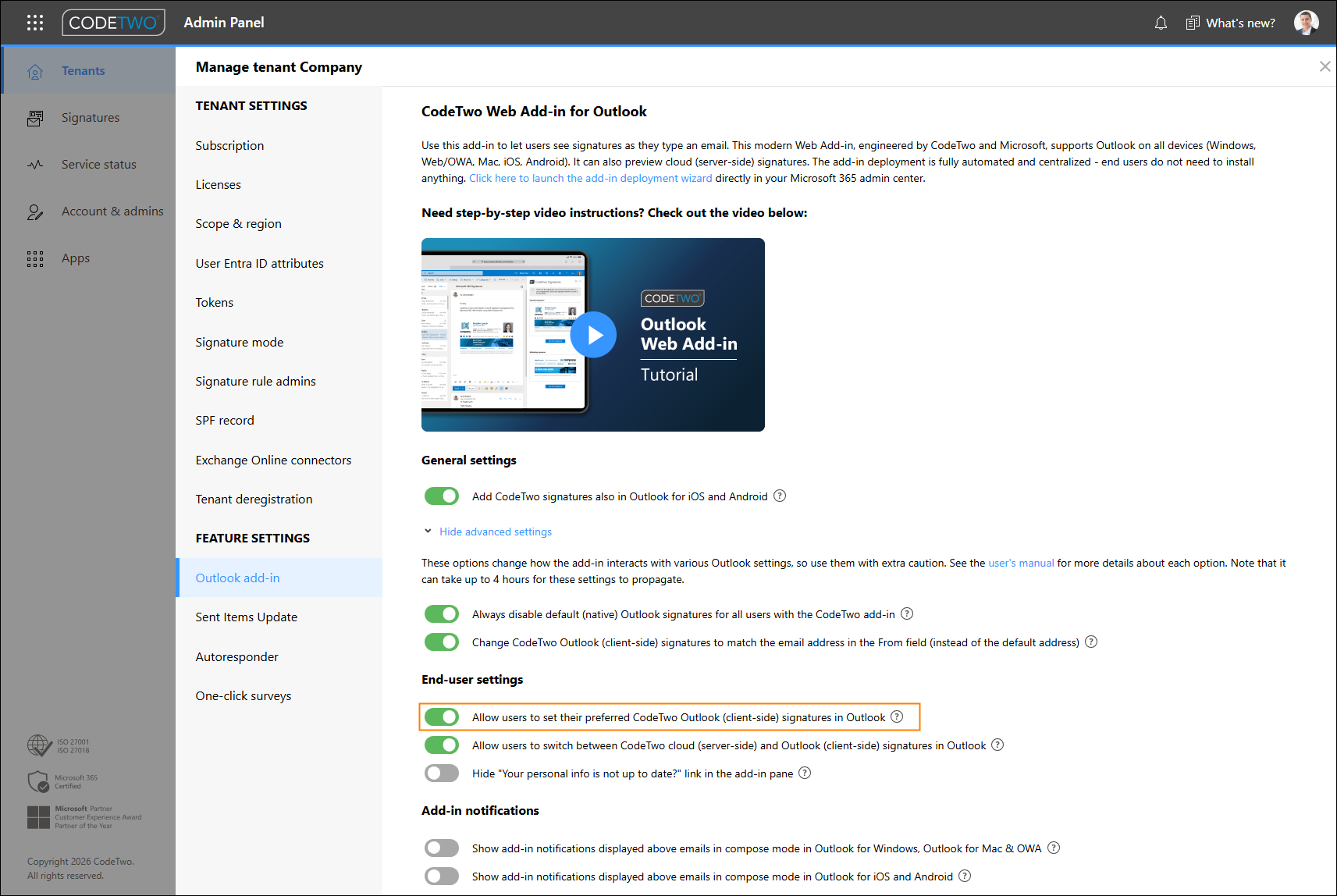
To turn on CodeTwo preferred signatures for end users, an admin needs to go to CodeTwo Admin Panel, open tenant settings, and switch on the toggle that says Allow users to set their preferred CodeTwo Outlook (client-side) signatures in Outlook on the Outlook add-in tab:
CodeTwo Email Signatures 365 is the only fully Microsoft 365 Certified email signature solution (the entire infrastructure reviewed & pen-tested by Microsoft). It's an Azure-based cloud service that supports all devices and email apps. Co-engineered and awarded by Microsoft, it also holds the highest user satisfaction ratings. With ISO 27001 & 27018 certification and a proprietary 4-layer security system, it's the most secure signature manager on the market. Watch a short product video
CodeTwo offers solutions for organization-wide email signature management, data backup and migration for Microsoft 365 & Exchange Server, developed since 2007 and used by over 140k organizations worldwide, including Facebook, Samsung and UNICEF.
Recommended articles

Is this feature usable for serverside-signtures as well?
This new feature works only for Outlook (client-side) signatures. However, we do have another solution that lets users choose their preferred signature, and it works for both cloud (server-side) and Outlook signatures. Learn more in our manual.