CodeTwo Backup for Exchange
Granular backup and recovery tool for Exchange Server
30-day free trial with support;
no credit card required
Screenshots
Take a look at the screenshots from CodeTwo Backup for Exchange to get a general idea of what the program looks like and how it works. For a more hands-on experience, we recommend downloading the free 30-day trial version (fully functional, no credit card required).
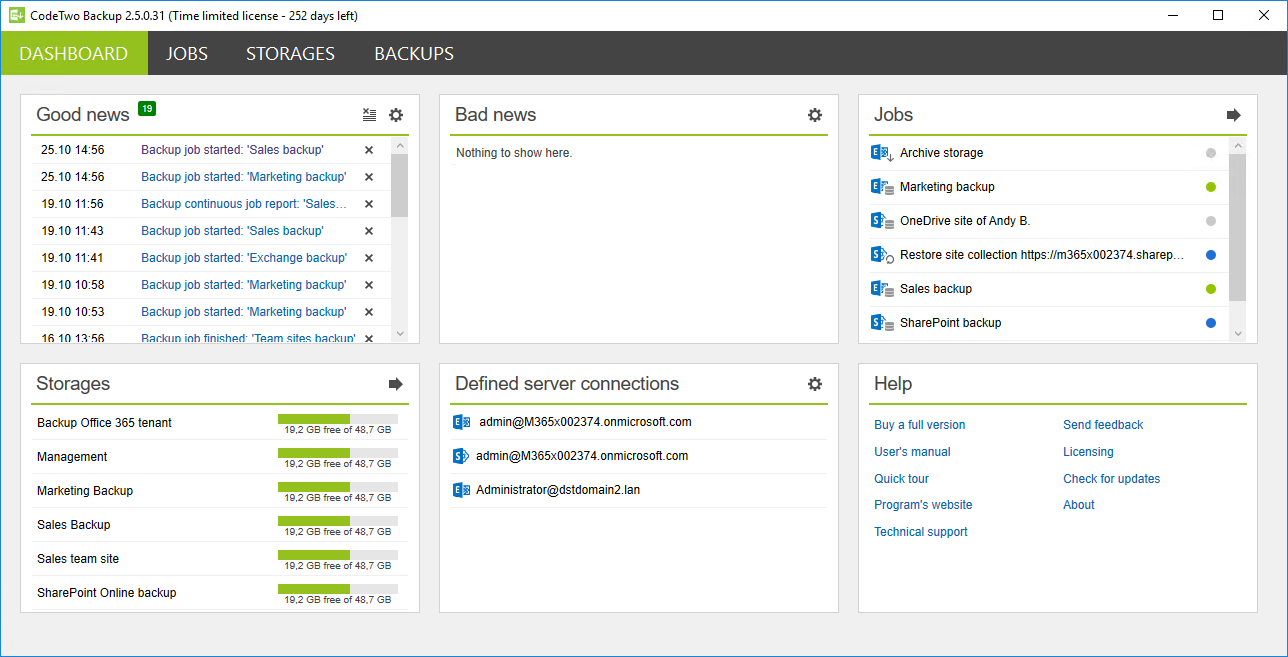
The Dashboard shows all activity of CodeTwo Backup for Exchange, including the progress of backup and restore jobs, as well as important notifications and alerts.
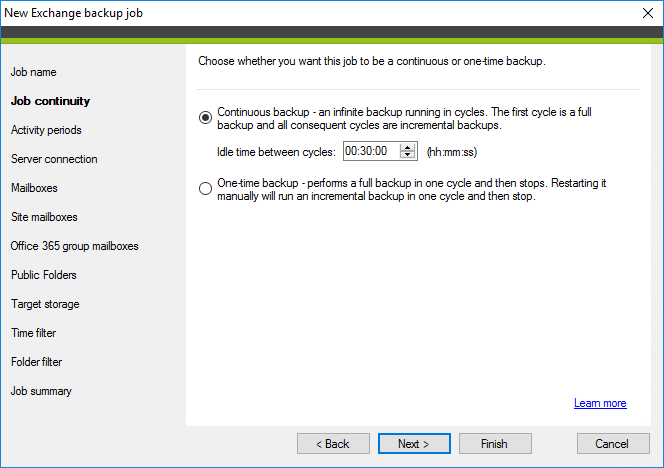
Create backup, restore, and archive jobs with easy-to-use wizards. For example, in the backup job wizard, simply select the data to back up, set filters, choose storage, and define backup type (one-time or continuous). A scheduler lets you set time frames for when backup jobs should run.
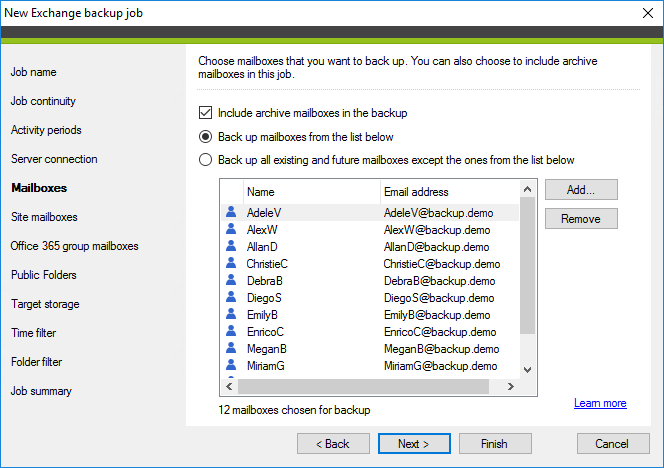
For an Exchange backup job, choose which mailboxes (e.g., user, shared, archive, or group) and public folders to back up.
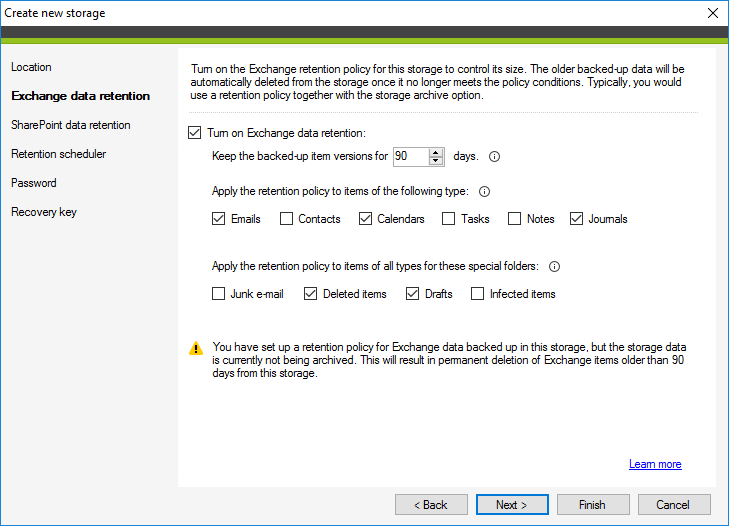
Backed-up data is stored on your local drive, ensuring offline access and potentially unlimited storage. You can password-protect your storage for security and apply retention policies to delete older items automatically. Use a scheduler to define how often retention runs.
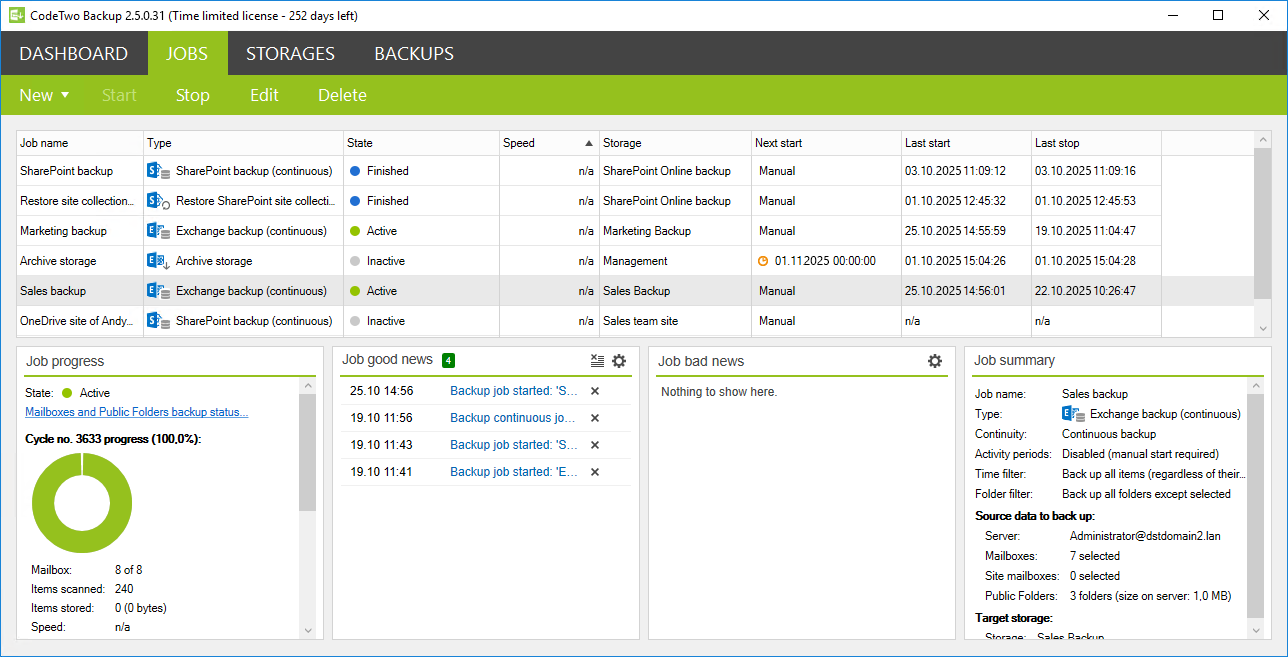
Manage backup, restore, and archive jobs on the Jobs tab, where you can also view real-time statistics for each job’s activity.
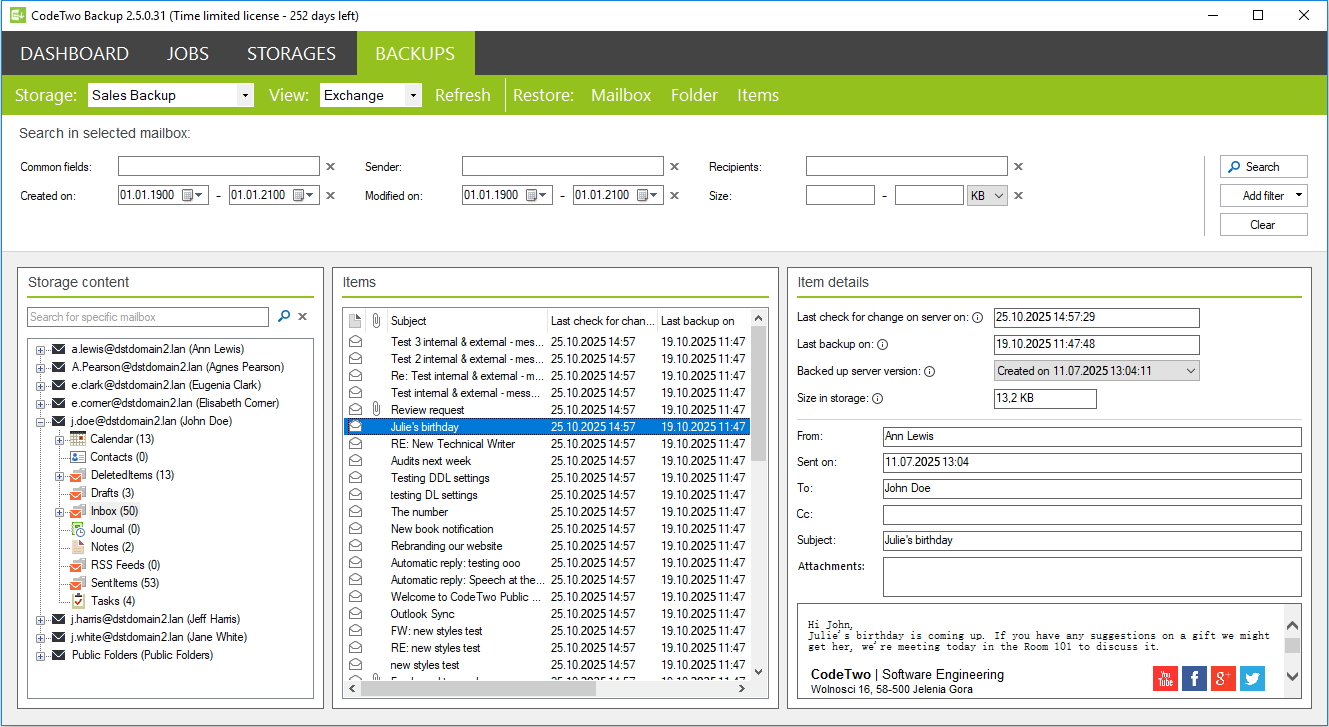
Search, preview, and restore data stored in a familiar folder structure. The Backups tab lets you view Exchange backups and access both the latest backed-up items and their previous versions.
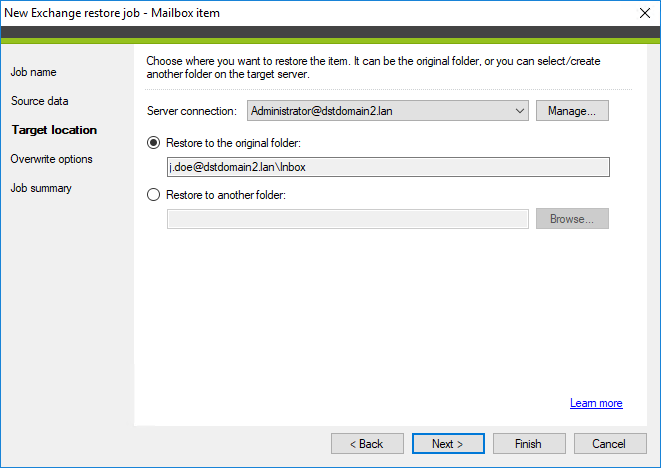
Restore backed-up emails, folders, or entire mailboxes to their original location or a new one.
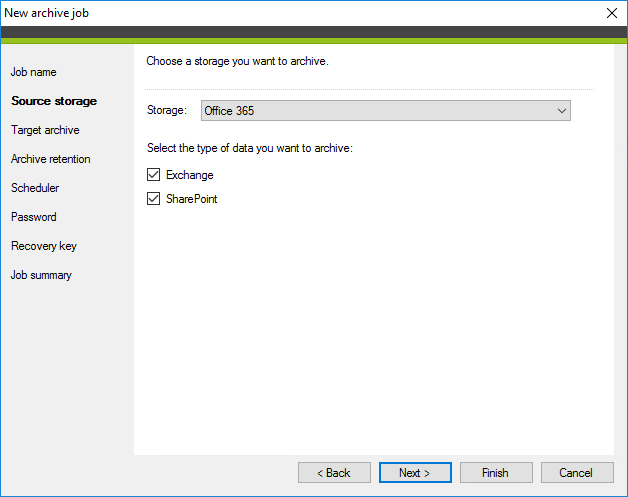
Archive backup storages automatically for added data security. You can also export backed-up mailboxes to PST files for long-term storage or use with other tools.
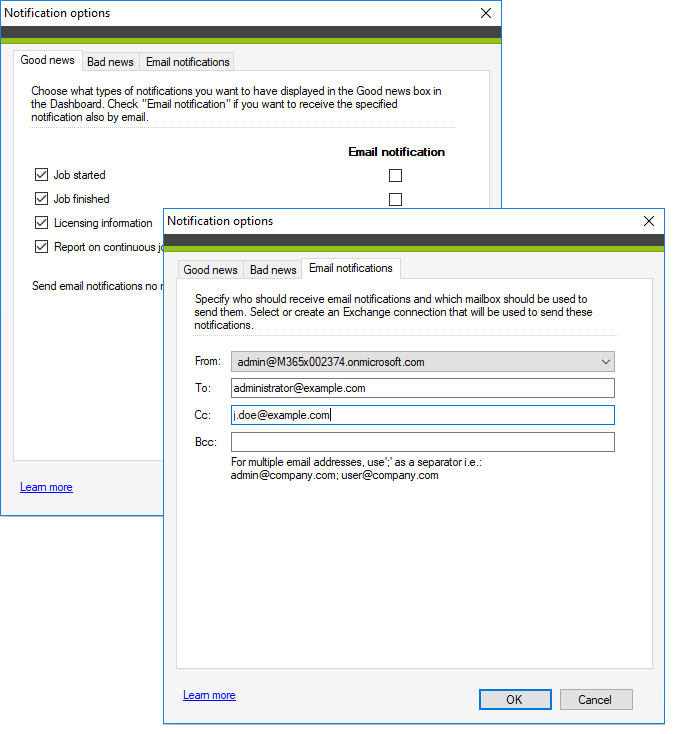
Set up notifications for important events affecting the program or server performance. Alerts can appear in the program or be sent via email to any address you specify.