Changing email addresses in the From field in Outlook – how it works with the CodeTwo add-in
Problem:
You would like to know how the CodeTwo Signatures Add-in for Outlook behaves when you select a different sender (email address) in the From field when composing an email.
Solution:
When CodeTwo Email Signatures 365 works in Outlook (client-side) or combo mode, the CodeTwo add-in can automatically insert your signature while you’re composing an email (learn more).
If you have multiple accounts added to your Outlook app and select another account in the From field (as shown in Fig. 1.), Outlook makes a full switch to that account. As a result, the signature configured for that account will be automatically inserted into the email (provided the CodeTwo Web Add-in is deployed to the corresponding user or mailbox).
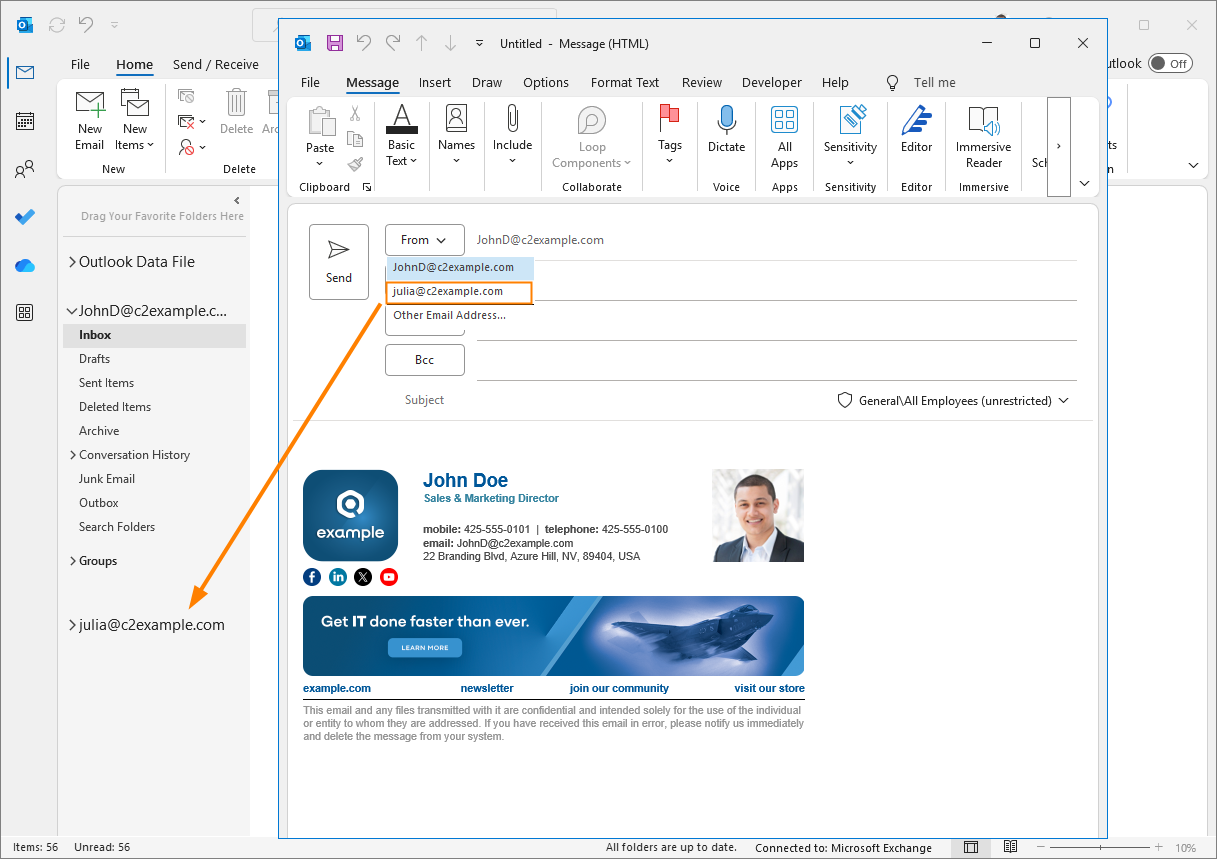
Fig. 1. Selecting another account in the From field – the email will be sent from the selected account and that account’s signature will be added.
On the other hand, if you have Send as or Send on behalf delegate permissions to another mailbox (e.g., a shared mailbox) and select that mailbox by using the Other Email Address option in the From field (see Fig. 2.), your signature will not change by default.
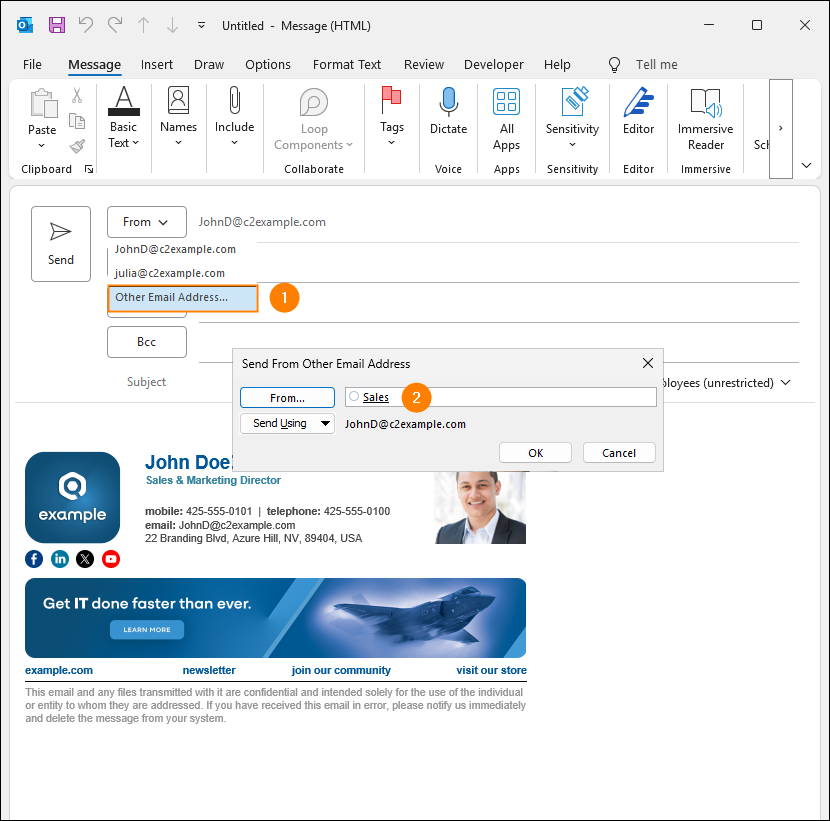
Fig. 2. Sending an email as / on behalf of another mailbox – your personal signature will be added by default.
If you need more flexibility when sending emails as or on behalf other mailboxes, you can also enable the Change CodeTwo Outlook (client-side) signatures to match the email address in the From field setting for the CodeTwo add-in in CodeTwo Admin Panel. As a result, your signature will auto-update to match the selected mailbox, but the add-in will also allow you to change this behavior (by using the If sending from alternative "From" address option) and apply your personal signature for all emails sent from such mailboxes, as shown in Fig. 3.
Learn more about this setting in the manual
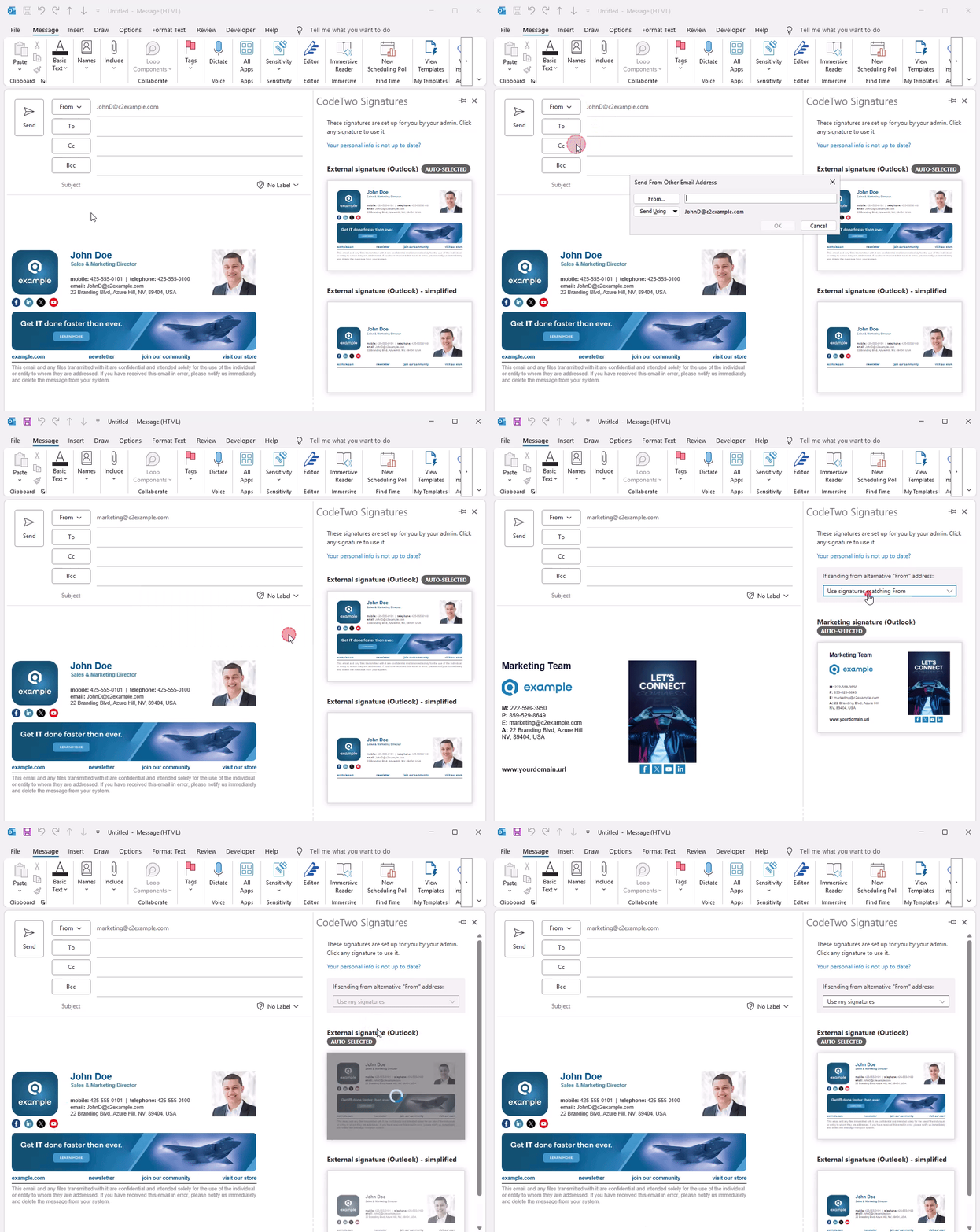
Fig. 3. Switching between shared mailbox and personal Outlook signatures in the CodeTwo add-in pane.
| Related products: | CodeTwo Email Signatures for Office 365 |
| Categories: | FAQ |
| Last modified: | July 6, 2026 |
| Created: | June 8, 2022 |
| ID: | 993 |






