Manage organization-wide
email signatures

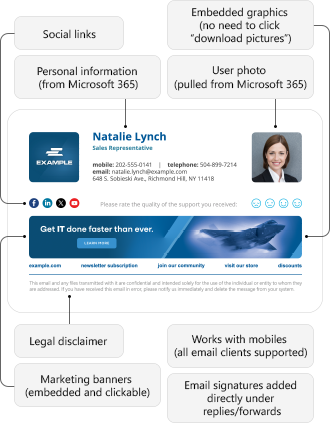
Unify email signatures and disclaimers across your organization with CodeTwo’s world-leading email signature management solutions. See how professional, centrally managed company signatures can look:
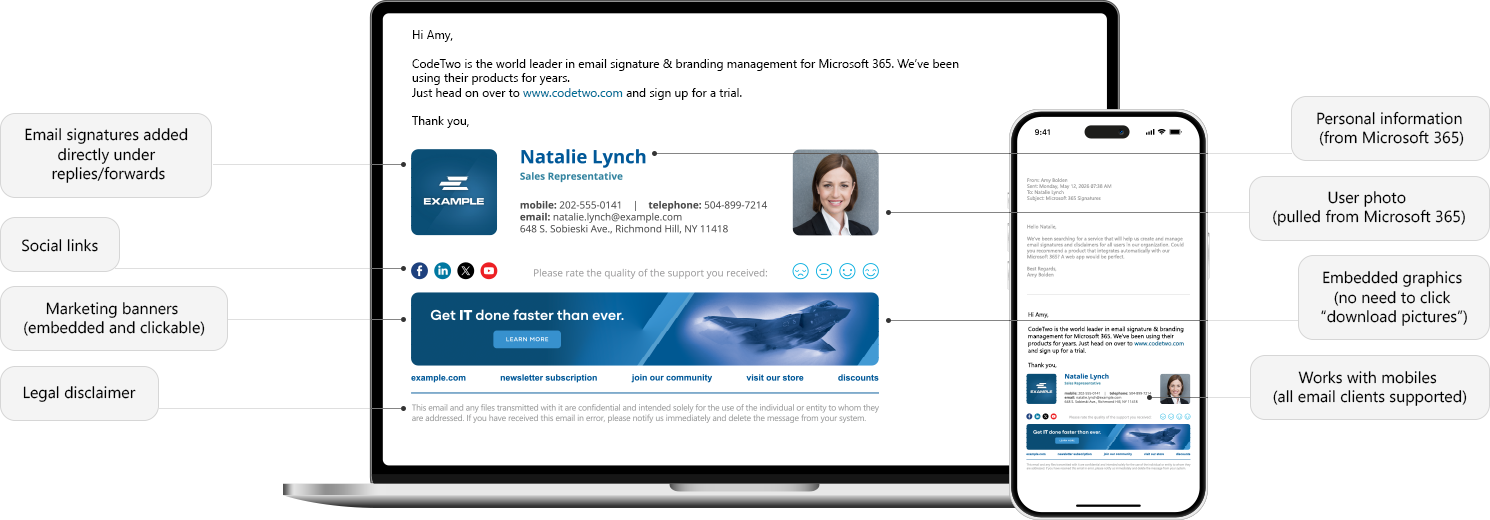
Manage organization-wide email signatures - diagram

Manage organization-wide email signatures - diagram

Choose your email platform to get a free trial of CodeTwo email signature services or keep reading to learn more about the benefits.


Benefits for the entire company

With CodeTwo email signature software for Microsoft 365 and Exchange, you can:

Manage signatures and legal disclaimers centrally for the entire company or delegate signature management tasks to specific people or departments
Manage signatures and legal disclaimers centrally for the entire company or delegate signature management tasks to specific people or departments.
Embed banners, user photos and social media icons into email signatures instead of linking them, so that your graphics are immediately visible, and users don’t have to click Download images to see them
Embed banners, user photos and social media icons into email signatures instead of linking them, so that your graphics are immediately visible, and users don’t have to click “Download images” to see them.
Insert signatures directly under the latest reply or forward message in an email conversation
Insert signatures directly under the latest reply or forward message in an email conversation.
Add signatures directly in Outlook and OWA or allow the software to add them automatically in the cloud after a message is sent (this works with all email clients and devices, including mobiles and Macs)
Add signatures directly in Outlook and OWA or allow the software to add them automatically in the cloud after a message is sent (this works with all email clients and devices, including mobiles and Macs).
Design professionally looking email signatures with a powerful and easy to use HTML signature template editor or customize built-in templates created by experts
Design professionally looking email signatures with a powerful and easy to use HTML signature template editor or customize built-in templates created by experts/
Automatically add sender’s contact information pulled from Active Directory
Automatically add sender’s contact information pulled from Active Directory.
Create rules to control when signatures should be added to emails
Create rules to control when signatures should be added to emails...
...and more
...and more.

Watch CodeTwo solutions in action

See how easy it is to create and manage company-wide email signatures in Microsoft 365 and Exchange when you use these top solutions:

Set up company-wide email signatures in Microsoft 365 with CodeTwo

Why use email signature management software? Top 10 benefits

We’ve got you covered

Choose your email platform to learn more about our products and try them for free:

Our Customers: