


To call it Office 365 or Microsoft 365 – that is the question. And quite an easy one to answer, I might add, since Office 365 is simply what Microsoft 365 was called before the rebrand. There’s still some understandable confusion, since both names, Office 365 and Microsoft 365, regularly crop up. That’s why I’m doing my best to dispel all doubts about these two.
What is the difference between Office 365 and Microsoft 365?
Absolutely none. If you don’t believe me, verify this at the source. In short, Office 365 == Microsoft 365 and you can treat those as synonyms. Just like O365 == M365, which are Office 365 and Microsoft 365 for short. I could create a table with similarities and differences between the two, but the only real difference is the features added after the rebranding.
Why did the name change then?
The source I mentioned earlier makes an attempt at explaining the name change. There are also some theories that suggest it was meant to create some buzz (which it did), improve SEO (which it might have), or simply give content creators a major… headache (which it did).
But conspiracy theories aside, the one answer that is 100% accurate is: Microsoft changed it because they could.
When did the name change?
The name change was announced a day before April 1, 2020 (great timing, huh?), and actually happened on April 21, 2020.
What is Office 365?
It’s the former name for the Microsoft’s office apps suite and the collaboration platform that is underneath it.
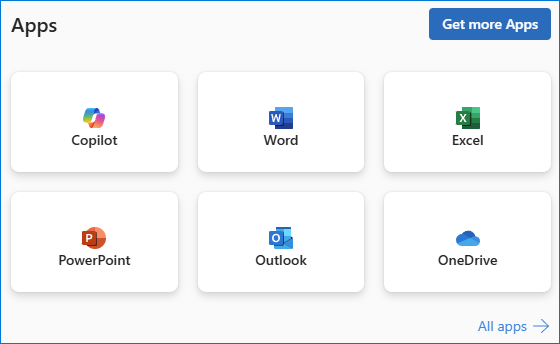
So, it includes Microsoft 365 apps like Word, Excel, Access and the rest of the suite, together with deployment and management tools. Depending on the exact license you purchase, it can be Exchange Online, Dynamics 365, Microsoft Intune, all kinds of Microsoft Viva and a Copilot for every aspect of your office life.
There’s also the Office 365 / Microsoft 365 Personal subscription, which is limited to Microsoft 365 apps only:
What is Microsoft 365?
Microsoft 365 is the new name for Office 365.
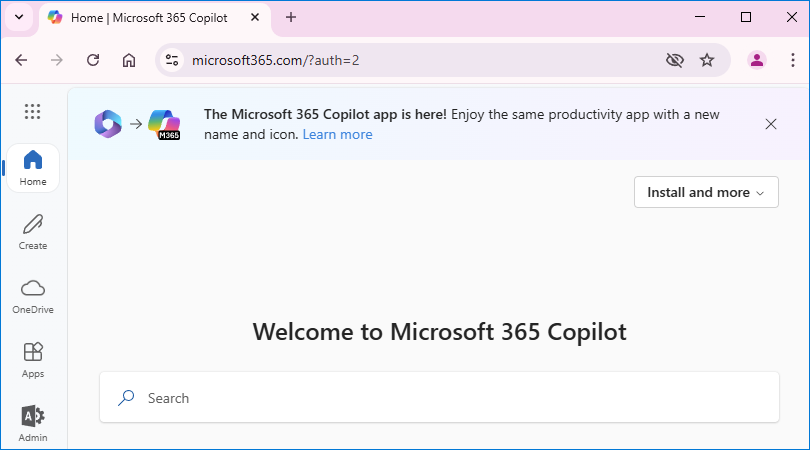
One thing worth mentioning is that the Microsoft 365 landing page, the one you see as soon as you sign in to your M365 account, was recently rebranded as the Microsoft 365 Copilot app. This shows Microsoft’s commitment to using AI to influence every work-related aspect imaginable.
Differences between Office 365 and Microsoft 365 licenses
The only place, where there is an actual difference between Office 365 and Microsoft 365 is in licensing. While most licenses had their named changed from O365 to M365, there are some leftover legacy Enterprise Office 365 plans available, which give limited access to office app suite. For details, refer to this pricing page.
Frequently asked questions
Still have some doubts? The FAQ below should clear everything up.
If I find an article about “Office 365”, does it mean it’s outdated?
It can be outdated, but it doesn’t have to. You can still see mentions of Office 365 all over the Internet. So, if you come across Office 365 in articles (or any other materials), it can mean any of the things below:
- The article is outdated.
- The article was created years ago, but is still relevant and readers don’t mind the “retro” name.
- The article has been updated since 2020, but the old name was left in fear that its SEO score will drop.
- The author is stubborn and refuses to change the name and knows that there are hundreds of admins who align with this. Exhibit A: The Office365 subreddit has 127k members, while Microsoft365 subreddit has 11k. Both are active (and have the same moderators).
One quick way to verify if specific content is up to date is to see when it was last updated. If there’s no such information, you can open the article’s source code (usually you’d use Ctrl + U for that in your web browser) and scan it for dates.
Is there a price change between Office 365 and Microsoft 365?
Remember, O365 equals M365. In other words:
- no, there wasn’t a price change immediately after rebranding;
- yes, there was a price increase of M365 licenses in the last 5 years.
To see the current pricing, I recommend checking Microsoft’s pricing pages. As I’ve already mentioned, there are some legacy plans for enterprise that have limited functionality and Office 365 in the name, so make sure to check prices thoroughly before purchasing.
Additionally, since the dawn of Viva and Copilot, there’s a lot of ways to expand your subscription to gain more features. It comes at a cost, though.
If a tool mentions “Office 365” as a supported platform, does it mean it supports “Microsoft 365”, too?
It’s usually a hard yes. In most cases, seeing “Office 365” is a good sign, because you know the solution has been on the market for quite some time.
The reasons for keeping “Office 365” in a product name or the list of supported platforms are usually very simple. It can be quite troublesome to change a product name and the way you refer to it throughout your documentation, especially when most of your customers are more familiar with the old name.
Drop a comment!
If you have any doubts or any question you’d like answered, do drop a comment. Don’t be shy – there are no stupid questions! I read every comment, so you’ll have a chance to get your doubts cleared up.

Recommended articles



Microsoft 365 might now be the landing page for all things that Office 365 contained, but there is actually a difference between an Office 365 license and a Microsoft 365 license: https://www.microsoft.com/en-us/microsoft-365/enterprise/compare-microsoft-365-and-office-365
Thanks Rochelle! I’ve added some information on the leftover Office 365 plans.