The option to add different signatures to the first email and different to next emails does not work
Problem:
The option Different signature in the first email and different in subsequent emails does not work as expected.
Solution:
There are certain situations in which the subsequent signature defined in your signature rule will not be triggered in an email conversation. To troubleshoot the problem, go through the following scenarios:
Changing the message subject
This problem appears only in the desktop versions of Outlook and it's related to the way Outlook groups messages into threads. If you reply to an email in a conversation thread and change the message subject, Outlook will exclude your email from the conversation and treat it as a separate thread. That is why our software adds the first signature template (see Fig. 1.) to your response.
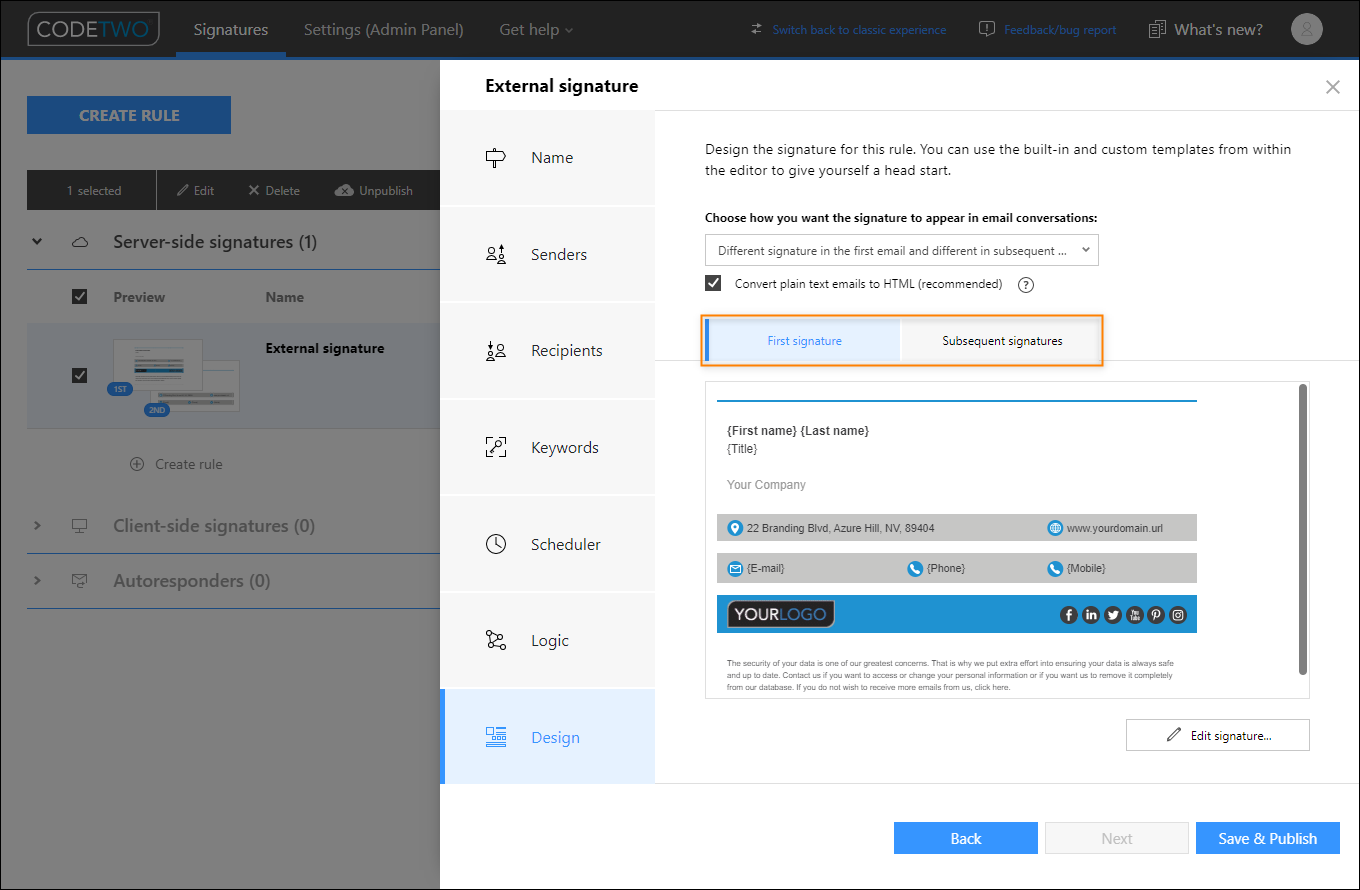
Fig. 1. In the Design step, you can compose a different signature for the first email, and different for subsequent emails in a conversation.
Triggering a different signature rule
The subsequent signature will be added to an email only if the first signature from the same signature rule has been applied in the same conversation thread. This does not work if a different signature rule is triggered by a subsequent email.
Example 1
Signature rule A and Signature rule B are both configured to add different signatures to first and subsequent emails. A user sends an email that triggers Signature rule A, and the email gets a signature configured for the first email. The user receives a reply and responds to it. It may happen that when they respond within the same thread, Signature rule B is triggered (due to the use of a keyword, change of recipients, etc.). In this scenario, the user again gets a signature that has been configured for the first email. That’s because Signature rule A and Signature rule B work independently of one another.
Example 2
CodeTwo Email Signatures 365 operates in combo mode. Signature rule A applies an Outlook (client-side) signature and Signature rule B is configured to add different cloud (server-side) signatures to first and subsequent emails. A user composes an email from Outlook – based on Signature rule A, a signature is automatically added to the email. The user receives a reply and responds to it on a mobile device, which triggers Signature rule B. As in Example 1, the user again gets a signature configured for the first email because a separate signature rule is triggered.
Joining an existing thread as a new conversation participant
A similar mechanism applies when a user sends their first email in an already existing thread. Despite the message not being the first one in the thread, it is still the first message sent by that user, hence the signature for the first message will be applied.
See also:
| Related products: | CodeTwo Email Signatures for Office 365 |
| Categories: | Troubleshooting |
| Last modified: | June 21, 2023 |
| Created: | July 12, 2018 |
| ID: | 736 |





