
Learn how to automatically encrypt emails sent outside your organization by using sensitivity labels in Microsoft 365.

If you want to manage your Microsoft 365 organization with Microsoft Graph PowerShell, this article is for you.
With Remote PowerShell deprecated, the Exchange Online V3 module is now essential for managing Exchange Online via PowerShell.

Microsoft retired the Search-Mailbox cmdlet – now what? Discover how to use New-ComplianceSearch instead.
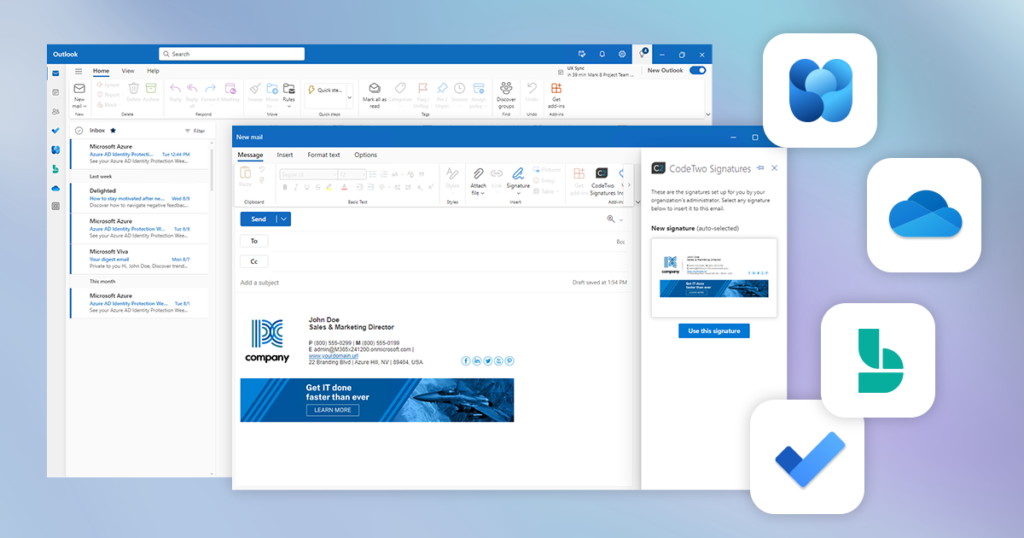
The new Outlook for Windows is gradually becoming the default version. Let’s see how it compares to the classic Outlook experience.

cloud.microsoft is a domain used for Microsoft services. Learn which services use it and why it matters.

Learn how to use sensitivity labels to secure documents and emails as they travel across your Microsoft 365 organization and beyond.
Migrating Exchange data to the cloud is not rocket science – explore your options and launch the migration stress-free. As you may already know, Exchange Server 2016 and 2019 have reached end of life and are no longer officially supported by Microsoft. If your organization still uses either of these platforms to manage email, contacts, calendars, and tasks, keep in mind that: Your environment may become vulnerable to newly discovered security threats – Microsoft will no longer provide security updates for Exchange 2016 and 2019 (unless you’ve enrolled in the Extended Security Update program, which ends in October 2026). Your emails may get blocked – Microsoft has started to throttle and block emails sent from unsupported Exchange Server versions to Exchange Online (as I covered in this article). That said, migrating to a supported platform is now the only viable long-term option for keeping your organization’s email environment secure, supported, and fully operational. If your organization wants or needs to keep things on‑premises (and continue using Microsoft’s solutions for that), upgrading to Exchange Server Subscription Edition (SE) is the only path forward. But given Microsoft’s clear preference for its cloud services – evident in the faster rollout of new features and the many security capabilities available exclusively in Microsoft 365 (Office 365) – now is a great time to leave your on‑prem environment behind and migrate to Exchange Online as part of Microsoft 365. While switching over to a new platform might seem like a rough ride, I’ll show you some easy ways to follow when migrating mailboxes from Exchange Server 2016/2019 to Microsoft 365. How to prepare for email migration to Microsoft 365 Before you start the migration process, you need to make sure your environment is ready for the move. For this purpose, you can use this guide in the Microsoft 365 admin center – it will help you connect your organization to Microsoft 365 and integrate your existing user accounts with Microsoft Entra ID. Microsoft also recommends completing the steps below: Set up an SPF record to determine valid email sources for your organization’s Microsoft 365 domain. Set up the Exchange Online Protection service as a means of protection against spam and malware. If you’re behind on updates, make sure to install the latest Cumulative Update (CU). And here is my quick, less obvious Microsoft 365 migration checklist: Verify if your software will work in Microsoft 365 (especially when it comes to server software). Microsoft 365 migration might be the time you learn that there is crucial legacy software that half the company uses and which is hard to replace. Encourage the whole company to clean up projects. It’s much easier to do this before the migration and start fresh. Gather as much information about your on‑premises environment as possible. For example, you might need to recreate access roles and permissions from scratch in the cloud or set up mail flow rules. Without prior research, it will be much more difficult. Verify if you need to migrate service accounts. There can be a lot of them on‑premises and in most cases, you won’t need them after the move. Review mailbox size limits in Exchange Online before migration to see which licenses you’ll need and which mailboxes migh

Microsoft 365 web interface was designed to make it easier to manage your tenant right down to its administrative bowels. On the one hand it really is quick and simple to navigate, on the other it definitely lacks some advanced configuration options so loved by sysadmins. Luckily there is the mighty PowerShell coming to the rescue! You should already know its potential, which can also be utilized in Microsoft 365. Find out how.

One of many features of the PowerShell command line tool is its ability to connect with and manage the Exchange Server remotely. The procedure described below applies to the classic on-prem Exchange server and to the Microsoft 365/Exchange Online version.

Microsoft Exchange Server SE (Subscription Edition) is out! See what’s new, what’s coming, and how to migrate.
