How to fix problems with emails encrypted by Azure RMS
Problem:
You use Azure Rights Management (Azure RMS) to encrypt your email messages in Microsoft 365 (Office 365). The recipients of these messages cannot access the encrypted content, and the following error is displayed:
Sorry, we can't display your message right now
Something went wrong and your encrypted message couldn't be opened. Please try again by following the instructions in the original email message in 5 minutes.
Solution:
If your recipients are not able to open Azure RMS encrypted messages that you sent, this issue might be caused by message encryption services in Microsoft 365. If you used Office 365 Message Encryption (a legacy encryption service) and then moved to the Azure RMS encryption, there might be a conflict between these two services in your organization. Use the links below to learn more.
Inspecting encryption rules in Microsoft 365
To check if your problem is related to the conflict between the Office 365 and the Azure RMS encryption services, you need to:
- Open your Exchange admin center.
- Choose Mail flow > Rules from the left menu.
- Find the Exchange Online transport rule that is responsible for message encryption in your organization, click it and, in the pane that opens, click Edit rule conditions (Fig. 1.).
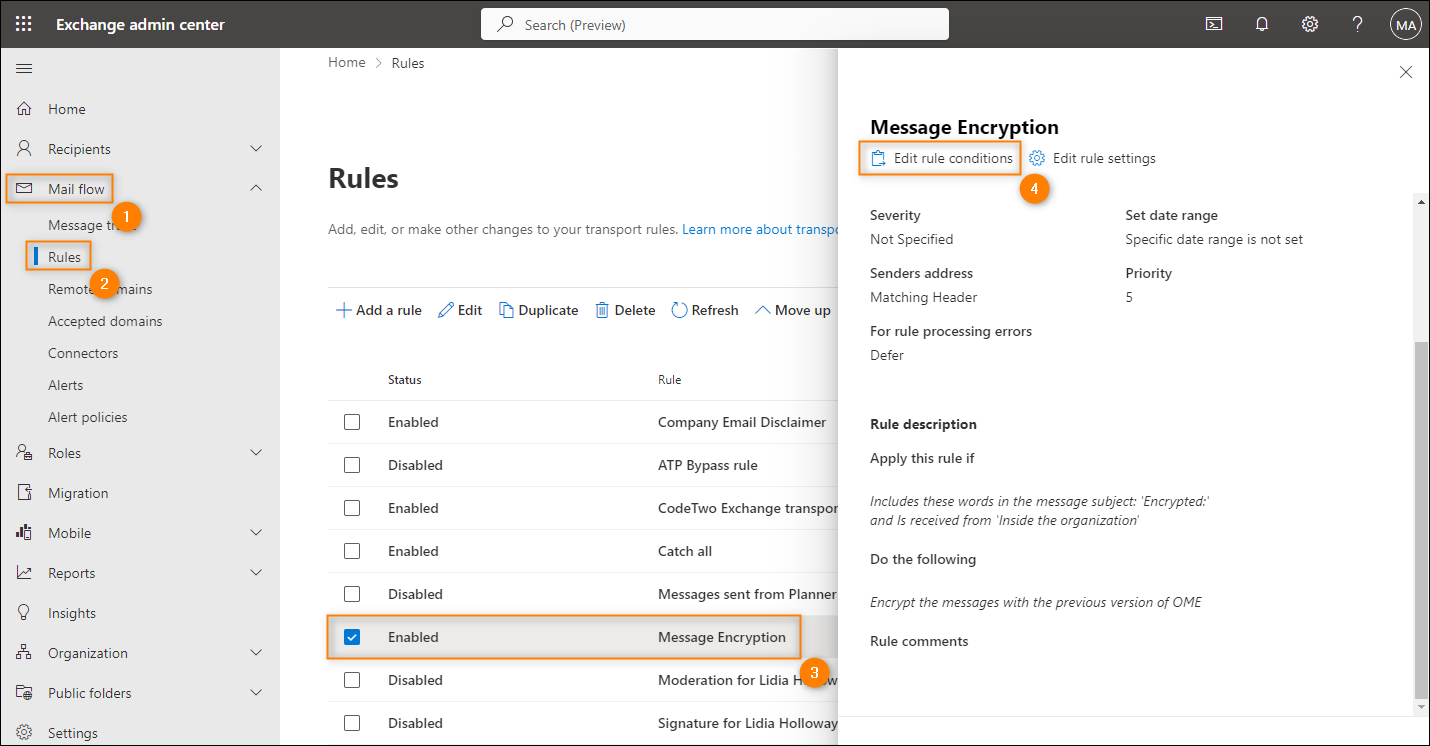
Fig. 1. Opening a sample encryption-applying rule for editing in the Exchange admin center.
- Go to the Do the following section and click the drop-down menu next to the Modify the message security action to check the encryption method applied by the rule (Fig. 2.).
Info
If your transport rule uses the legacy Apply the previous version of OME setting (formerly named Apply Office 365 Message Encryption), as shown in Fig. 2., this leads to a conflict with your Azure RMS encryption and blocks Azure RMS encrypted messages.
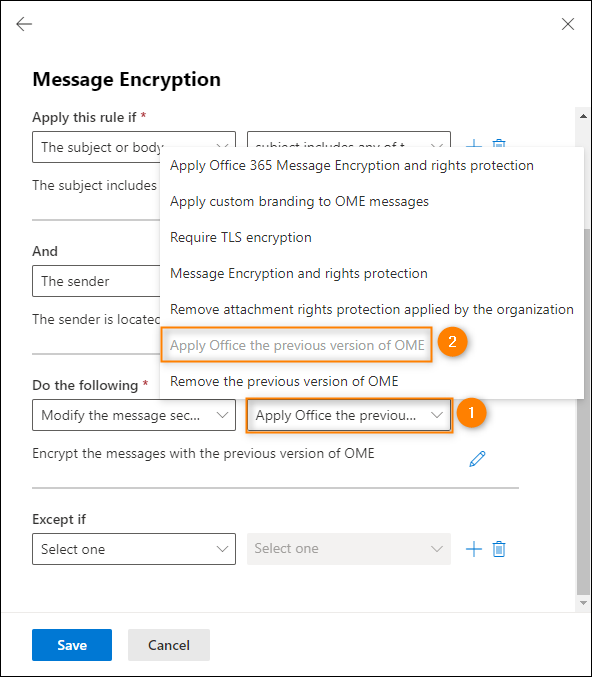
Fig. 2. The legacy encryption setting that causes the conflict.
Solving the conflict between encryption services
Now, to fix the problem with encrypted messages:
- Change the action to Apply Office 365 Message Encryption and rights protection, as shown in Fig. 3.
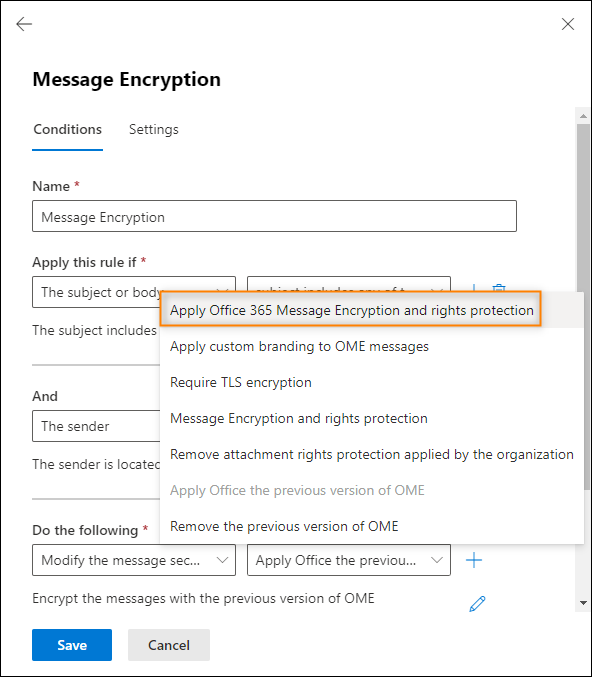
Fig. 3. Changing message encryption to Azure RMS.
- Select an RMS template that matches your preferences and click Save.
- Save the rule's configuration.
- You need to wait (sometimes up to 24 hours) for the changes to propagate in your Microsoft 365 organization.
The conflict between the encryption services should now be solved and emails encrypted by Azure RMS should be fully functional.
| Related products: | CodeTwo Email Signatures for Office 365, General (Microsoft 365, Exchange & more) |
| Categories: | Troubleshooting |
| Last modified: | January 3, 2023 |
| Created: | December 22, 2017 |
| ID: | 671 |





