How to fix problems with message approval for distribution groups in Microsoft 365
Problem:
You use CodeTwo Email Signatures 365 in your organization. You have configured a distribution group (distribution list) so that each message sent to this group needs to be approved by a moderator. When an email is sent to the group, the moderator receives an email request for approval. After the approval is confirmed, the approving person gets more approval requests - one notification for each member of the distribution group. For example, if you have 50 users in the group, the moderator receives 50 emails asking for message approval.
Solution:
The problem with multiple approval notifications occurs when your message approval is based on an Exchange Online transport rule with the Forward the message for approval action (Fig. 1.).
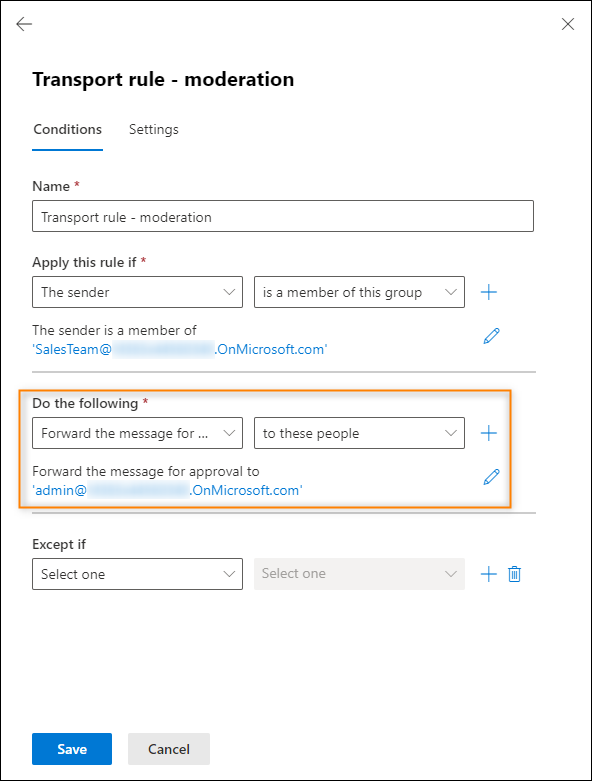
Fig. 1. A sample transport rule used for message approval.
To fix this problem, you need to enable message approval in the properties of your distribution group instead of using a dedicated transport rule.
To turn on message approval in the properties of your distribution group, you need to:
- Open your Exchange admin center.
- Go to Recipients > Groups, click the Distribution list tab, and locate the distribution group for which you want to enable message approval, for example Sales Team, as shown in Fig. 2.
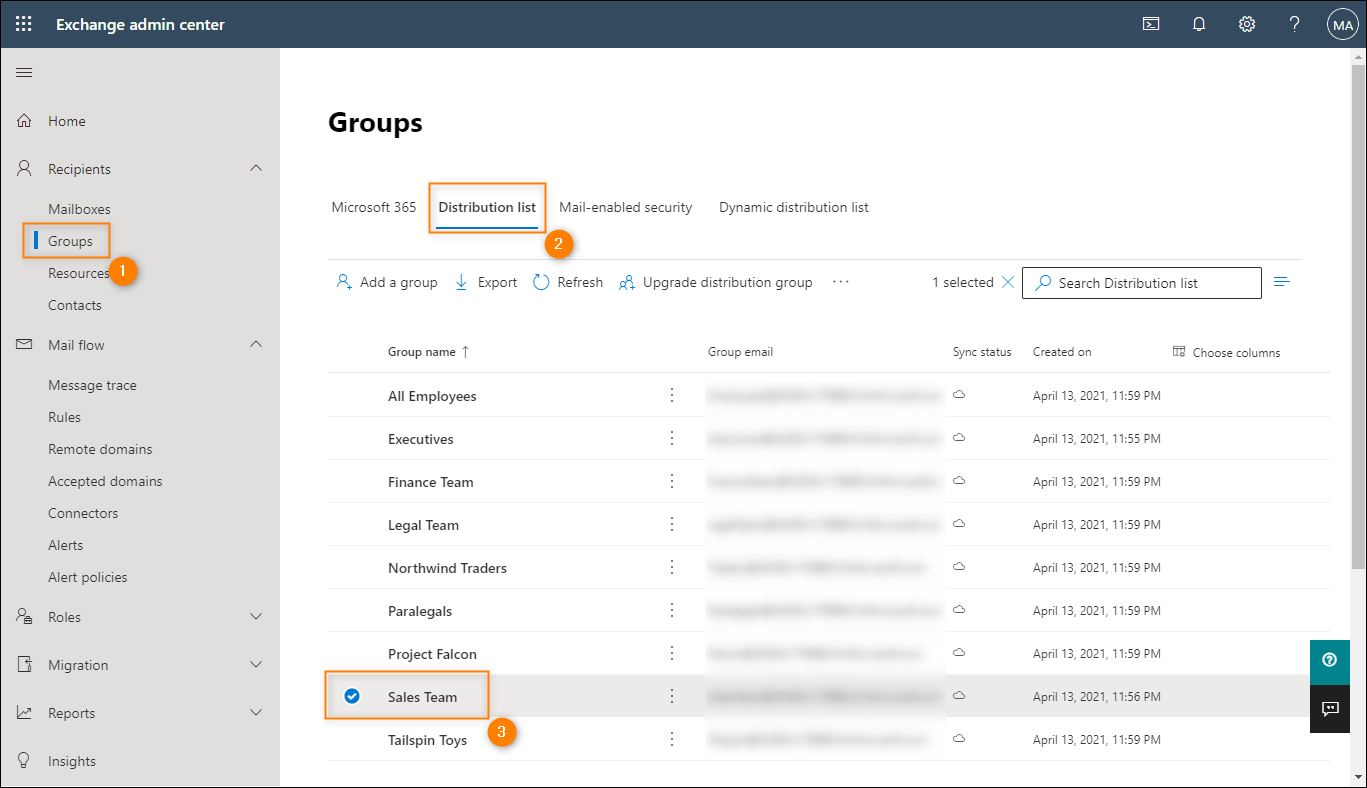
Fig. 2. Locating a distribution group in the Exchange admin center
- Double-click the desired distribution group to configure its settings. In the pane that opens, go to the Settings tab and click the Edit message approval link (Fig.3.).
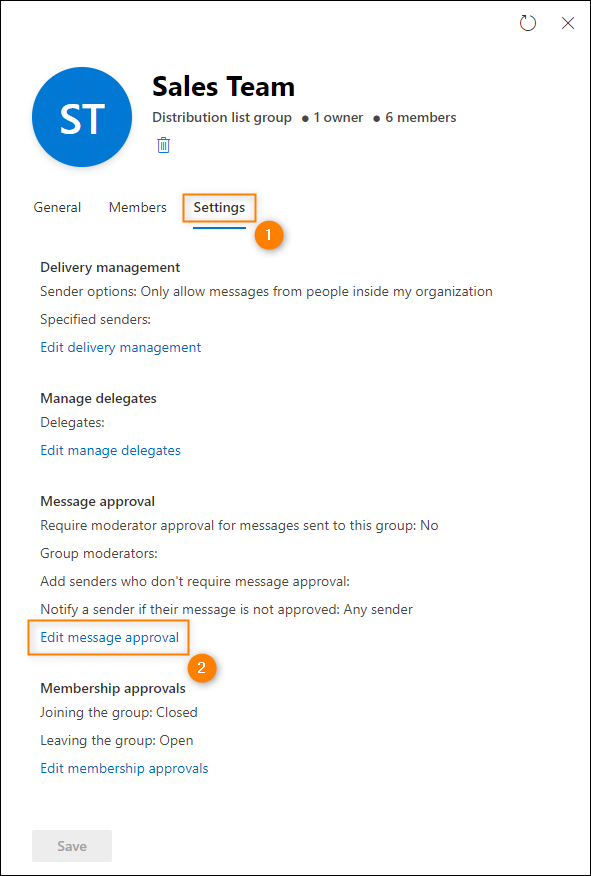
Fig. 3. Accessing the message approval settings.
- Select the Require moderator approval for messages sent to this group checkbox (Fig. 4., Item 1). Next, click Group moderators (Fig. 4., Item 2) and search for a user by typing its name or choosing them from the drop-down list that appears. Either way, you will assign the user to act as a group moderator. Once you are ready, save your settings by clicking the Save changes button (Fig. 4., Item 3).
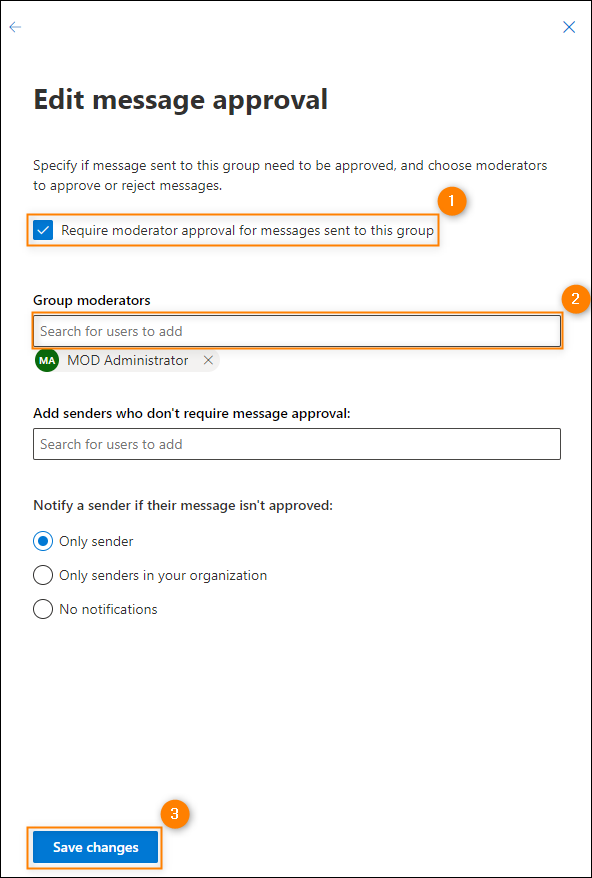
Fig. 4. How to configure message approval for a distribution group in EAC.
- Finally, remove the transport rule that is responsible for message approval in this distribution group.
After the changes propagate in your Microsoft 365 (Office 365), when a message is sent to your group, the moderator will receive only one email with a request for message approval.
| Related products: | CodeTwo Email Signatures for Office 365 |
| Categories: | Troubleshooting |
| Last modified: | June 21, 2023 |
| Created: | February 5, 2018 |
| ID: | 691 |





