fix
We have just released new updates for products from the Exchange Rules family (email signature managers for Exchange 2007, 2010 and 2013). The updates are identical for all products from the family and contain 2 new features and 3 fixes, all of which were suggested or reported by our users - thank you and keep those emails coming!

The end of the year 2012 has been extremely busy for our software developers. Over the past weeks they have been working on several major updates to our programs and the effect of their effort can now be seen on our download site. This time, updates to our two Outlook-dedicated products have been released. If you happen to use CodeTwo Public Folders 5.x or CodeTwo Email Signatures, feel free to update your applications to the latest version at no cost.
CodeTwo Public Folders 5.0.5
From the very first release of the new version of CodeTwo Public Folders we have been constantly working on improving the program. Since then our programmers have added several bug fixes and new features to it. Take a look at the full list of changes applied to CodeTwo Public Folders at version history page. And here's just a selection of the most important ones: Support for Outlook 2013 and Windows 8.
Improved Syncing Master connection stability.
Several bug fixes and programmatic improvements. To successfully perform the update on your CodeTwo Public Folders network, the Syncing Master and all Client Apps need to be re-installed. After you download the new installer, launch it on every machine and the old version will be replaced with the new one. All licensing info and user settings will remain unchanged - provided that you own the 5.0 version or higher. The update is free of charge for all CodeTwo Public Folders 5.x owners. Download CodeTwo Public Folders 5.0.5
CodeTwo Email Signatures 1.0.12
CodeTwo Email Signatures is the youngest tool in our product family. It was designed for managing signatures and disclaimers in Microsoft Outlook, Office 365 and OWA (Learn more here). The recent release includes 2 minor changes that have been requested by users recently: New: The Set permissions button allows the user to set the impersonation permissions for the administrator of Office 365. Fixed: The Signatures folder where the signatures of MS Outlook are stored was not correctly detected by the program in several language versions. To update CodeTwo Email Signatures download the new installer and run it. After the installation is completed all your previous settings and licenses will remain unchanged. Download CodeTwo Email Signatures 1.0.12 Should you have any doubts or questions, our technical support team is always willing to help you. Thank you for all your bug reports and feature requests. We wish you all the best in 2013!

Just before the weekend another minor update to CodeTwo Public Folders was released. It fixes some of the issues users have reported recently. The update is free of charge for all CodeTwo Public Folders 5.x license owners. Version 5.0.6 includes the following changes: Fixed: Subfolders of the same folder shared via the File Sharing App (with names starting with lower and upper case letters e.g. “aaaa” and “BBB”) where not recognized by a subscribing User after losing and regaining a connection with the Syncing Master.
Fixed: When a large file was being downloaded by a subscribing User via the File Sharing App and the User lost and regained a connection with the Syncing Master, a copy of that file was created and shared back both ways causing duplicates.
Fixed: When one of the users shared a private inbox with a previously set Outlook rule, duplicated inbox items where created. During the update, all your network components, including the Syncing Master and all the Client Apps, need to be re-installed. Simply download and run the installer on each synchronized machine. All your previous settings will remain unchanged. For more information feel free to contact CodeTwo Customer Service directly.

Our Microsoft Exchange Server synchronization add-on, CodeTwo Exchange Sync, has just been updated. Version 2.2.6 is since yesterday available on our website. The program received some minor improvements users have requested over the past weeks. Download it now - we always recommend using the most recent version of our programs! Since this is a regular update, it's free of charge for all license owners. Simply download the new installer from here and install it on top of the existing version. All settings and license keys will remain valid. In case of any troubles, our Technical Support is always ready to help out. Thank you for all your bug reports and feature requests! See the full list of changes in CodeTwo Exchange Sync
Download the newest installer About CodeTwo Exchange Sync CodeTwo Exchange Sync is a powerful Microsoft Exchange Server add-on, enabling the creation of synchronization tasks between different Exchange Server folders, either in one-way, or two-way modes. Because it is so flexible, it opens completely new possibilities as far as data synchronization in Exchange Server organizations is concerned. For instance, it allows users to synchronize their calendars, tasks, contacts or mail with one another or replicate the public folders content to private mailboxes. It also solves the problem of viewing public folders on Android and iOS mobile devices. Learn more about the program and download for free
Watch videos about the program
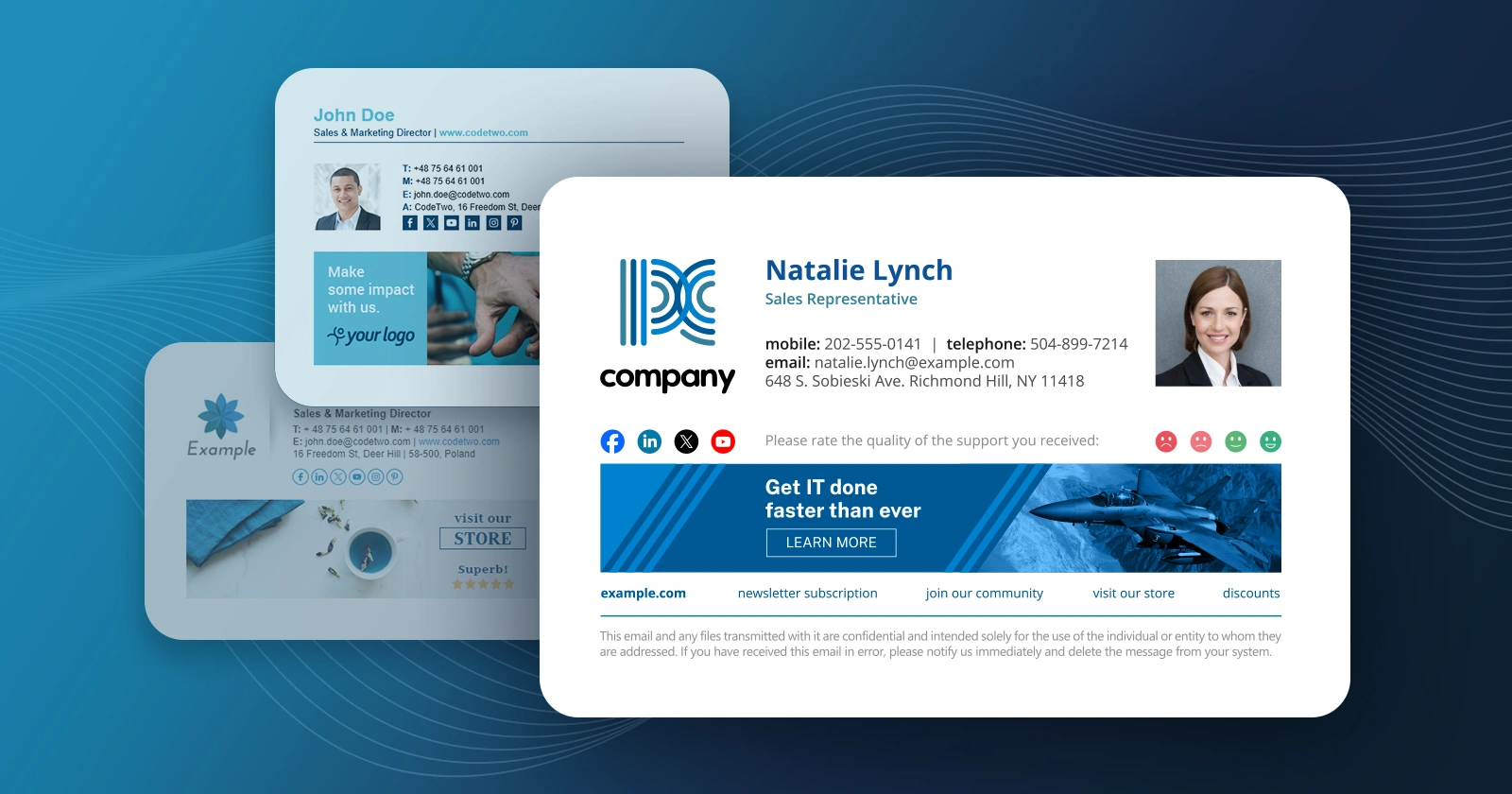
We have just released updates to 3 applications from our CodeTwo Exchange Rules product family and CodeTwo Exchange Rules Pro. The current release brings a number of fixes and significant improvements to our email signatures and disclaimiers management software for Exchange Server. The most important changes include: the brand new HTML template editor engine and the new Social link functionality. Our developers also took care of some minor bugs users have reported recently.
It's been exactly two years since the first release of CodeTwo Exchange Migration and CodeTwo Office 365 Migration, our twin solutions for Exchange-to-Exchange and Exchange-to-Office 365 migrations. Those two products have come a long way since they premiere, gaining: better performance, improved stability and new important features. Today marks the next milestone in the development process. With the release of version 1.10.0 we are introducing advanced email migration reports in both our migration tools.
We have just released updated versions of our two products: CodeTwo Exchange Rules PRO (1.4.8) and CodeTwo Exchange Rules 2010 (2.4.0). The update contains a fix that addresses the issue with Microsoft Exchange 2010 SP3RU1 update - when it was applied on the Exchange 2010 server it crippled signature insertion in our software. This problem is now solved - simply update the existing installation. The update is free for all owners of licenses for CodeTwo Exchange Rules 2010 2.x and CodeTwo Exchange Rules PRO. If you have any additional questions, give our Support team a call or send them an email – we are open 24 hours Monday through Friday.

We have just released a new update for CodeTwo Public Folders, our Outlook and mobile device synchronization software. Version 5.3.0 contains 2 new features (Support for attachments in items synchronized to the Client App for Android and Option for changing timeout for Client App for Android synchronization) and 8 minor fixes - you can view a detailed list on the version history page. The update is free for all version 5.x license owners. We recommend that users download the latest installer and update their Syncing Master and all client and mobile applications by simply installing the new version on top of the old one. All settings and licensing information will stay untouched.
The new version of the Android mobile apps can be downloaded from Google Play Store: If you have any sales or technical questions regarding CodeTwo Public Folders make sure to contact our Support team.
Download CodeTwo Public Folders 5.3.0
Learn how to update CodeTwo products
Contact CodeTwo Support
