CodeTwo QR Code Desktop
Reader & Generator
Scan and generate QR codes on your PC

This tool is deprecated, which means it’s no longer available for download, and we no longer develop, maintain, test, or support it. Because of that, we can’t guarantee it will work properly in your environment. You can see our current software products here.
Main features
- Desktop QR Code reader and generator for Windows
- Generates QR Codes for your personal or commercial use
- Decodes QR Codes directly from images on your PC screen
- Decodes QR Codes from file or clipboard
- Decodes QR Codes through a webcam
- Saves QR Code information to a file
- Free tool
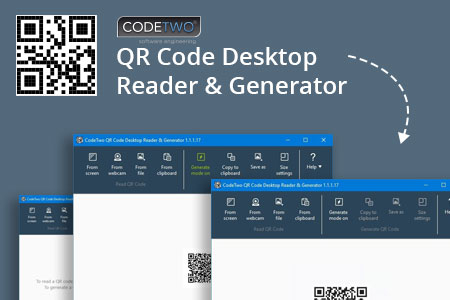
What is a QR Code
QR Codes (also known as Quick Response Codes) are becoming more and more popular. These two-dimensional codes composed of square dots are now used in various areas of life. You can find them on ads, banners, all kinds of product boxes, websites, business cards and even in email signatures.
QR Codes may contain text, links (to websites, videos or files), email addresses, phone numbers, vcards that automatically update your contacts on your PC or a mobile phone, and more.

Wondering how to decode a QR Code? You can scan it with your mobile devices like iPhone, iPad, Android or Blackberry equipped with additional software for scanning QR Codes. You might want to check out tools like Barcode Scanner or Red Laser. If you don’t have a mobile device or you need to scan a barcode on your PC, simply use CodeTwo QR Code Desktop Reader & Generator.
How this program works
QR Code reading
CodeTwo QR Code Desktop Reader & Generator is a free tool that will let you quickly scan any QR Code from your screen – be it a part of the website, email, banner or a document. Simply run the program and hit From screen on the top menu.
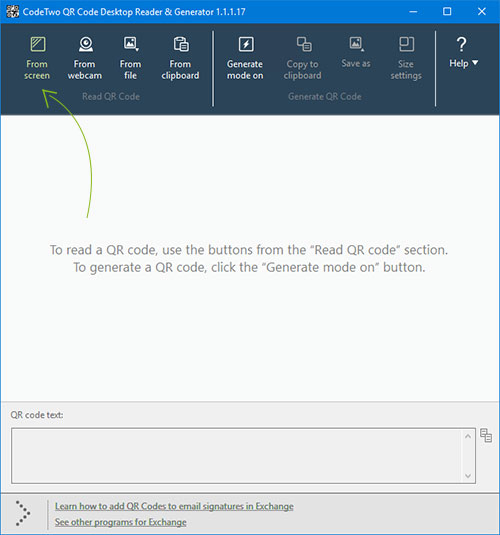
Your standard mouse cursor will change into a cross to help you make a selection on your screen. Simply select an area with a QR Code and the program will automatically scan it. You can scan QR codes from websites, documents, movie files – you name it.

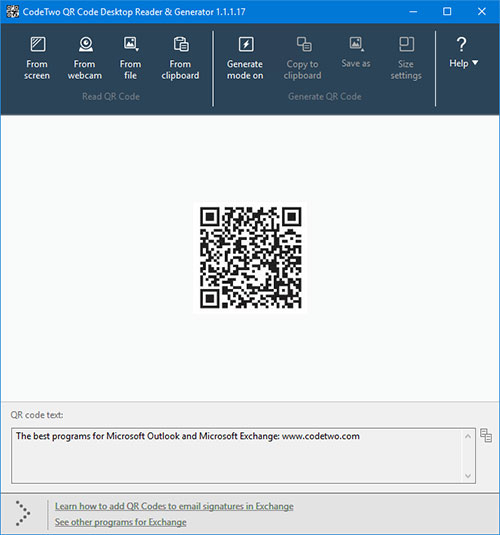
You can also select an image file that contains a QR Code and the program will locate it automatically and decode it. To do that, simply click From file on the top menu of the program and select the desired image from your hard drive.
If you have a file copied to your clipboard, or if you make a screenshot of a QR Code, QR Code Desktop Reader & Generator will let you decode those QR codes in one click. Just click From clipboard and the program will automatically locate and decode the QR code for you.
That is not all, you can also use your camera to scan QR codes. If you have more than one camera, the program will let you choose which one to use. To use this option, simply click From webcam, and you will be able to scan QR codes with your recording device.
QR Code generation
CodeTwo QR Code Desktop Reader & Generator also acts as a QR code generator. Creating QR codes is as easy as reading them. Here is how to generate a QR code:
In the top menu, click Generate mode on and enter the text you want to translate into QR Code
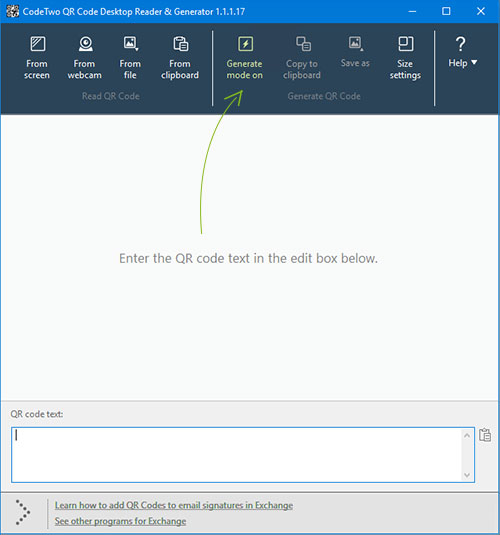
Choose if you want to copy it to the clipboard or save it in a file. The QR Code will be scaled automatically, but you can resize it in Size settings tab.
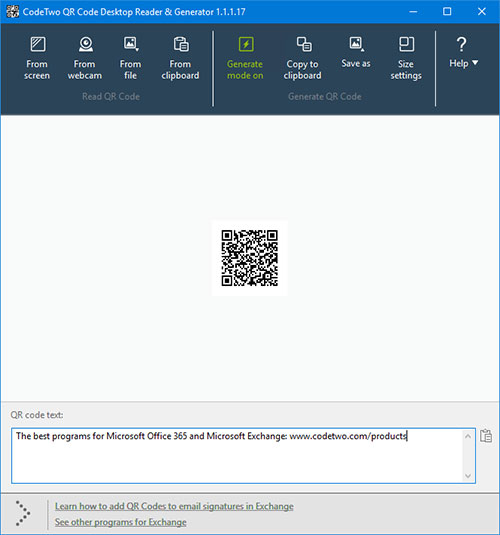
Enjoy!
The resulting QR code can be used however you like. To name just a few options, you can:
- Upload it to your blog/website which is especially useful for mobile users.
- Print it on a poster, providing easily accessible links with more information on your event.
- Send it in newsletters, or include it in your email signature.
QR Codes in email signatures
Inserting QR codes in email signatures lets mobile users quickly grab your contact details, or provides them with links, so that they can get more information on your company or topic you were discussing. You can also provide your recipients with a link to QR Code Desktop Reader & Generator. This will help them easily decode QR codes when they open your email on a PC.
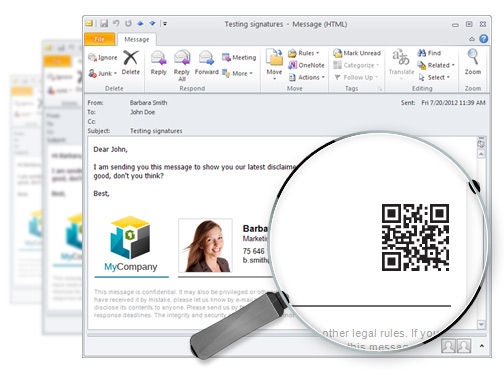
If you want to include a QR code automatically in email signatures throughout a whole organization, try CodeTwo central email signature management solution. It is a very useful tool, which enables you to unify email signatures on Exchange Server and Office 365 (Microsoft 365).






