This manual refers to an old version of CodeTwo Office 365 Migration. Go here if you use the latest version.
This version of the program uses EWS to connect to Office 365 (Exchange Online). To continue using the program, make sure EWS is enabled in your tenant and the CodeTwo migration app is included in your EWSAllowedAppIDs list. See this article for instructions
Troubleshooting Data Provider service configuration
This article describes the Configure data provider service action of the source MAPI connection wizard. When this action is performed, the program configures the Data Provider Service. The service uses the MAPI profile of the defined administrator's account to access and pull data from the source mailboxes.
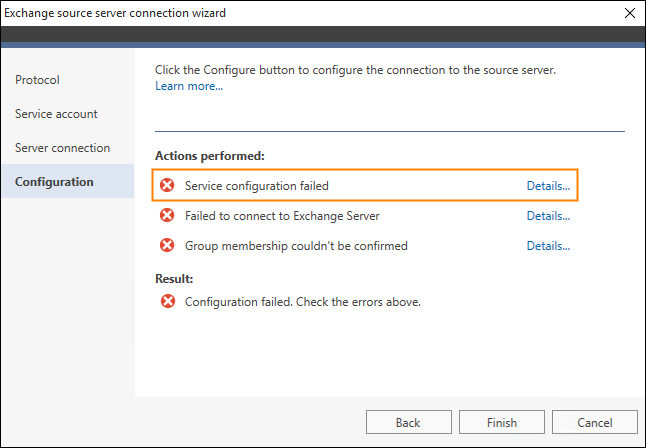
Fig. 1. The failed configuration of the Data Provider Service.
In general, this step of the wizard may show errors if:
- the selected administrator's credentials were misspelled,
- the administrator whose account was used to configure the service does not belong to an appropriate AD group.
To resolve the configuration error, make sure that the administrator whose email address was selected belongs to an appropriate AD group or go back to the Service account step in the wizard and retype the administrator's credentials.
Problem not solved?
If you can't find the solution to your problem, try searching our Knowledge Base.
If you still need help, contact our Customer Service. We know our products inside out.
In this article