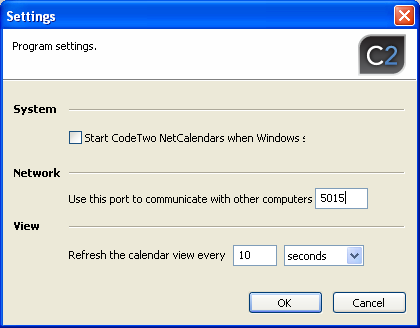
Communication between the computers is made via TCP/IP protocol. The default port
is 5015. The port can be changed in the program settings, but for two clients to
be able to connect, the same TCP port must be used on both.
Fig.1. Change of TCP port used in communicating with other machines.
If the calendars located on the machine will be accessed by users via the Internet,
the computer must have a public IP address and be visible in the Web. Also make
sure the TCP port used by the application is unblocked in firewall and antivirus
applications so that external computers can use it to connect to the calendar.
If the machine is equipped with other port blocking program, e.g. Norton Internet
Security, make sure the program does not block access to the computer on port used
by CodeTwo NetCalendars.