If you are using Public Folders version 4.6.3 or older, please consult this User's Manual.
How to activate the synchronization of read/unread status of messages
Synchronize read / unread status of messages lets users synchronize the status of messages ? whether they have been read or not.
Each time a messages is marked as read (manually or automatically), the Syncing Master will update this information for all users who subscribe to this functionality. The synchronization is disabled by default, but each user can enable it in the following way:
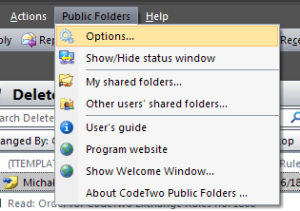
1. In Outlook menu choose Public Folders, Options:
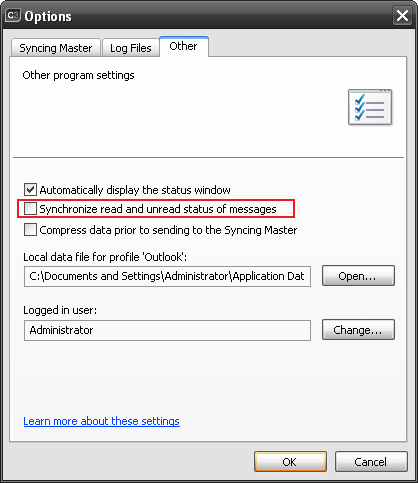
2. The Options dialog box will display. Select the Other tab. Tick Synchronize read / unread status of messages:
Bear in mind that synchronization will apply to newly created or modified items. For items already existing in shared folders, the information will not be synchronized.