CodeTwo CatMan Works With Microsoft Outlook 2010 64-bit
We are happy to announce that CodeTwo CatMan, the free Outlook add-in from CodeTwo designed for sharing Outlook categories in a network of multiple users, has been updated to version 3.2.0. It is now full compatible with Microsoft Outlook 2010 64-bit. We encourage you to download it for free from our website.
Thanks to CodeTwo CatMan you will be able to share Outlook categories to all your teammates. Using the program, it is possible to divide Outlook categories into two groups: public and private. All changes to public items are saved to an external TXT file placed on the network drive or a WWW/FTP server, which is monitored by every mail client connected to the network. Owing to this, any time one of the public categories is added, deleted or modified, data on the TXT file is updated accordingly and then changes are applied on each of the linked workstations. It is not necessary to finger-type the changes on every single computer anymore.
CodeTwo CatMan helps to organize groupwork in a better way and save a lot of precious time. Feel free to download the program for free from our website. If you are interested in an application giving more Outlook sharing abilities, learn more about CodeTwo Public Folders – the most powerful Microsoft Outlook sharing plug-in from CodeTwo.
Many of you already know and use our freeware CodeTwo Active Directory Photos – a smart tool designed to ease user photo management in Active Directory.
Starting October 31, 2018, the support for Transport Layer Security (TLS) versions 1.0 and 1.1 is discontinued in Office 365. This means that TLS 1.0 and 1.1 will still work, but Microsoft will not provide support in case of connection/compatibility issues. For this reason, we have updated all our software that connects to or otherwise interacts with Office 365. To avoid possible issues in the future, we recommend that you update your software to the latest version.
It is time for new Outlook freeware from CodeTwo! We have already been giving away smart apps that remind about missing attachments, export PST files to Excel, unblock files such as .exe or .reg, sync Outlook mails, tasks, calendars or categories between computers or even automatically configure your e-mail account in Outlook, and many more... Now we are pleased to announce that yet another totally new, practical Outlook add-on has been released and offered to all of you for free. Its concept has appeared in our office based on our own every-day experience when sending bunch of e-mails to other staff members, supervisors or clients. This time the idea concerns group messages, when we have many recipients specified in the To: or Cc: field. It was happening to many of us to hastily press the Reply instead of the Reply to All button while responding to such e-mails. It is sometimes very troublesome and embarrassing and we definitely do not want this to happen when exchanging a business group correspondence. Fortunately, the new tool called CodeTwo Outlook Reply All Reminder helps Outlook users to prevent such situations. It is a user-friendly application which does not require any configuration. After you install it, you can be sure that next time you click Reply, when replying to a group correspondence, the plugin will trigger a notification window informing that your message will be received by one person only (the original sender of the e-mail that you are replying to). The program will ask you if you want to send the Reply to All instead, what you can confirm by clicking an appropriate button, as shown below: Want it already? Nothing easier, just go to CodeTwo Outlook Reply All Reminder's website and download it for free. :) CodeTwo Outlook Reply All Reminder - download page
All Outlook add-ons from CodeTwo
Comments
Mutlie says:
BUMP for Outlook 2013 version of CatMan…..any news?
 We are happy to announce that CodeTwo CatMan, the free Outlook add-in from CodeTwo designed for sharing Outlook categories in a network of multiple users, has been updated to version 3.2.0. It is now full compatible with Microsoft Outlook 2010 64-bit. We encourage you to download it for free from our website.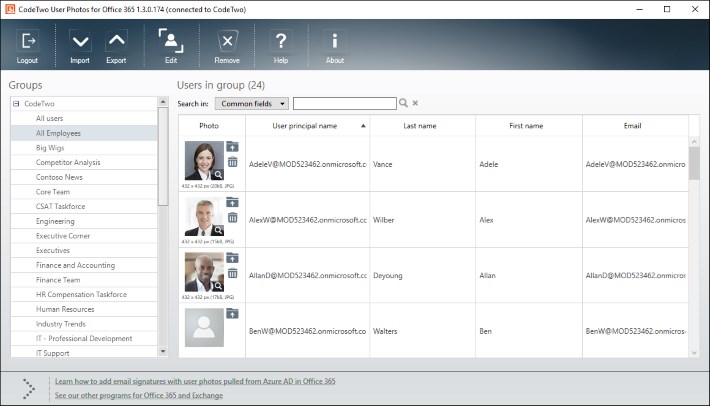

BUMP for Outlook 2013 version of CatMan…..any news?
Hi Mutlie,
CodeTwo CatMan is already compatible with Outlook 2013. Check it out: www.codetwo.com/freeware/catman-thanks?sts=5036
Best regards,
Pawel
Hello,
Do you plan to be compatible with Office 2013 ?
Thanks !
I just upgraded to Outlook 2013 and I was very saddened to see that my CatMan was no longer functional.
Is this going to be available any time soon?
Hello,
Any update on the release of Catman for Outlook 2013 ?
Thanks
+1 for Outlook 2013. This is exactly the tool that we are looking for! Any updates on the release?
2013 version is coming soon.
Any word on that 2013 release? I would beta test if need be – thanks!
It should be available in February 2013, Jon.
Hi, when will CatMan support Office 2013?
Thanks