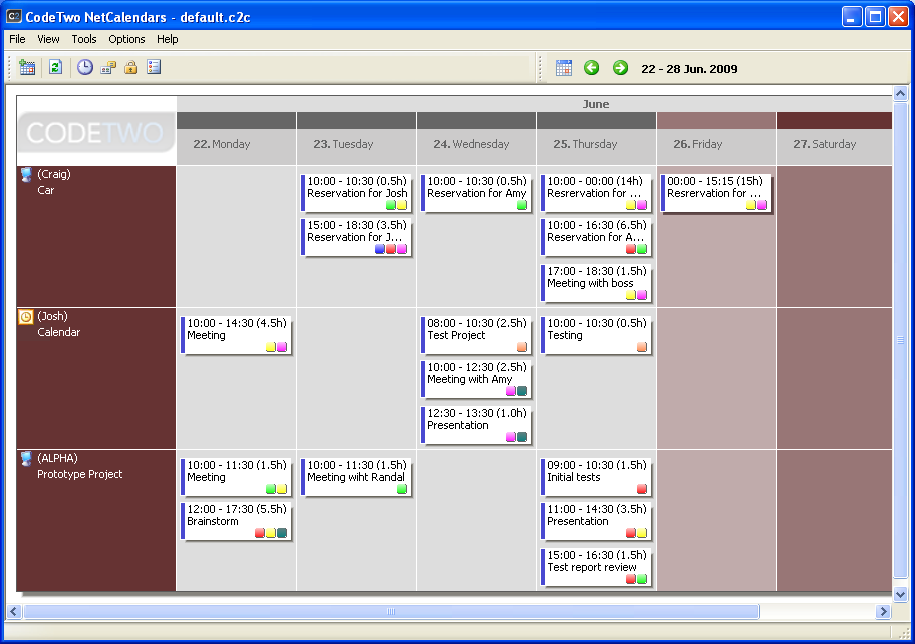
CodeTwo NetCalendars enables sharing calendars by multiple users in the network
or via the Internet. The program's screen lets the user open several calendars hosted
by separate machines and belonging to different users in the network. The program
gives access to calendars located in Microsoft Outlook on remote machines too. CodeTwo
NetCalendars enables groups of employees to work on the same calendars and managers
to view multiple calendars in one screen - this is considerable aid in managing
tasks.
Fig.1.CodeTwo NetCalendars enables multiple users to work simultaneously
on calendars located on different machines in the network or in the Internet.
Each user can create new calendars on the computer and share it for other users
so that they can view it and edit according to the access rights defined by the
host machine. The same is true for Microsoft Outlook calendars.
Each calendar is kept on the machine where it was created but other users can work
and edit this calendar even if the machine is unavailable in the network. All changes
made in this time will sync to the host machine once it reconnects.
Appointments made in the calendars may contain various data. The basic data include
the subject, start and end date, location and notes. But the appointments can receive
color categories and reminders displayed at a specified time. An appointment can
also be tagged as private by the owner, in which case it will not display for other
users.
The sections that follow detail the capabilities of CodeTwo NetCalendars.