update

Our Microsoft Exchange Server synchronization add-on, CodeTwo Exchange Sync, has just been updated. Version 2.2.6 is since yesterday available on our website. The program received some minor improvements users have requested over the past weeks. Download it now - we always recommend using the most recent version of our programs! Since this is a regular update, it's free of charge for all license owners. Simply download the new installer from here and install it on top of the existing version. All settings and license keys will remain valid. In case of any troubles, our Technical Support is always ready to help out. Thank you for all your bug reports and feature requests! See the full list of changes in CodeTwo Exchange Sync
Download the newest installer About CodeTwo Exchange Sync CodeTwo Exchange Sync is a powerful Microsoft Exchange Server add-on, enabling the creation of synchronization tasks between different Exchange Server folders, either in one-way, or two-way modes. Because it is so flexible, it opens completely new possibilities as far as data synchronization in Exchange Server organizations is concerned. For instance, it allows users to synchronize their calendars, tasks, contacts or mail with one another or replicate the public folders content to private mailboxes. It also solves the problem of viewing public folders on Android and iOS mobile devices. Learn more about the program and download for free
Watch videos about the program

CodeTwo Email Signatures, our program for managing email signatures on email clients such as Outlook, Office 365 OWA or Google Apps, has been updated. The newest version of the software solves the problem which specifically affected Google Apps users, namely the program was not able to list more than 100 Google Apps mailboxes. Nevertheless, we recommend updating the program by all current users. To update the program, simply download the new installation file and run it on top of your current version of CodeTwo Email Signatures. More information on how to perform the update of our programs can be found here. All licensed users of CodeTwo Email Signatures are free to update the software at no additional cost. Download CodeTwo Email Signatures ver. 1.6.1 If you have any questions, please do not hesitate to contact us – we are available 24 hours a day, Monday through Friday.
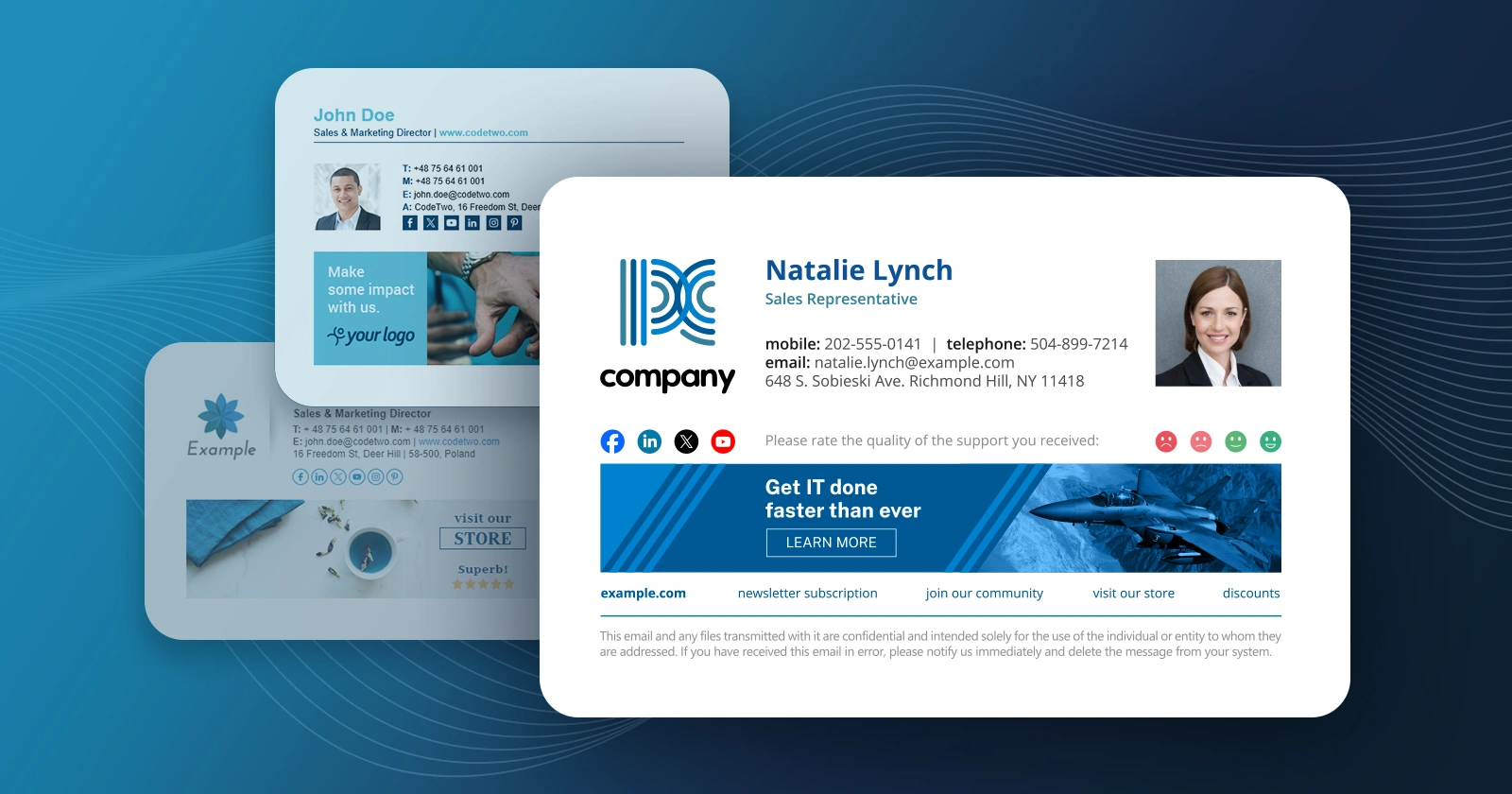
We have just released updates to 3 applications from our CodeTwo Exchange Rules product family and CodeTwo Exchange Rules Pro. The current release brings a number of fixes and significant improvements to our email signatures and disclaimiers management software for Exchange Server. The most important changes include: the brand new HTML template editor engine and the new Social link functionality. Our developers also took care of some minor bugs users have reported recently.

We have released updates to our three prominent programs for Outlook synchronization. CodeTwo Public Folders and CodeTwo Outlook Sync have been upgraded to the new versions that fully support Outlook 2016 from now on and bring in some fixes and programmatic changes. CodeTwo Sync for iCloud has also been prepared to support Outlook 2016, but in order to gain full support it still needs Apple iCloud for Windows to be updated and work with Outlook 2016. CodeTwo Public Folders enables to share Outlook items and Windows files among computers and mobile devices. The latest 5.4.4 version supports Outlook 2016, however, Syncing Master cannot be installed on a computer with Outlook 2016. Apart from multiple programmatic improvements, the newest version introduces some cosmetic changes in error messages. Download CodeTwo Public Folders 5.4.4 CodeTwo Outlook Sync that synchronizes Outlook items between two computers, has been upgraded to the version 1.0.17, and thanks to programmatic changes it supports now Outlook 2016. There has also been slight changes to program’s displayed messages. Download CodeTwo Outlook Sync 1.0.17 CodeTwo Sync for iCloud, our dedicated software responsible for synchronizing Outlook items with iCloud folders, has been updated to the version 1.3.4. After fixing the program’s installer, it recognizes Outlook 2016, however, the program won’t fully support it unless Apple iCloud for Windows supports Outlook 2016. We are still awaiting Apple to update its software. Download CodeTwo Sync for iCloud 1.3.4 For a full list of changes please visit a dedicated version history page for CodeTwo Public Folders, CodeTwo Outlook Sync and CodeTwo Sync for iCloud. Updates are free of charge for all license holders for CodeTwo Outlook Sync and CodeTwo Sync for iCloud. For CodeTwo Public Folders it is free only if the first digit of the owned version number matches the first digit number of the current version of the program. In case you need our support feel free to contact us – we are available 24 hours from Monday to Friday. UPDATE (Dec 10 2015): We are happy to announce that Apple has just released a new version of iCloud for Windows which supports Outlook 2016, this enables full compatibility of CodeTwo Sync for iCloud with Outlook 2016! UPDATE (Jun 10, 2016): We are happy to let you know that now CodeTwo Public Folders has been updated to version 5.5.0 which allows the Syncing Master to be installed on Outlook 2016 machine as well. This means that CodeTwo Public Folders is now fully compatible with Outlook 2016.
It's been exactly two years since the first release of CodeTwo Exchange Migration and CodeTwo Office 365 Migration, our twin solutions for Exchange-to-Exchange and Exchange-to-Office 365 migrations. Those two products have come a long way since they premiere, gaining: better performance, improved stability and new important features. Today marks the next milestone in the development process. With the release of version 1.10.0 we are introducing advanced email migration reports in both our migration tools.
We've just released an update to CodeTwo Exchange Rules 2016, 2013, 2010, 2007 and CodeTwo Exchange Rules Pro - our email signature (and, in the case of CodeTwo Exchange Rules Pro, email content and flow) management applications for Microsoft Exchange. The update brings several major improvements in areas such as remote configuration of email rules, management of access rights to rules and rule edition auditing, as well as minor fixes. Detailed lists of changes are available on respective version history pages (see links at the bottom of this article).
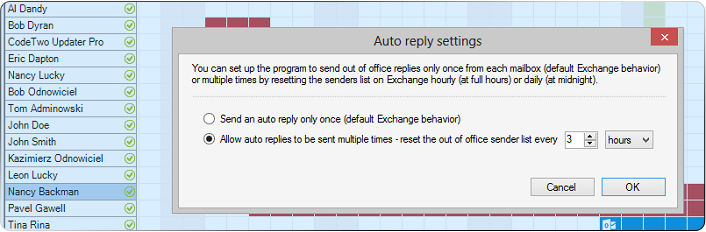
UPDATE: We are sorry, but CodeTwo Out of Office Manager mentioned in this article has been discontinued. If you are looking for an alternative for Exchange Server, take a look at the auto respond feature in CodeTwo Exchange Rules Pro. The out of office assistant is an indispensable tool for small and large companies alike. Using it significantly reduces the risk that urgent emails, sent to employees who are currently away, will lay unanswered in Inboxes, causing confusion and financial losses. In that way it's a little bit like the spam filter - you take for granted that it's there and barely notice it, but without it your business would implode. CodeTwo Out of Office Manager lets you control all Out of Office assistant settings in your Office 365 or Exchange Server organization via one graphical calendar panel. What's more, with this week's release it gives the user the ability to allow sending multiple automatic replies while the Out of Office assistant is switched on.

Following 3 weeks of intense coding and debugging, we're happy to announce the release of twin 1.9 versions of our CodeTwo Exchange Migration and CodeTwo Office 365 Migration solutions! The update includes several improvements, the most important of which is the replacement of a module that, in specific scenarios, had been causing software crashes. The way we solved the problem is twofold: By adding a 64-bit module to the installer. Now the appropriate bit version will be installed automatically based on the detected OS type.
And redesigning the software architecture. Starting from version 1.9 the role of reading items from the source server and the role of loading them into the target server will be split between 2 services. Both the above new features, and other minor fixes included in the update are the direct result of your, our customers', reports and feature requests. Thank you for your feedback! The update is free for all users. To update your version of the software, run the version 1.9 installer one a machine hosting CodeTwo Exchange Migration (or CodeTwo Office 365 Migration). The installer will detect the previous version and automatically update it. NOTE: Starting from version 1.9, CodeTwo migration tools' update notifications can be accessed via the Administration Panel. Download CodeTwo Exchange Migration version 1.9
CodeTwo Exchange Migration version history
Download CodeTwo Office 365 Migration version 1.9
CodeTwo Office 365 Migration version history
