new version
New versions of CodeTwo Exchange Rules and CodeTwo Exchange Rules Pro are out. They introduce three major features to our world-leading email signature management software for Exchange Server: a new signature template editor with a revamped template library,conditional placeholders,integration with CodeTwo Exchange Rules Converter. The new capabilities will help you create email signatures faster and offer more advanced signature customization options. The CodeTwo Exchange Rules Converter integration lets you perform a seamless transition of signature rules and templates to our cloud-based email signature service, CodeTwo Email Signatures for Office 365.

The end of the year 2012 has been extremely busy for our software developers. Over the past weeks they have been working on several major updates to our programs and the effect of their effort can now be seen on our download site. This time, updates to our two Outlook-dedicated products have been released. If you happen to use CodeTwo Public Folders 5.x or CodeTwo Email Signatures, feel free to update your applications to the latest version at no cost.
CodeTwo Public Folders 5.0.5
From the very first release of the new version of CodeTwo Public Folders we have been constantly working on improving the program. Since then our programmers have added several bug fixes and new features to it. Take a look at the full list of changes applied to CodeTwo Public Folders at version history page. And here's just a selection of the most important ones: Support for Outlook 2013 and Windows 8.
Improved Syncing Master connection stability.
Several bug fixes and programmatic improvements. To successfully perform the update on your CodeTwo Public Folders network, the Syncing Master and all Client Apps need to be re-installed. After you download the new installer, launch it on every machine and the old version will be replaced with the new one. All licensing info and user settings will remain unchanged - provided that you own the 5.0 version or higher. The update is free of charge for all CodeTwo Public Folders 5.x owners. Download CodeTwo Public Folders 5.0.5
CodeTwo Email Signatures 1.0.12
CodeTwo Email Signatures is the youngest tool in our product family. It was designed for managing signatures and disclaimers in Microsoft Outlook, Office 365 and OWA (Learn more here). The recent release includes 2 minor changes that have been requested by users recently: New: The Set permissions button allows the user to set the impersonation permissions for the administrator of Office 365. Fixed: The Signatures folder where the signatures of MS Outlook are stored was not correctly detected by the program in several language versions. To update CodeTwo Email Signatures download the new installer and run it. After the installation is completed all your previous settings and licenses will remain unchanged. Download CodeTwo Email Signatures 1.0.12 Should you have any doubts or questions, our technical support team is always willing to help you. Thank you for all your bug reports and feature requests. We wish you all the best in 2013!

In October Microsoft published the patch for MS Outlook 2007 described in the article KB972363, which installs the security update MS09-060. The update resolves the vulnerabilities in ATL ActiveX Controls. After installing this update the users of our free tool CodeTwo CatMan may experience problems with disappearing of the private categories or with proper displaying the colors of the categories. After installing this update, Outlook 2007 stopped being resistant to frequent operations on the categories from Master Category List and this was the root cause of the problem. To let our users work with the software without problems we have just published the new version of CodeTwo CatMan which has been optimized to operate on categories properly. We advise all CodeTwo CatMan users to upgrade to the latest version available on program website. If you haven't tested CatMan yet, it may be a good time to do it. This freeware lets the users in the network share the categories for all elements in Outlook.

Our Microsoft Exchange Server synchronization add-on, CodeTwo Exchange Sync, has just been updated. Version 2.2.6 is since yesterday available on our website. The program received some minor improvements users have requested over the past weeks. Download it now - we always recommend using the most recent version of our programs! Since this is a regular update, it's free of charge for all license owners. Simply download the new installer from here and install it on top of the existing version. All settings and license keys will remain valid. In case of any troubles, our Technical Support is always ready to help out. Thank you for all your bug reports and feature requests! See the full list of changes in CodeTwo Exchange Sync
Download the newest installer About CodeTwo Exchange Sync CodeTwo Exchange Sync is a powerful Microsoft Exchange Server add-on, enabling the creation of synchronization tasks between different Exchange Server folders, either in one-way, or two-way modes. Because it is so flexible, it opens completely new possibilities as far as data synchronization in Exchange Server organizations is concerned. For instance, it allows users to synchronize their calendars, tasks, contacts or mail with one another or replicate the public folders content to private mailboxes. It also solves the problem of viewing public folders on Android and iOS mobile devices. Learn more about the program and download for free
Watch videos about the program
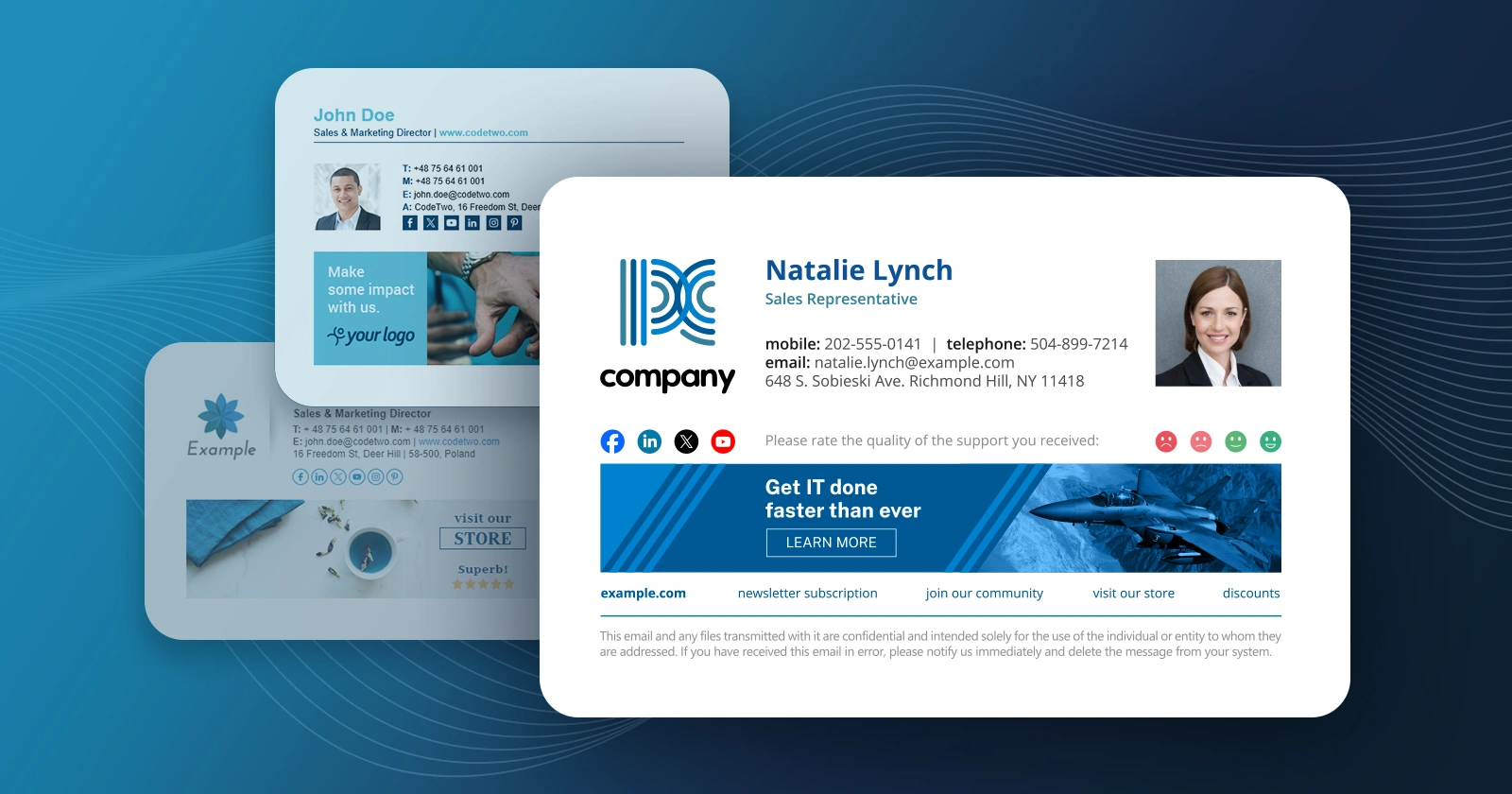
We have just released updates to 3 applications from our CodeTwo Exchange Rules product family and CodeTwo Exchange Rules Pro. The current release brings a number of fixes and significant improvements to our email signatures and disclaimiers management software for Exchange Server. The most important changes include: the brand new HTML template editor engine and the new Social link functionality. Our developers also took care of some minor bugs users have reported recently.
We've just released an update to CodeTwo Exchange Rules 2016, 2013, 2010, 2007 and CodeTwo Exchange Rules Pro - our email signature (and, in the case of CodeTwo Exchange Rules Pro, email content and flow) management applications for Microsoft Exchange. The update brings several major improvements in areas such as remote configuration of email rules, management of access rights to rules and rule edition auditing, as well as minor fixes. Detailed lists of changes are available on respective version history pages (see links at the bottom of this article).

Following 3 weeks of intense coding and debugging, we're happy to announce the release of twin 1.9 versions of our CodeTwo Exchange Migration and CodeTwo Office 365 Migration solutions! The update includes several improvements, the most important of which is the replacement of a module that, in specific scenarios, had been causing software crashes. The way we solved the problem is twofold: By adding a 64-bit module to the installer. Now the appropriate bit version will be installed automatically based on the detected OS type.
And redesigning the software architecture. Starting from version 1.9 the role of reading items from the source server and the role of loading them into the target server will be split between 2 services. Both the above new features, and other minor fixes included in the update are the direct result of your, our customers', reports and feature requests. Thank you for your feedback! The update is free for all users. To update your version of the software, run the version 1.9 installer one a machine hosting CodeTwo Exchange Migration (or CodeTwo Office 365 Migration). The installer will detect the previous version and automatically update it. NOTE: Starting from version 1.9, CodeTwo migration tools' update notifications can be accessed via the Administration Panel. Download CodeTwo Exchange Migration version 1.9
CodeTwo Exchange Migration version history
Download CodeTwo Office 365 Migration version 1.9
CodeTwo Office 365 Migration version history
CodeTwo Exchange Rules Pro is discontinued. If you are looking for a way to manage email signatures and disclaimers in your Exchange Server organization (including encrypted emails) and are using Exchange SE or Exchange 2019/2016 (until they’re supported by Microsoft), try out CodeTwo Email Signatures On-prem. We have just released an update to CodeTwo Exchange Rules PRO, our email flow, content and signature and manager for Microsoft Exchange. The new version is free for CodeTwo Exchange Rules PRO 2.x license owners (install on top of your current version). It includes several minor bug fixes and 5 new features.
Among the new features, there's one we're particularly happy to deliver to our users, namely:
Processing encrypted and digitally signed emails
For most Exchange veterans the title probably says it all. But in case anyone is still confused - starting with version 2.2.1, CodeTwo Exchange Rules PRO allows for applying several actions to encrypted and digitally signed messages either directly or by wrapping them in an envelope of a new email. Thanks to adding the new Secure message type criteria, our application now also allows for excluding encrypted and digitally signed emails from processing, as well as doing the opposite: creating dedicated rules for these special message types.
One scenario where the new feature may come in useful is stamping encrypted emails with disclaimers.
