migration tool
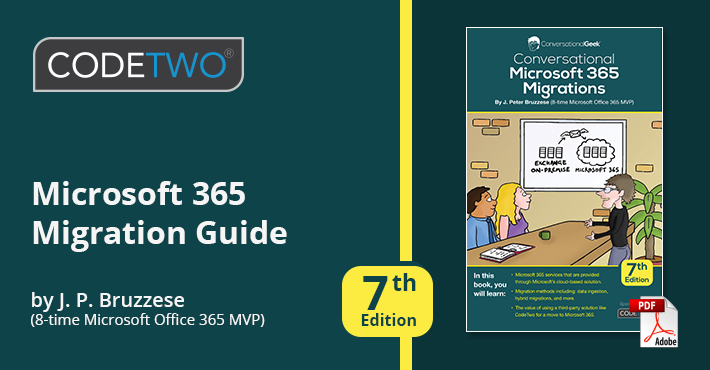
The number of organizations deciding to take the step into the cloud and migrate their mailboxes from their on-premises Exchange servers to Microsoft 365 (Office 365) is increasing every year. What’s more, it seems that this trend is accelerating due to the increased work-from-home requirements. No matter the trigger, it can be a truly staggering task to devise and execute a thorough migration plan. This is where J. Peter Bruzzese steps in with his book "Conversational Microsoft 365 Migrations", which is now available in its 7th edition.
New versions of CodeTwo Office 365 Migration and CodeTwo Exchange Migration are now available. They add important new capabilities: support for hosted Exchange migration to Microsoft 365 & Office 365 or on-premises Exchange server via Exchange Web Services (EWS),automatic scheduling of delta migrations, and more. We’ve also introduced a number of fixes that improve the UX and overall performance of our migration software.

CodeTwo has been named Representative Vendor by Gartner and our migration tool for Microsoft 365 has been included in Gartner’s 2021 Market Guide for Cloud Office Migration Tools. This is the third time in a row that we receive such recognition, and we’re proud that CodeTwo Office 365 Migration is still acknowledged as one of the most reliable migration solutions and remains among the leading tools of its kind available in the market.

With the newest versions 2.0 of CodeTwo migration software we have much more to expect as both products have undergone major improvements. Now we can experience better management of performed migrations which are now displayed as Jobs and it is all set in a new UI. CodeTwo Exchange Migration and CodeTwo Office 365 Migration will prove more invaluable than before in performing your migrations from Exchange 2007 to Exchange 2016 or from on-premises Exchange servers to Office 365 organizations.
We are happy to let you know that our migration tools, CodeTwo Exchange Migration and CodeTwo Office 365 Migration, have been upgraded to version 3.0. Along with this upgrade, we have implemented significant enhancements and changes which include a completely new licensing model and support for Office 365 Germany.

As Microsoft Cloud services are becoming more and more popular these days, many companies consider moving their employees' mailboxes to Office 365. Although Microsoft has provided server administrators with some basic tools and documentation, Exchange to Office 365 migration is still not an easy thing to do. Things can get a lot easier when you are equipped with a proper migration tool. If you are right about to move your Exchange Server organization to the Cloud, CodeTwo Office 365 Migration will help you make the entire operation faster, less complicated and much cheaper than you initially thought.
Seamless migration from Exchange Server to Office 365
The primary task of CodeTwo Office 365 Migration is to simplify the process of migrating users from on-premises Exchange Server to Office 365. The program was designed to be as simple to use as possible and to reduce the amount of pre-configuration tasks to minimum. Thanks to the smooth and clear user's interface every necessary option is easily accessible directly from the program's windows - no PowerShell commands are needed anymore.
After installing the application and connecting it to the source Active Directory domain, the mailboxes are displayed along with connection settings and status indicators. Every option is easily reachable. Migrating from Exchange to Office 365 with CodeTwo Office 365 Migration is really simple. Before starting the migration process, you need to establish a connection with the target Office 365 organization and choose the target mailbox in the Cloud for each user you are going to move. When the location for each user's mailbox is chosen you can launch your migration. While migrating your Exchange Server to Office 365 the program will carry out a maximum of 4 processes at a time. The total time of your migration is dependent on the quality of the Internet connection you use. Data security and detailed reporting
With CodeTwo Office 365 Migration there's no risk of losing any sort of data during the migration. The program doesn't actually move the mailbox from the source server but creates an exact copy of it in the Cloud. The administrator can verify the result of the migration in detail before the final transition is made. No data is deleted by the program at any point. What's more, each mailbox migration can be reviewed by checking the log files that are generated immediately after the migration finishes. Every problem can be easily identified and solved.
Migrate from Exchange 2003, 2007 and 2010
CodeTwo Office 365 Migration allows for migrating from Exchange Server 2003, 2007 and 2010. At the same time the program keeps the entire process equally simple, no matter which Exchange Server edition is used as the source of your Office 365 migration. The program also fully supports direct migrations from Exchange 2003.
Trial it completely free!
You can try out the trial version of CodeTwo Office 365 Migration. Simply download the installer and test the program completely free of charge. The trial version has some limitations though. During the trial period you are only allowed to migrate 10 items per given folder. The trial version remains active for 30 days.
Learn more about CodeTwo Office 365 MigrationSee more screenshots from CodeTwo Office 365 Migration