exchange

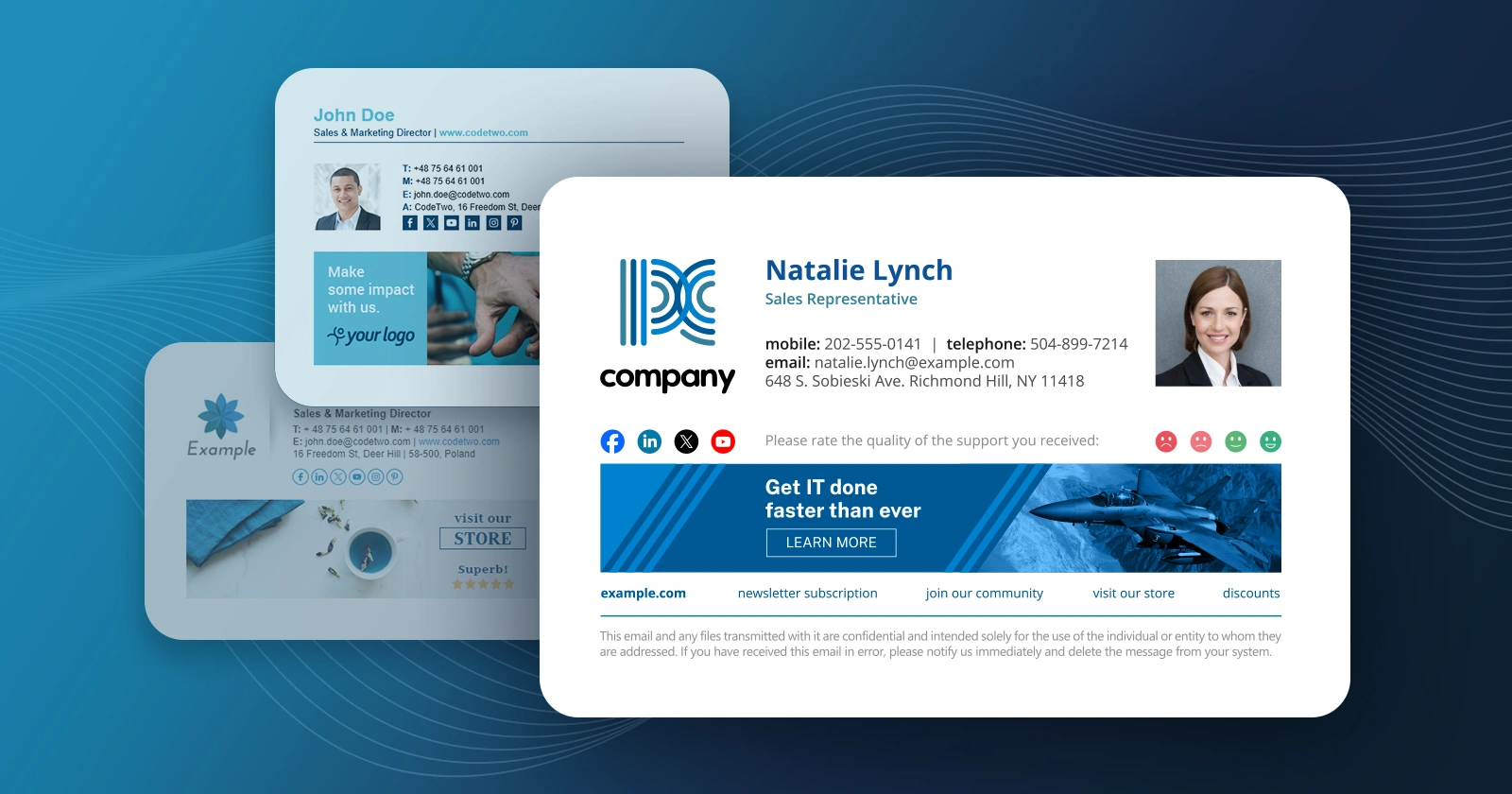
Taking into account the fact that email signatures are an important part of any business visual identity, it seems to be crucial to prepare them in a professional way. Perhaps in most organizations, email signatures are managed by administrators as only they have appropriate rights to provide any changes on the server e.g. setting up transport rules. However, what if they prefer to delegate this part of their duties to someone else, namely a marketing representative?

A second edition of UC and Cloud Day 2016 is just round the corner. This year, the conference takes place at Nation Conference Centre in Birmingham, on 24th October 2016. We are proud to participate in this event as a sponsor, so don’t forget to book your ticket now (it’s free) and stop by our booth to chat about our solutions for Office 365 and Exchange Server.

We are happy to let you know that CodeTwo will be exhibiting at IT/Dev Connections 2016 in a few weeks. The event will take place in Aria Resort in Las Vegas on October 10-13, 2016. We will be there for the second year in a row as a Silver Sponsor and we can't wait to meet you there!

On 24 Aug 2009 Microsoft released Service Pack 2 to Microsoft Exchange 2007. To view the list of issues that are fixed with the latest service pack 2 click here. Naturally, following its launch our lab embarked on a testing spree to check the compatibility of our products with the big brother's application. The tests included CodeTwo Exchange Rules 2007 v.1.0 and v.2.0 - our flagship product used to manage signatures/disclaimers/branding for Exchange mail. It is our sheer pleasure to announce that no issues have been found to exist between CodeTwo Exchange Rules 2007 and Exchange Server equipped with Service pack 2. I encourage all users of v.1.0 of CodeTwo Exchange Rules 2007 to decide to upgrade and take full advantage of the capabilities of the latest version v.2.0. You can do it now at some attractive prices. Download CodeTwo Exchange Rules 2007 2.0 See the virtual presentation of the application Download Service Pack 2 For Exchange 2007
It's been exactly two years since the first release of CodeTwo Exchange Migration and CodeTwo Office 365 Migration, our twin solutions for Exchange-to-Exchange and Exchange-to-Office 365 migrations. Those two products have come a long way since they premiere, gaining: better performance, improved stability and new important features. Today marks the next milestone in the development process. With the release of version 1.10.0 we are introducing advanced email migration reports in both our migration tools.

CodeTwo Exchange Folders has been around for a while now, helping Android owners synchronize literally any Exchange calendar, contacts and tasks (public or personal) directly with their mobile phones. But so far the application was missing one crucial feature - compatibility with iOS devices. This lack did not go unnoticed. Hundreds of users from around the world sent us emails asking when they would be able to use the software to synchronize data between Exchange and their iPads, iPhones and iPods. What they didn’t know was that we were already developing a solution to meet their needs. The reason it took so long was because we wanted to get it just right.
And we did! The long awaited iOS compatible CodeTwo Exchange Folders (version 1.1.0) has just been released! You can download the new server module (Administration panel) directly from our website and the Mobile App from the Apple App Store or iTunes. To deploy the program you have to: Install the Administration panel on the Exchange Server and configure the synchronization service (more details here). NOTE: if you are already running the previous version (1.0.0), just install the new one (1.1.0) on top of it to update (all your settings and licensing information will be kept). Click here to learn more about how to update CodeTwo products. Install the Mobile Apps on mobile devices and connect them to your server. NOTE: if you are already running the previous version, just install the new one on top of it to update (all your settings and licensing information will be kept). Click here to learn more about how to update CodeTwo products. Select which Exchange folders will be available for synchronization (more details here). On the mobile devices choose which folders from Step 3 will be visible in the Mobile Apps (more details here). Here’s a list of benefits offered by CodeTwo Exchange Folders: Mobile access to contact, calendar and task folders located in all public and personal mailboxes on your company’s Microsoft Exchange Server. To ensure security all synchronized data are encrypted and travel directly between the mobile device and server (no Cloud storage) via a secure transfer tunnel opened by a TLS protocol and protected by Triple DES 168-bit encryption. Changes made either on a PC or Android/iOS device are synchronized in real-time and automatically. Your smartphones/tablets are updated wirelessly all the time via Wi-Fi or mobile Internet, regardless if you’re in your office or on the road. All HTML elements in calendar and task items (font formatting, tables, etc.) are synchronized to and from mobile devices intact. Reminders and meeting requests support. Administrator's control over access rights and settings. If you are not using CodeTwo Exchange Folders yet, make sure to give the free 30 day trial a go to see how it works. And if you have any questions related to the application, feel free to contact our Support team. Download CodeTwo Exchange Folders
CodeTwo Exchange Folders vs Exchange ActiveSync
Frequently asked questions

Numerous organizations around the globe still use Exchange 2003. The reasons for that are various – after 10 years on the market, administrators know the program inside out, server machines were powerful enough to suit companies’ needs etc. However, ten years in the IT industry is a whole era and much has changed. The explosion of mobile devices that are accessing Exchange mailboxes directly, the Cloud, the release of MS Exchange 2013 and many other factors are making the 2003 version obsolete. Not to mention that in 2014 Microsoft terminates technical support – no more patches, updates and security fixes for Exchange 2003. These reasons are pushing many administrators to consider migrating to more modern solutions, such as Exchange 2013. The sad fact is that Microsoft provides no way to migrate/upgrade Exchange 2003 directly to 2013 at this moment. It doesn’t mean, however, you are left with no options if you would like to move straight to the newest version of Microsoft’s email platform. There are several solutions you can consider. The first one is the “double hop” migration.
Drawbacks of double hop migration
Exchange 2003 and Exchange 2013 can’t co-exist in one Active Directory forest. On the other hand, moving users’ mailbox data between two different forests is complicated when you want to use only native migration tools. We can complaint about Microsoft’s policy on that matter but it will still remain a fact. Currently there is no native path to make an intra-organizational upgrade from Exchange 2003 to Exchange 2013. For that reason many system engineers recommend to split the process into two steps: First upgrade Exchange 2003 to 2010 version and then migrate to Exchange 2013. This method is called the double-hop migration, which obviously doubles the work required and the risk of the process going awry. It also requires some important resources, like spare hardware (if you have it), or putting up additional virtual machines only to host the temporary environment before moving it to the target location. The entire operation must be planned and done with maximum care, in order to reduce the downtime of mail servers. Will you take that risk?
Export/Import PST – good idea?
If you operate on a small amount of users working on PST files during the migration can work for you in a way. However, the thing might not be as simple as it seems. Not to mention the fact that the manual export/import operation between the two versions of Exchange might be a bit of time consuming, you might face some other problems which will make the whole process even longer to complete than you initially thought. The first issue is connected with legacyExchangeDN X.500 address that will have to be manually added to each re-imported mailbox as proxy address in the target location. If you don’t do that right after re-creating the mailboxes in Exchange 2013, your users will not be able to use their email in a normal way. The solution to that is quite simple, but obviously it adds some extra work to the entire migration process and carries a risk of longer service unavailability during the migration. You will find more information on that topic here. You can also use this article as a guide. The steps described in it can be used with an on-premises installation of Exchange 2013 as well. Another important problem to consider while using the export/import PST option are public folders, if you use them. Re-importing them in th
We have just released updated versions of our two products: CodeTwo Exchange Rules PRO (1.4.8) and CodeTwo Exchange Rules 2010 (2.4.0). The update contains a fix that addresses the issue with Microsoft Exchange 2010 SP3RU1 update - when it was applied on the Exchange 2010 server it crippled signature insertion in our software. This problem is now solved - simply update the existing installation. The update is free for all owners of licenses for CodeTwo Exchange Rules 2010 2.x and CodeTwo Exchange Rules PRO. If you have any additional questions, give our Support team a call or send them an email – we are open 24 hours Monday through Friday.
