
Probably everyone who uses email has already had a chance to see these mysterious faded lines attached to corporate messages. Email disclaimers are invaluable for businesses in these days when taking someone to court for no reason happens on a daily basis. No matter if you're negotiating a big business deal or buying a watch in an online shop, it's certain that you will find a short legal statement under a reply to your official email. And it is not only a matter of fashion or a popular whim that forces senders to add those stiff juridical sentences under the body of their emails. It is simply a must-have for everyone who wants to be in keeping with legal regulations and prevent him or herself from damaging implications of sending a business message.

We have just released new updates to our email signature management software for Exchange 2007, 2010 and 2013. These updates are equal for all three products from the CodeTwo Exchange Rules family and contain a number of fixes and new features.

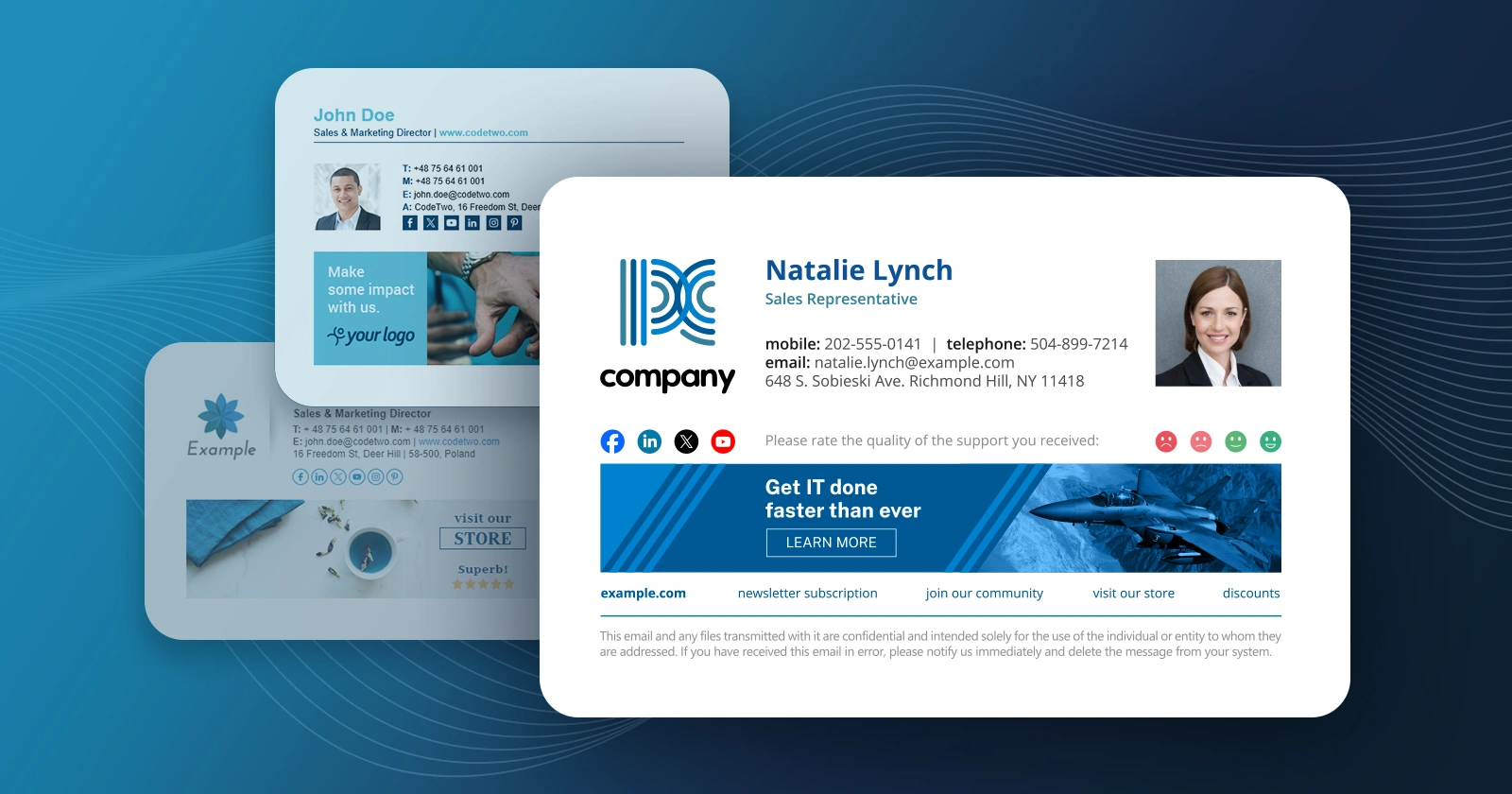
Today marks the roll-out of our totally new product - CodeTwo Email Signatures. The program answers the need for an email signature and disclaimer manager that automatically adds personalized signatures to messages sent from Office 365, any version of Microsoft Outlook and Outlook Web App (OWA). The application supports Exchange OWA, letting you bypass Hub Transport rules and deploy global email footers directly to OWA settings of each user. In fact, you do not even need Exchange Server as you can do it also for Outlook 2013, 2010, 2007 (an older) hooked up to any kind of account, and for Office 365 users as well. With just a few clicks in a signature creation wizard, you can compose a template with users' data, colors and graphics and create an email policy for the entire company, department or specific users. The product has been launched with a host of features for local and online Outlook: One central manager for email signatures for multiple users
Signatures can be deployed for an unlimited number of users
Logos, graphics, banners and branding in Outlook email
Signatures are added while users compose their email and are also visible in Sent items folders
Aids email compliance thanks to disclaimers
Easy to use editor for HTML, RTF and TXT signatures
Tech support 24h on weekdays CodeTwo Email Signatures comes as a 30-day trial, full-featured version. Prices for the product start at $102 for 10 licenses and you can buy even packs for 1000 users or more. As usually, we are open to any remarks and comments - we will certainly respond to them. Feel free to download this product and test in your environment. CodeTwo Email Signatures home page
Users of Microsoft Outlook 2007, 2010, 2013 or 2016 often complain that the recipients of their emails say they contain double spaces between lines. This situation may happen in HTML formatted e-mails making the message look unclear and scruffy.
The reason is the way the new Outlook handles new line tags in HTML messages. It is generally accepted in word processors that the Enter key starts a new paragraph while hitting Shift + Enter starts a new line of the text. The difference between starting a new paragraph and proceeding to the next line may seem subtle, still, it is important and known for a long time. The spacing between paragraphs is usually bigger than the spacing between regular text lines. In HTML <p> tag is used to start a new paragraph, whereas <br> tag to move one line down.
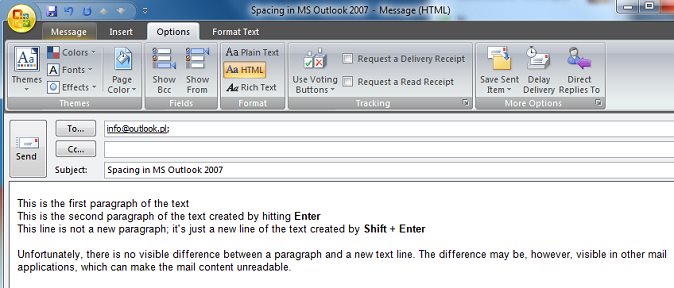
Unfortunately, Outlook 2007, 2010, 2013 as well as 2016 violate this rule and, from the perspective of a user writing a new message, there is no difference if they hit Enter, or Shift + Enter. The result is the same, the word processor behaves as if proceeding to the next line, whereas when we hit Enter the <p> marker is being inserted, which means the actual beginning of a new paragraph. However, when we hit Shift + Enter, the <br> tag is inserted, which means proceeding to the next line. Inserting the <p> tag and the <br> tag looks the same to the user, which is caused by the way Outlook 2007, 2010, 2013, 2016 CSS style sheet was developed.
Because there is no noticeable difference between inserting a new paragraph (see image below), and proceeding to a new line, users often hit Enter twice to get the effect of a new paragraph with spacing they are used to from other word processors, including Microsoft Word 2007, 2010, 2013 or 2016, which is an integral part of Microsoft Office 2007, 2010, 2013 or 2016. As a result the users insert double paragraphs to their e-mails, which means two <p> tag (<p><p>) instead of a single <p> tag, or hit Enter instead of Shift + Enter to go to the next line - as a result they insert the <p> tag instead of <br>.
The problem appears when a recipient uses a mail reader which doesn't support complex CSS style sheets used by MS Outlook. And there is quite a number of such readers.
Personally, I have no clue what pushed the makers of Microsoft Outlook 2007, 2010, 2013 and 2016 to the idea of treating a new paragraph and proceeding to a new line, differently from other mail software makers, and differently from what is generally accepted and to which users are accustomed. What can Outlook users do to make their e-mails look the same on their and their recipients' computers? There is a number of possibilities, and everyone can choose the most convenient one, though each of the solutions has some drawbacks.
First solution
The first solution is to always use Shift + Enter when proceeding to the next line or next paragraph. In order to proceed to a new paragraph, users will need to hit Shift + Enter twice. The drawback of this solution is that text formatting, such as indents or bullets, is based on paragraphs, and if we want to use this type of formatting, we will still have to create a new paragraph hitting Enter, because double-hitting Shift + Enter inserts two <br><br> tags instead of <p> tag, which in HTML stands for a paragraph.
Second solution
If you want the Enter key to insert a new paragraph which will in fac
On 09 Apr 2009 we published an update to the recently released CodeTwo Exchange Rules 3.0 that enables centralized management of signatures, disclaimers, branding, in electronic mail processed by Exchange Server. The update is free and contains fixes to several problems reported by our users, such as: certain internal messages reached their recipients stripped of the message body;
disclaimer/signature would not be added to internal messages if the recipients were entered only in the Bcc. field;
it would take too long to process certain messages, the result being messages stacked up in queues. A complete list of fixes can be found here. It is recommended for users of CodeTwo Exchange Rules 3.0 to install the update. The installation will require a restart of the server. Program's HomePage Download program History of changes to the program CodeTwo Exchange Rules for Exchange Server 2007
A fix to CodeTwo Exchange Rules versioned 3.0.14 and dedicated to Microsoft Exchange 2003/2000 was released on August 28th. The update removes some issues reported by the users in which mainly internal messages processed by 3.x were affected. The users of the earlier releases of the application do not need to apply the patch as the issue does not occur in 1.x or 2.x. A complete list of the fixes can be found in the version history. To update the currently used version with the fix, download and run the installer. The previous version will be automatically detected and patched. After applying the patch, a restart of Exchange server is required. Detailed information on the update procedure can be found here. The update is free for all paid users of CodeTwo Exchange Rules 3.x. The users of 1.x and 2.x do not need to bother with the patch as the older versions are not affected by this problem. CodeTwo Exchange Rules Home Page Download CodeTwo Exchange Rules

From June 23 Internet users are deluged with seemingly valid messages alarming readers about a critical patch available for Microsoft Outlook and Outlook Express. They typically share one of the subjects below: Install Critical Update for Microsoft Outlook
Microsoft Outlook Critical Update
Microsoft Outlook Update
Update for Microsoft Outlook