bugs

Our most powerful Outlook synchronization plugin, CodeTwo Public Folders has been updated to version 4.7.4. Although the newest build doesn't introduce any new features, it fixes some minor bugs from the previous releases. Like most of CodeTwo updates, this one is also free of charge for all users that own the license for the current version of the program (4.x). Feel free to download and install it on your machines! Here is the full lists of fixes included in version 4.7.4: Drafts folders are excluded from the synchronization process of C2PublicFolders folder tree.
In some cases, the program settings were not properly saved when closing the Administration Panel window.
In some cases, users were losing the rights to edit or remove items which they owned.
In some cases, a user was able to use the context menu to publish a folder which was located outside the default Outlook PST file. Just to remind you... To successfully perform an update on CodeTwo Public Folders, both the Syncing master and all Outlook Add-Ins need to be updated. We don't provide automatic updates. The newest installer needs to be downloaded and installed on top of existing installations manually. All previous settings will be kept. Download CodeTwo Public Folders 4.7.4
Learn more about installing updates to CodeTwo software What is CodeTwo Public Folders? CodeTwo Public Folders is a great app for sharing Outlook folders between many PCs in a local network. It allows creating public folders in the Outlook folder tree, sharing personal Outlook data with others and managing detailed access rights to shared items. At the same time the program requires no server deployment and no day-to-day maintenance is involved. More about CodeTwo Products
Follow us on Facebook and stay informed about the updates!
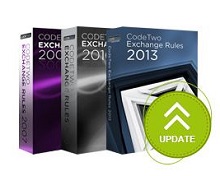
Our central signature management products for Exchange Server - CodeTwo Exchange Rules - have recently been updated. The updates contain 3 fixes for minor issues reported by users - thank you for your feedback! The 3 issues were: Editor: Copy/cut/paste options did not work for the selected text in RTF format.
Fixes in the image conversion mechanism between HTML and RTF formats.
Update of disclaimers/signatures in messages not containing TNEF part in the Sent Items folder. We recommend that users update their respective Exchange Rules versions by downloading the latest free setup file and re-installing the program on the server. All settings and licensing information will remain intact. The setup files are available on the below pages: CodeTwo Exchange Rules 2010
CodeTwo Exchange Rules 2013 The update is free for all owners of licenses for CodeTwo Exchange Rules 2007 3.x, CodeTwo Exchange Rules 2010 2.x and CodeTwo Exchange Rules 2013 1.x. For more info on updating CodeTwo products make sure to visit this page. If you have any additional questions, give our Support team a call or send them an email - we are open 24 hours Monday through Friday (more working hours details here). Learn how to update CodeTwo products
Contact CodeTwo Support
Other CodeTwo products

Our Microsoft Exchange Server synchronization add-on, CodeTwo Exchange Sync, has just been updated. Version 2.2.6 is since yesterday available on our website. The program received some minor improvements users have requested over the past weeks. Download it now - we always recommend using the most recent version of our programs! Since this is a regular update, it's free of charge for all license owners. Simply download the new installer from here and install it on top of the existing version. All settings and license keys will remain valid. In case of any troubles, our Technical Support is always ready to help out. Thank you for all your bug reports and feature requests! See the full list of changes in CodeTwo Exchange Sync
Download the newest installer About CodeTwo Exchange Sync CodeTwo Exchange Sync is a powerful Microsoft Exchange Server add-on, enabling the creation of synchronization tasks between different Exchange Server folders, either in one-way, or two-way modes. Because it is so flexible, it opens completely new possibilities as far as data synchronization in Exchange Server organizations is concerned. For instance, it allows users to synchronize their calendars, tasks, contacts or mail with one another or replicate the public folders content to private mailboxes. It also solves the problem of viewing public folders on Android and iOS mobile devices. Learn more about the program and download for free
Watch videos about the program

We have just released an important update to CodeTwo Exchange Rules Pro. The new version (1.4.6) introduces some significant changes to the signature positioning mechanism, as well as improves the program's resilience against the HTML code errors in signatures. We strongly recommend that all users update their programs. As usual, the update is free of charge for all license holders. Simply download the new installer and launch it. The old version of the program will be replaced with the new one. All previous settings and license keys will remain valid. In case of any questions, please contact CodeTwo Customer Service here. Download CodeTwo Exchange Rules PRO 1.4.6
See the full list of changes applied in this release
Contact us

Melissa really knows how to begin a difficult conversation... See other cartoons from CodeTwo...