backup

Looking to automate your daily Microsoft 365 grind? Discover our top tools for email signatures, migration, backups, and more.

@media (max-width:400px) {
table {
font-size: 10px;
}
}
@media (max-width:350px) {
table {
font-size: 9px;
}
} This post was first published on May 17, 2013 and updated on January 15, 2018. Moving to the Cloud environment is no longer sci-fi – it is a reality. When more and more companies are transferring to Office 365, more administrators are asking the question “Are we safe there? Do we still need to do a backup of our critical data?” Others do not even bother asking, trusting that globally dispersed Microsoft datacenters are ensuring full safety of company’s data. In the following blog post, I’ll try to answer these questions and check the native data backup and preservation options available in MS Office 365 plans. It may appear a bit surprising, but there is no backup option available in Office 365 in the traditional sense of the word – not in the form administrators could remember from the on-premises environments. Microsoft concluded that since all information is stored in their datacenters, which provide a super-safe environment, there is no need for such a functionality. Period. On the other hand, MS is not a charity organization, and storage room on their servers comes with a price. The price changes across different Office 365 plans.

Good news for all Exchange Online admins out there, wasting their youth working around the native Microsoft options to somehow perform offline mailbox data backups: we are finishing development on the first centrally managed and fully customizable offline backup solution for Office 365 mailboxes to hit the market.
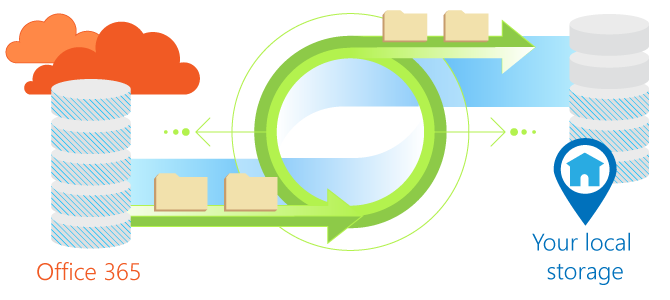
Have you ever wondered whether to backup Office 365 emails and store them locally? Perhaps you have already thought of a native backup solution that would help you to keep your emails somewhere safe and, if necessary, to restore them at any time. Everyone who is concerned about fulfilling legal requirements related to electronic record retention, keeping important data in multiple backup copies, or simply not being interested in paying for inactive Office 365 accounts knows the challenges here.

As an Exchange/Office 365 administrator, you are perhaps loaded with work to make sure everything functions smoothly and no disaster is going to affect your company. There is no need to mention that a situation in which the company cannot function properly due to unexpected technical issues is the boss’s hardly favorite one. However, when there is so much you need to care about you may simply miss one important thing – namely creating backup copies of all mailbox data that might be necessary to ensure business continuity.

We have just released updates to our Office 365 and Exchange mailbox backup solutions - CodeTwo Backup for Office 365 and CodeTwo Backup for Exchange. This update provides some major fixes to programs’ functionalities including: changes to the Backup Job Time Filter (filter parameters were not applied to selected users)
improvements to the restore functionality (fixed problem with long-name and deeply-nested folders)
corrections to the notification system (no warning was displayed when the connection to Exchange was lost)

We have just released the first official update to our youngest product, CodeTwo Backup for Office 365. The program had its premiere just a few weeks ago. It is the first full-blown solution on the market allowing Office 365 administrators to create, keep and restore local backup copies of Exchange Online mailboxes. The newest release introduces an important security feature enabling password-protection of local storages in which Exchange Online backups are kept. It is also now possible to set password authentication for server connections used by the application.

With the latest version 1.4 we have prepared a bundle of new functionalities and fixes to our backup software which deals with easily customizable granular and incremental local backup operations of mailboxes on on-premises Exchange and Office 365 platforms. In the newest versions of CodeTwo Backup for Exchange and CodeTwo Backup for Office 365 we have focused on further UI developments, users will discover the following improvements:
