Android

CodeTwo Exchange Folders has been around for a while now, helping Android owners synchronize literally any Exchange calendar, contacts and tasks (public or personal) directly with their mobile phones. But so far the application was missing one crucial feature - compatibility with iOS devices. This lack did not go unnoticed. Hundreds of users from around the world sent us emails asking when they would be able to use the software to synchronize data between Exchange and their iPads, iPhones and iPods. What they didn’t know was that we were already developing a solution to meet their needs. The reason it took so long was because we wanted to get it just right.
And we did! The long awaited iOS compatible CodeTwo Exchange Folders (version 1.1.0) has just been released! You can download the new server module (Administration panel) directly from our website and the Mobile App from the Apple App Store or iTunes. To deploy the program you have to: Install the Administration panel on the Exchange Server and configure the synchronization service (more details here). NOTE: if you are already running the previous version (1.0.0), just install the new one (1.1.0) on top of it to update (all your settings and licensing information will be kept). Click here to learn more about how to update CodeTwo products. Install the Mobile Apps on mobile devices and connect them to your server. NOTE: if you are already running the previous version, just install the new one on top of it to update (all your settings and licensing information will be kept). Click here to learn more about how to update CodeTwo products. Select which Exchange folders will be available for synchronization (more details here). On the mobile devices choose which folders from Step 3 will be visible in the Mobile Apps (more details here). Here’s a list of benefits offered by CodeTwo Exchange Folders: Mobile access to contact, calendar and task folders located in all public and personal mailboxes on your company’s Microsoft Exchange Server. To ensure security all synchronized data are encrypted and travel directly between the mobile device and server (no Cloud storage) via a secure transfer tunnel opened by a TLS protocol and protected by Triple DES 168-bit encryption. Changes made either on a PC or Android/iOS device are synchronized in real-time and automatically. Your smartphones/tablets are updated wirelessly all the time via Wi-Fi or mobile Internet, regardless if you’re in your office or on the road. All HTML elements in calendar and task items (font formatting, tables, etc.) are synchronized to and from mobile devices intact. Reminders and meeting requests support. Administrator's control over access rights and settings. If you are not using CodeTwo Exchange Folders yet, make sure to give the free 30 day trial a go to see how it works. And if you have any questions related to the application, feel free to contact our Support team. Download CodeTwo Exchange Folders
CodeTwo Exchange Folders vs Exchange ActiveSync
Frequently asked questions

Many companies rely on Microsoft Exchange Server’s public folders to store shared data, archive documents and collaborate on projects. At the same time, the native capabilities of Exchange Server do not allow users to view Exchange public folders on mobile devices. This wouldn’t be a major issue, if not for the fact that smartphones, tablets and other handhelds are gradually replacing laptops and desktops as primary workplace devices. Luckily, CodeTwo has a solution: CodeTwo Exchange Sync. An application which allows you to automatically synchronize Exchange public folders with users’ personal mailboxes, making the public data instantly available on users’ mobile phones. Owing to this, Exchange tasks, contacts, calendars, and other outlook items, can be viewed and modified via devices running on iOS, Android, Windows Phone, or any other system supporting Active Sync protocol.

CodeTwo Public Folders has finally made its way to Android! Last week marked the release of the new version of the program featuring the first build of dedicated Android app. Thanks to the new mobile applications you will finally get to access your public Outlook contacts, calendars and tasks from an Android phone or tablet. What's more, the iOS version of the program is also coming up soon! The new CodeTwo Public Folders mobile app will give you the maximum of freedom in accessing your shared Outlook items, wherever you are and whenever you need. It uses the same type of connection with the Syncing Master as the desktop Client Apps on your PCs. It means your data is never uploaded to the Cloud and exposed to 3rd parties. The calendar entries, contacts and tasks are stored only on the linked devices and that's what makes CodeTwo Public Folders so special and safe. CodeTwo Public Folders Android app in fact consists of three separate applications for managing contacts, calendars and tasks. They allow for creating, editing and removing your public Outlook items, exactly the same way as the Client Apps on desktop machines. After installing the mobile app from Google Play you will be asked to establish a connection with the Syncing Master. Before you do that your CodeTwo Public Folders desktop installation should be already configured (Learn more). You can also choose to test the application with the Demo Server first. In this scenario the configuration of your own Syncing Master is not required. Managing Outlook items with the mobile app on Android device is very simple. Given that the administrator hasn't limited the access rights in the Administration Panel of the Syncing Master (Learn more), users can choose every public folder from Outlook to be displayed and synchronized. After that, the Outlook items are displayed in the dedicated Android apps and synchronized with other devices in real time. Whenever someone changes anything on any other device in the network, it will be replicated on other PCs and mobile phones immediately. Using CodeTwo Public Folders Android apps is free of charge for all users that own the license key for the current version of the program. However, in order to work properly with the mobile applications, the desktop installation of the program needs to be updated. Head on over to CodeTwo Public Folders download page and update your program now! Ready to go mobile with CodeTwo Public Folders yet? Get the mobile app from Google Play Store and test it by yourself! If you happen to use an iPhone or an iPad at your home or office, keep checking on us here or on our Facebook fanpage. The iOS applications for CodeTwo Public Folders are set for their launch very soon. We'll keep you posted!

CodeTwo Exchange Sync has been updated to version 2.2.0. The program enables an automatic, real-time synchronization of selected Exchange folders and allows users to access this data on their mobile devices, such as Blackberry, Android, iPhone, etc. The new version includes a number of important fixes and improvements, such as: Enhanced compatibility with Windows 7;
Better support for MAPI libraries in Outlook;
More convenient save folder location for log files - they are now saved in /ProgramData/ instead of the installation folder of CodeTwo Exchange Sync;
Synchronization process has been enabled or improved for:
- recurring files;
- items containing attachments, categories or "Subject" modifier; Recipients do not duplicate anymore;
Problem of Outlook profile changing automatically to C2ExchangeSyncAdmin profile after the installation of CodeTwo Exchange Sync has been eliminated;
An issue with opening message store has been fixed;
The mechanism of meeting requests' synchronization has been rebuilt to eliminate possible errors caused by this action. We advise all users of CodeTwo Exchange Sync to download and install the new version. This update is free of charge and can significantly enhance the program's efficiency, making your work with this application much more convenient. See a complete version history list for CodeTwo Exchange Sync.
Lear more about syncing your mobile with Public Folders of Exchange Server.
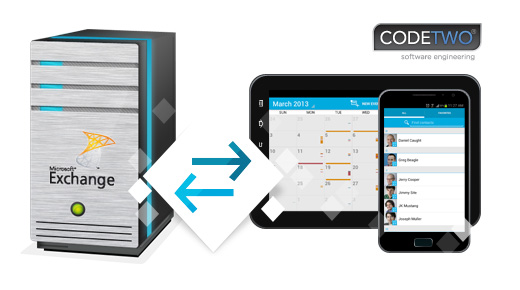
For the past months our mobile and Exchange teams have been hacking away on a new program called CodeTwo Exchange Folders and they have now come to a spot that we would refer to as Release Candidate. As the name suggests, the program will let you exchange folders between users and devices. And now... (drums!) you will be able to sync Exchange Public Folders and any personal folders with your Android devices (iOS support coming a few weeks later). The tool will come in tandem with dedicated mobile apps for syncing Exchange calendar, contacts and tasks. Do you think you will warrant these apps a coveted spot on your homescreen?