Author: Gniewko Oblicki
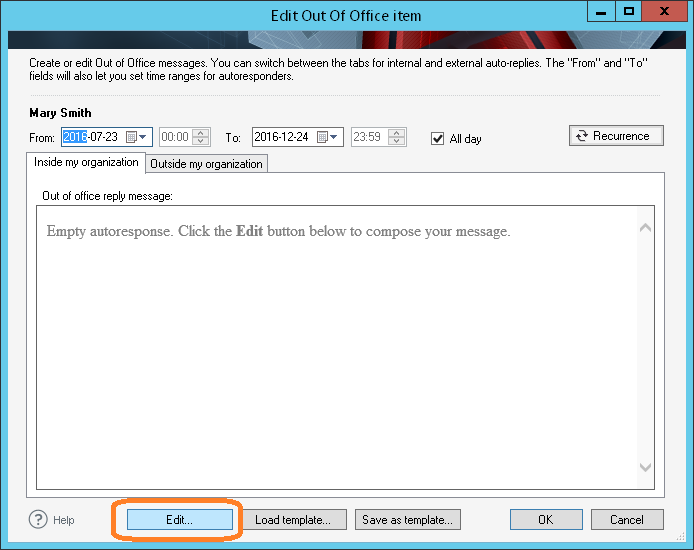
UPDATE: We are sorry, but CodeTwo Out of Office Manager mentioned in this article has been discontinued. If you are looking for an alternative for Exchange Server, take a look at the auto respond feature in CodeTwo Exchange Rules Pro. During the holiday season, many IT admins face the problem of setting an autoreply for another user on Exchange Server or Office 365. The story is often the same… An employee goes on vacation and forgets to set the autoreply in the Exchange/Office 365 mailbox. The only person capable of fixing this is usually the IT guy, who can use his or her admin rights to set the autoreply in Exchange Admin Center. While many administrators don’t mind performing such small office tasks, others may find it distracting and would rather delegate setting autoreplies for users to a secretary or an HR specialist. In this article I am going to show you how you can grant Exchange or Office 365 autoreply editing rights to another user – not necessarily the admin - by installing a smart 3rd party tool called CodeTwo Out of Office Manager. Let’s get started then!

The end of the year 2012 has been extremely busy for our software developers. Over the past weeks they have been working on several major updates to our programs and the effect of their effort can now be seen on our download site. This time, updates to our two Outlook-dedicated products have been released. If you happen to use CodeTwo Public Folders 5.x or CodeTwo Email Signatures, feel free to update your applications to the latest version at no cost.
CodeTwo Public Folders 5.0.5
From the very first release of the new version of CodeTwo Public Folders we have been constantly working on improving the program. Since then our programmers have added several bug fixes and new features to it. Take a look at the full list of changes applied to CodeTwo Public Folders at version history page. And here's just a selection of the most important ones: Support for Outlook 2013 and Windows 8.
Improved Syncing Master connection stability.
Several bug fixes and programmatic improvements. To successfully perform the update on your CodeTwo Public Folders network, the Syncing Master and all Client Apps need to be re-installed. After you download the new installer, launch it on every machine and the old version will be replaced with the new one. All licensing info and user settings will remain unchanged - provided that you own the 5.0 version or higher. The update is free of charge for all CodeTwo Public Folders 5.x owners. Download CodeTwo Public Folders 5.0.5
CodeTwo Email Signatures 1.0.12
CodeTwo Email Signatures is the youngest tool in our product family. It was designed for managing signatures and disclaimers in Microsoft Outlook, Office 365 and OWA (Learn more here). The recent release includes 2 minor changes that have been requested by users recently: New: The Set permissions button allows the user to set the impersonation permissions for the administrator of Office 365. Fixed: The Signatures folder where the signatures of MS Outlook are stored was not correctly detected by the program in several language versions. To update CodeTwo Email Signatures download the new installer and run it. After the installation is completed all your previous settings and licenses will remain unchanged. Download CodeTwo Email Signatures 1.0.12 Should you have any doubts or questions, our technical support team is always willing to help you. Thank you for all your bug reports and feature requests. We wish you all the best in 2013!

A few days ago we informed you about the MSExchange.org's Gold Award for CodeTwo Exchange Rules Pro and yet we have another great news with the word "gold" in the heading to share. This time we are happy to announce that CodeTwo has just renewed its membership in the Microsoft Partner Network and has attained the Gold Independent Software Vendor (ISV) competency. This is the highest rank a company creating its own applications can receive among Microsoft Partners and there were several requirements which we had to meet in order to get it. As a company developing solutions based on Microsoft platforms, we put our full effort into creating top-quality products that are highly reliable and functional for users. This vision stays in keeping with the general idea of Microsoft Partner Network, which gathers companies that are among the best experienced experts in their business areas. In order to receive a Gold ISV competency our software not only had to undergo several Microsoft platform compatibility tests, but also we had to gather a number of independent users references that confirmed the quality of our products. On this occasion we also launched a few Customer Satisfaction (CSAT) surveys that gave us a lot of useful information about how our work and services look from your perspective as a user. Thank you for all your comments and survey responses! The fact of receiving the Gold ISV competency is also beneficial to those who buy our products. As Microsoft Partner we have access to the latest Microsoft technology and technical resources. This helps us create software that is fully compatible with Microsoft platforms and is based on highest technical standards. In the end that's what you actually expect from us, isn't it? :-) Visit official Microsoft Partner Network portal
More about Microsoft Partner Network Competencies
CodeTwo Home
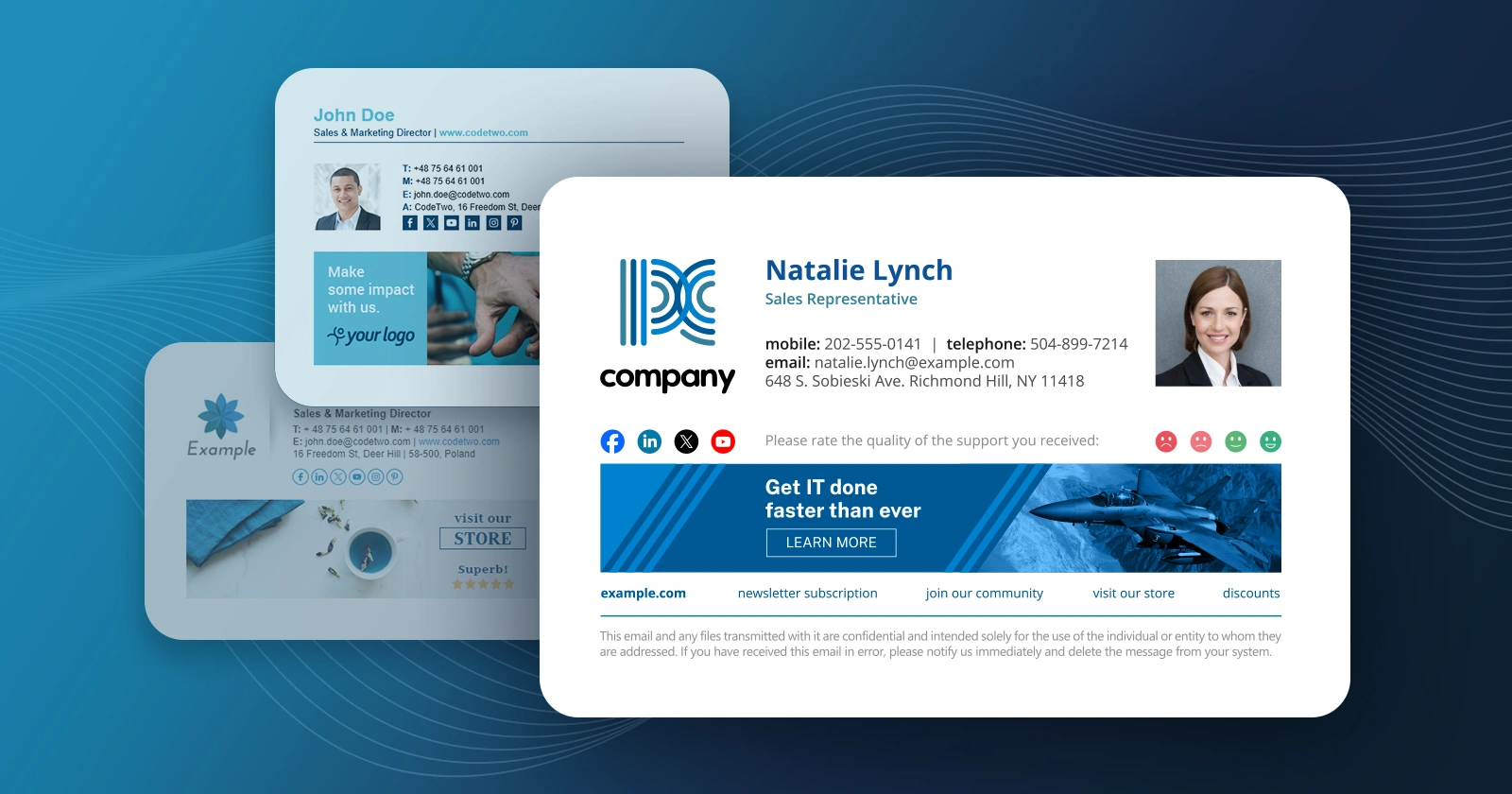
Just to remind you it's just two weeks till the end of draw organized together with MSExchange.org. Each of you has now a chance to win a licensed version of CodeTwo Exchange Rules for 100 mailboxes. The draw will take place on December 22nd so if you want to be included in it, you need to hurry up! How to enter the contest? It’s really simple. All you have to do is to write a comment under this post on MSExchange.org or type “I want to win CodeTwo Exchange Rules” on our Facebook wall. On December 22nd we will randomly select 15 winners and publish the results in an online video shortly after the draw takes place. Why is this offer so attractive for Exchange Server administrators? CodeTwo Exchange Rules is an application that automatically adds signatures, disclaimers and email banners to all outgoing Exchange Server mail. It enables you to setup email rules based on Active Directory fields that manage email signatures, disclaimers and advertisement banners directly on the server. There’s no need to create complicated Hub Transport rules for that, since with CodeTwo Exchange Rules it goes much easier and faster. The program really simplifies the work of every Exchange Server administrator and gives him or her endless possibilities. Only this winter you get the chance to get the license for CodeTwo Exchange Rules (worth $500) for free. Don’t wait and join the contest now! More about CodeTwo Exchange Rules
More about other CodeTwo products
Go to CodeTwo Home

Just before the weekend another minor update to CodeTwo Public Folders was released. It fixes some of the issues users have reported recently. The update is free of charge for all CodeTwo Public Folders 5.x license owners. Version 5.0.6 includes the following changes: Fixed: Subfolders of the same folder shared via the File Sharing App (with names starting with lower and upper case letters e.g. “aaaa” and “BBB”) where not recognized by a subscribing User after losing and regaining a connection with the Syncing Master.
Fixed: When a large file was being downloaded by a subscribing User via the File Sharing App and the User lost and regained a connection with the Syncing Master, a copy of that file was created and shared back both ways causing duplicates.
Fixed: When one of the users shared a private inbox with a previously set Outlook rule, duplicated inbox items where created. During the update, all your network components, including the Syncing Master and all the Client Apps, need to be re-installed. Simply download and run the installer on each synchronized machine. All your previous settings will remain unchanged. For more information feel free to contact CodeTwo Customer Service directly.

It has been almost half a year now since the release of our migration tools for Exchange Server and Office 365. During the last few months we have gathered a lot of feedback about what can be done better and what new features to implement. Thanks to the hard work of our programmers CodeTwo Exchange Migration and CodeTwo Office 365 Migration have now become well recognized tools among Exchange Server and Office 365 administrators. The effort we put in developing our migration software into its current state has been also recently appreciated by two Microsoft Exchange MVPs - J. Peter Bruzzese (TechGenix, previously MSExchange.org) and Ratish Nair (MSExchangeGuru.com). Their in-depth product reviews have been just published on the Internet. Let's find out more about their opinions below.

Have you ever tried to buy a TV using Internet? If yes, than I assume what dilemmas came across your mind. What brand to choose? Should it be big or small? HD Ready or Full HD? What is HD actually?? Too many questions at once. Why not visit a proper discussion on the Web? There must be someone, who came through all of this before you:) Here at CodeTwo, we know exactly how using different software can be difficult to users. We have learned it especially from our Technical Support experience. That's why we've created Oulook-center.com - the online encyclopedia for all Microsoft Outlook topics. A place where all MS Outlook users can share tips, advises and solutions to the issues that bother their minds. After joining the Forum, not only will you get the access to the instructive discussions but you will also become a member of a wide community of Outlook users who share their knowledge with others. Of course we won't leave you alone with your problems. Our experts are always willing to answer your posts on the Forum. So... Why wait any longer? Go to OutlookTalk.com.

How often does it happen to you... You scroll down the Outlook folder tree, accidentally grab one of its items and then unintentionally drop onto a different. Sounds familiar? Or maybe you have recently deleted a whole Outlook folder instead of one item only? These situations keep happening to everyone, no matter if you are a Outlook newbie or an experienced user. Outlook doesn't warn about such situations natively. Luckily, here comes CodeTwo Move & Delete Watchdog, the newest free Outlook addin by CodeTwo. CodeTwo Move & Delete Watchdog warns about unintentional moving or deleting folders in Microsoft Outlook. It is typical install-and-forget software. Once it is installed on a PC equipped with Outlook, it fully integrates with your mail client and starts working straight away. Whenever you move a folder in Outlook's navigation pane or are about to delete something from the Outlook folder tree, a popup dialog appears asking for your confirmation. Although the application requires absolutely no configuration to work properly, you can decide if you wish to be notified when you move a folder, delete it, or in both of these cases. So... If you're tired of looking for folders that accidentally changed their locations in Outlook or want to be sure you don't loose important Outlook data by accident, better install CodeTwo Move & Delete Watchdog on your PC right now. It's free, contains no adds and - like all our apps - will save you heaps of time and nerves with working with your mail client. Learn more about the program and download for free
Check out other free Outlook tools by CodeTwo
CodeTwo Products
